Hidden Deep Into my Heart - TryHackMe Writeup | Robots.txt to Secret Vault
Hidden Deep Into my Heart TryHackMe writeup — Love At First Breach 2026: robots.txt disclosure, directory fuzzing, and default credentials to Cupid's secret vault flag.
##TryHackMe Room — Hidden Deep Into my Heart (Love At First Breach 2026)
Find what's hidden deep inside this website.
Cupid's Vault is a Valentine-themed site "designed to protect secrets meant to stay hidden forever." The briefing stated that Cupid may have unintentionally left vulnerabilities in the system and that we should uncover what's hidden inside the vault. That told me the flag was likely behind some hidden area — a path not linked from the main page, or protected by weak credentials. I decided to start with standard web enumeration: check for a robots file, then fuzz directories to find any obscured routes. This writeup walks through that process step by step, so you can see how each finding led to the next and why the final login worked.
##Overview
| Item | Detail |
|---|---|
| Goal | Uncover what is hidden inside the vault and capture the flag |
| Attack chain | robots.txt → hidden path + credential hint → directory fuzzing → admin login → flag |
| Key concepts | robots.txt disclosure, directory enumeration (ffuf/gobuster), default/leaked credentials |
##Reconnaissance
The application was at http://<TARGET_IP>:5000. I opened it in the browser and saw a simple landing page: "Love Letters Anonymous" with a short welcome message and a heart animation. There were no visible links to other pages, no login form, and no obvious parameters to play with. So the attack surface had to be discovered — either through a standard file like robots.txt or by fuzzing directories. I kept Burp Suite running to capture any requests, and in parallel I ran a directory fuzzer against the base URL so I could find paths that returned different status codes or response sizes.
###Directory fuzzing with ffuf
I used ffuf with a common wordlist so that any hit would stand out by status code and size:
ffuf -u http://<TARGET_IP>:5000/FUZZ -w /usr/share/wordlists/dirb/common.txt -t 500Why this approach: Directory fuzzing quickly reveals endpoints that aren't linked from the main page. The wordlist includes entries like admin, login, robots.txt, backup, etc. I was looking for anything that returned 200 (or 301/302) with a response size different from the default homepage, which would indicate a real page or redirect.
Among the results, robots.txt returned 200 with a small response size (on the order of tens of bytes). That's a classic sign of an existing robots file — and robots.txt is often where developers "hide" paths from search engines by listing them under Disallow, which ironically makes those paths more interesting to an attacker because they're explicitly called out. I stopped the fuzz and opened /robots.txt in the browser (or via curl) to read its contents.
##Reading robots.txt
###Key concept: robots.txt
robots.txt is a plain-text file that tells web crawlers which paths they are allowed or disallowed to request. It's intended for search-engine compliance, not for access control — the file is public and anyone can request it. Developers sometimes use it to keep admin panels, debug pages, or staging paths out of search results by listing them under Disallow. From an attacker's perspective, that means every Disallow line is a candidate path to visit. Comments in the file (lines starting with #) are often overlooked, but they sometimes contain hints, default passwords, or internal notes. So whenever I find robots.txt, I read it in full and treat both the paths and the comments as part of the attack surface.
I requested the file:
GET /robots.txt HTTP/1.1
Host: <TARGET_IP>:5000
Response:
User-agent: *
Disallow: /cupids_secret_vault/*

# cupid_arrow_2026!!!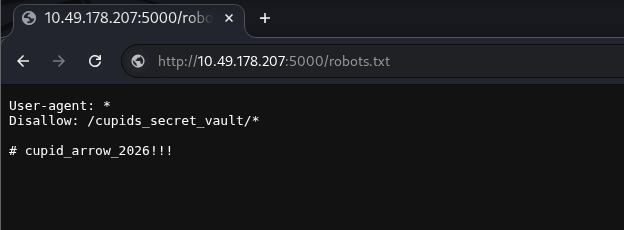
Two things stood out immediately:
- >
Hidden path:
Disallow: /cupids_secret_vault/*— So there was a path/cupids_secret_vault/that the developers did not want indexed. Given the challenge name ("Hidden Deep Into my Heart") and the idea of a "vault," this was almost certainly where the flag or an admin panel lived. I made a note to visit this path and, if it was a directory, to fuzz under it for subpaths likeadmin,login, oradministrator. - >
Comment:
# cupid_arrow_2026!!!— This looked like a password or token: a short phrase with numbers and punctuation. It could be a default password for an admin account, a secret for an API, or a hint for the next step. I decided to try it as a password when I found a login form, with a username likeadminoradministrator.
So the plan was: go to /cupids_secret_vault/, see what was there, fuzz for subdirectories if needed, and when I hit a login page, try the comment value as the password.
##Exploring the vault and fuzzing subpaths
I navigated to http://<TARGET_IP>:5000/cupids_secret_vault/. The server returned 200 and a page titled "Cupid's Secret Vault" with a message along the lines of "You've found the secret vault, but there's more to discover." So the path existed and was a valid page, but it didn't list any subpaths or links — meaning I had to discover child paths by fuzzing. I ran ffuf again, this time with the base URL set to the vault path so that FUZZ would be appended as a segment:
ffuf -u http://<TARGET_IP>:5000/cupids_secret_vault/FUZZ -w /usr/share/wordlists/dirb/common.txt -t 500What I was looking for: Any path that returned a different status code or a significantly different response size from the default vault index page. A larger size often indicates a full HTML page (e.g. a dashboard or login form) rather than the short "there's more to discover" message.
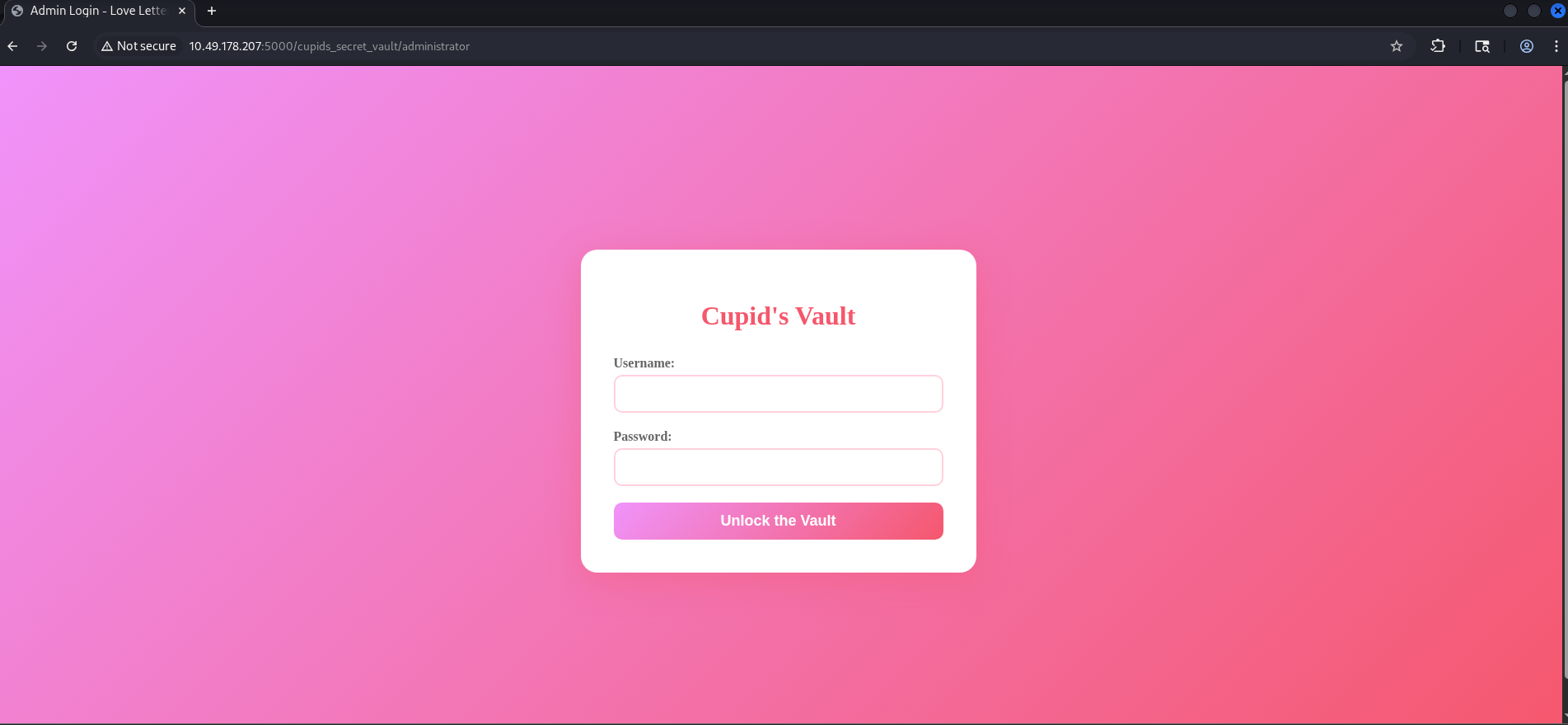
One of the results was administrator — visiting http://<TARGET_IP>:5000/cupids_secret_vault/administrator returned a 200 with a much larger response body. When I opened that URL in the browser, I was presented with a login form (username and password fields). That was the next step: try the credentials I had inferred. I used admin as the username (a very common default for admin panels) and the value from the robots.txt comment — cupid_arrow_2026!!! — as the password.
##Admin login and flag
I opened the administrator page and filled in the form:
- >Username:
admin - >Password:
cupid_arrow_2026!!!
Then I submitted the form. The request looked like this (snippet):
POST /cupids_secret_vault/administrator HTTP/1.1
Host: <TARGET_IP>:5000
Content-Type: application/x-www-form-urlencoded
Referer: http://<TARGET_IP>:5000/cupids_secret_vault/administrator

username=admin&password=cupid_arrow_2026%21%21%21
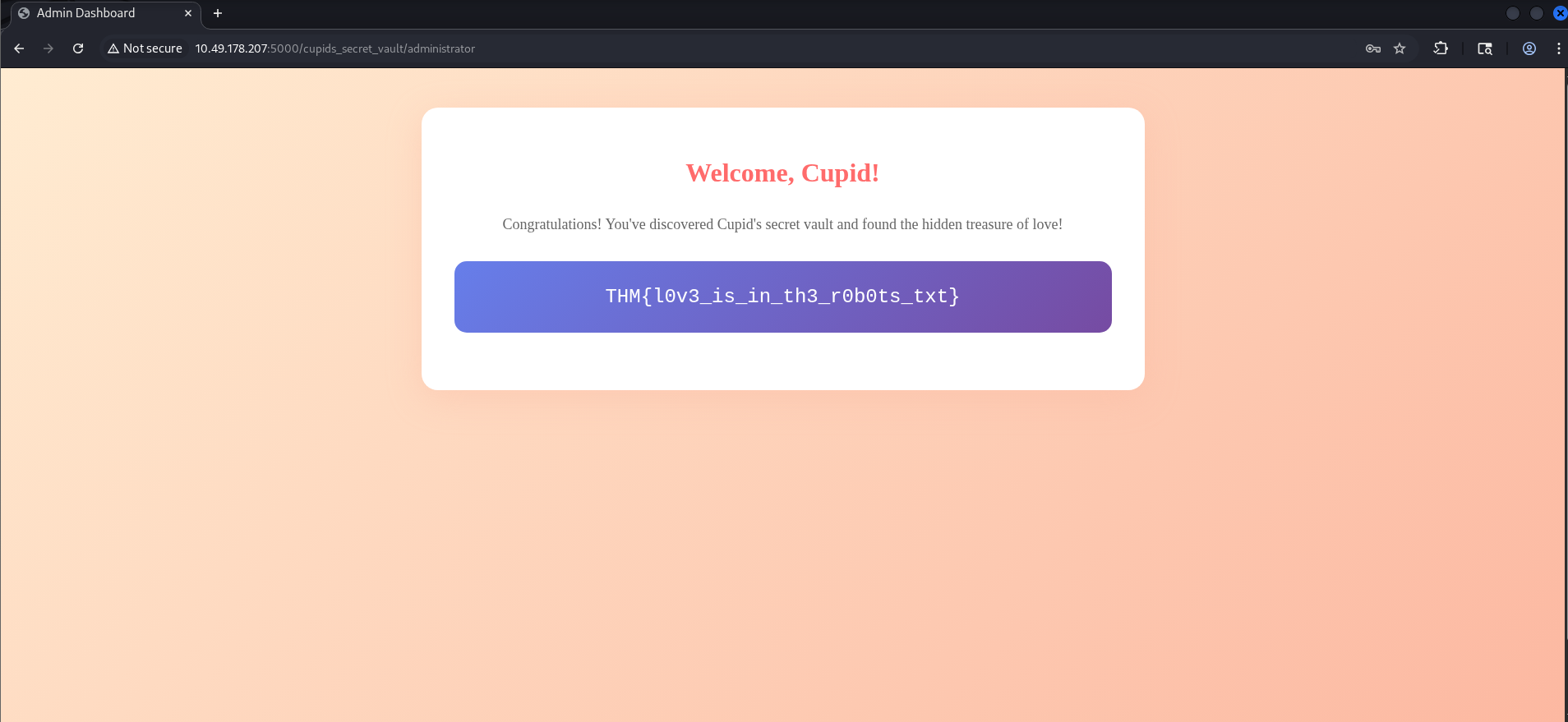
The server responded with 200 OK and a new page: an "Admin Dashboard" or "Welcome, Cupid!" style message, with the challenge flag displayed in a styled box (e.g. inside a div with a class like flag-box). So the comment in robots.txt was indeed the admin password; no brute-forcing or further enumeration was needed. I had gone from robots.txt → hidden path → directory fuzz → login → flag in a straight line.
##Flag
THM{*redacted*}(Replace with the actual flag when you solve the room.)
##Attack chain summary
| Step | Action | Outcome |
|---|---|---|
| 1 | Fuzz / with ffuf | Find robots.txt |
| 2 | Read robots.txt | Get /cupids_secret_vault/ and credential hint |
| 3 | Visit vault, then fuzz subpaths | Find administrator |
| 4 | Login with admin + hinted password | Access dashboard and flag |
##Pitfalls and notes
- >
Assuming the comment is irrelevant: It's easy to focus only on Disallow lines and ignore comments. Here, the comment was the key to the admin password. Whenever you read robots.txt, treat every line — including comments — as potential information disclosure.
- >
Stopping at the vault root: The vault index page didn't link to the administrator panel. If I had stopped after visiting
/cupids_secret_vault/and not fuzzed for subpaths, I would have missed the login page. So the workflow has to be: find a directory → fuzz it for children → visit and test each interesting hit. - >
Trying the wrong username: I tried
adminfirst; if the application expected something likeadministratororcupid, the same password might still work. So if one username fails, it's worth trying the password with a couple of common variants.
##References and tools
- >TryHackMe — Love At First Breach
- >ffuf — Fast web fuzzer
- >DIRB wordlists — Common paths
- >OWASP — Information disclosure (robots.txt)
This writeup is part of my Love At First Breach 2026 event writeups.